You can use your own master key to encrypt your organization's encryption keys.
By default, IDMC protects your organization's sensitive data in the cloud using organization-specific encryption keys that are generated and stored in the IDMC key management service (KMS). To prevent malicious access, the keys are encrypted using a master key that is stored in the cloud provider's KMS.The master key is provisioned in Informatica's KMS account and varies by POD.
If you prefer, you can create a customer-managed key (CMK). When you create a CMK, you control access to it. However, you'll need to grant IDMC access to the CMK so that it can encrypt and decrypt your organization's sensitive data.
Creating a CMK offers the following benefits:
•You can restrict and control any access to your data.
•You can restrict the decryption of your data in the event of a data breach.
•You create and hold the key material in your KMS. The key is never exposed to your cloud service provider.
•You maintain full control of the key throughout its lifecycle. You can revoke access or delete the key at any time.
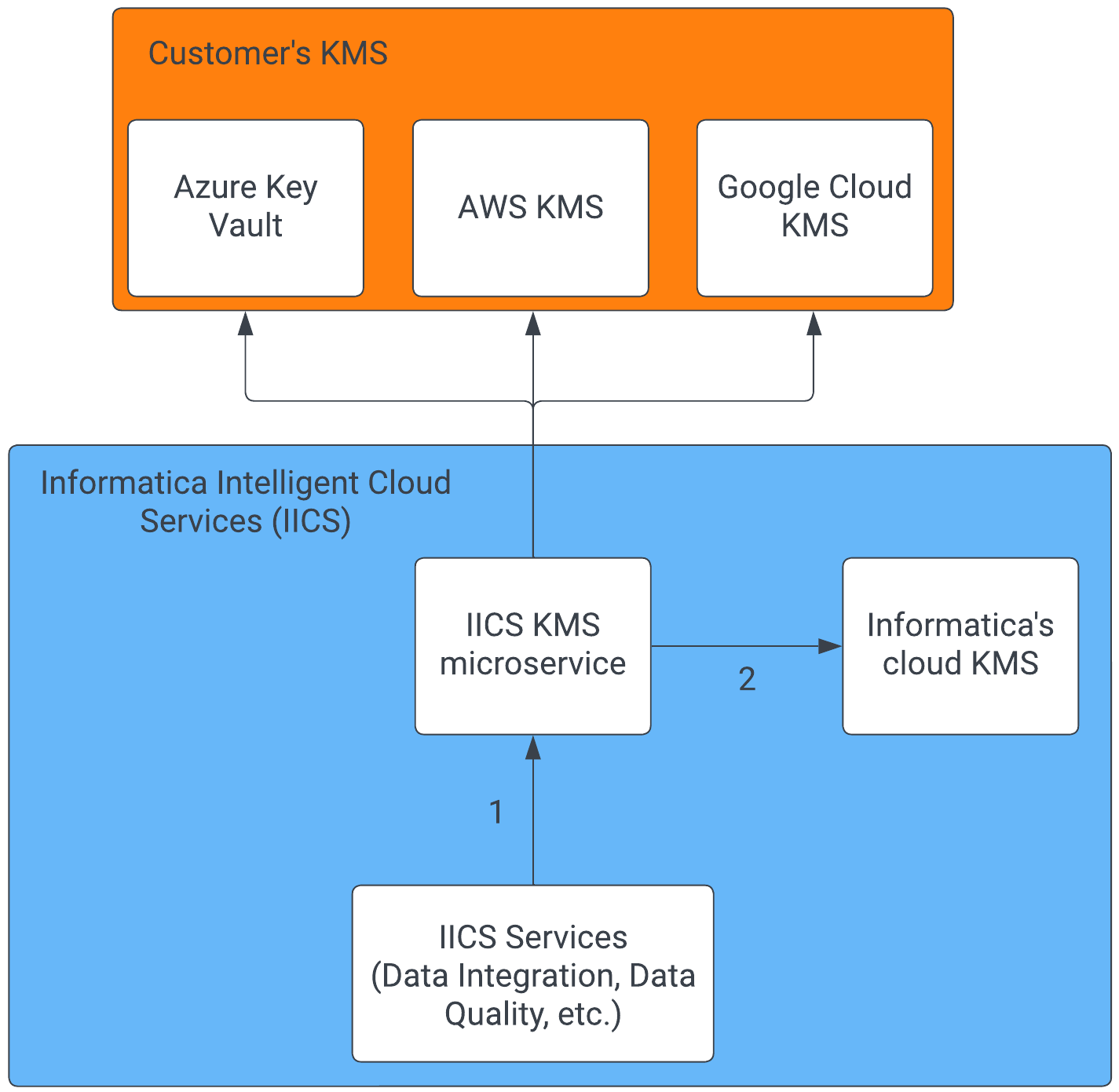
The following image shows how IDMC interfaces with your CMK:
1IDMC interfaces with the IDMC KMS agnostically.
2Non-customer managed keys go to Informatica's cloud KMS.
You can create and enable a CMK when you use the following cloud providers' key management services:
•Amazon Web Services
•Microsoft Azure
•Google Cloud
Note:
When you create a CMK, your KMS and IDMC POD must use the same cloud provider. For example, if your IDMC POD is USW1 on AWS, then you must store your CMK on AWS KMS. You can't store it on Google Cloud KMS or Azure Key Vault.