A serverless runtime environment is an advanced serverless deployment solution that doesn't require downloading, installing, configuring, or maintaining a Secure Agent or Secure Agent group. You can use a serverless runtime environment in the same way that you use a runtime environment when you configure a connection or tasks.
A serverless runtime environment is an advanced serverless deployment solution that uses an isolated, single-tenant model, unlike the multi-tenant model on the Hosted Agent. The single-tenant model provides a dedicated server with virtual machine resources to run tasks for your organization. The serverless runtime environment auto-scales with the size of the workload while your data remains in your cloud environment.
When you use a serverless runtime environment to run mappings in advanced mode, the advanced serverless deployment fulfills the prerequisites to create an advanced cluster and to run jobs on the cluster. The serverless runtime environment manages the advanced cluster while the cluster adapts to workload changes by provisioning and de-provisioning resources. Worker nodes in the advanced cluster are highly available. High availability mitigates job failures and maintains job performance when a worker node crashes.
Serverless runtime environments are available in AWS and Microsoft Azure environments. A serverless runtime environment supports local regions in each geo-location. For example, an AWS cloud platform in the United States (US) supports all US regions and an AWS cloud platform in Asia-Pacific (APAC) supports all APAC regions.
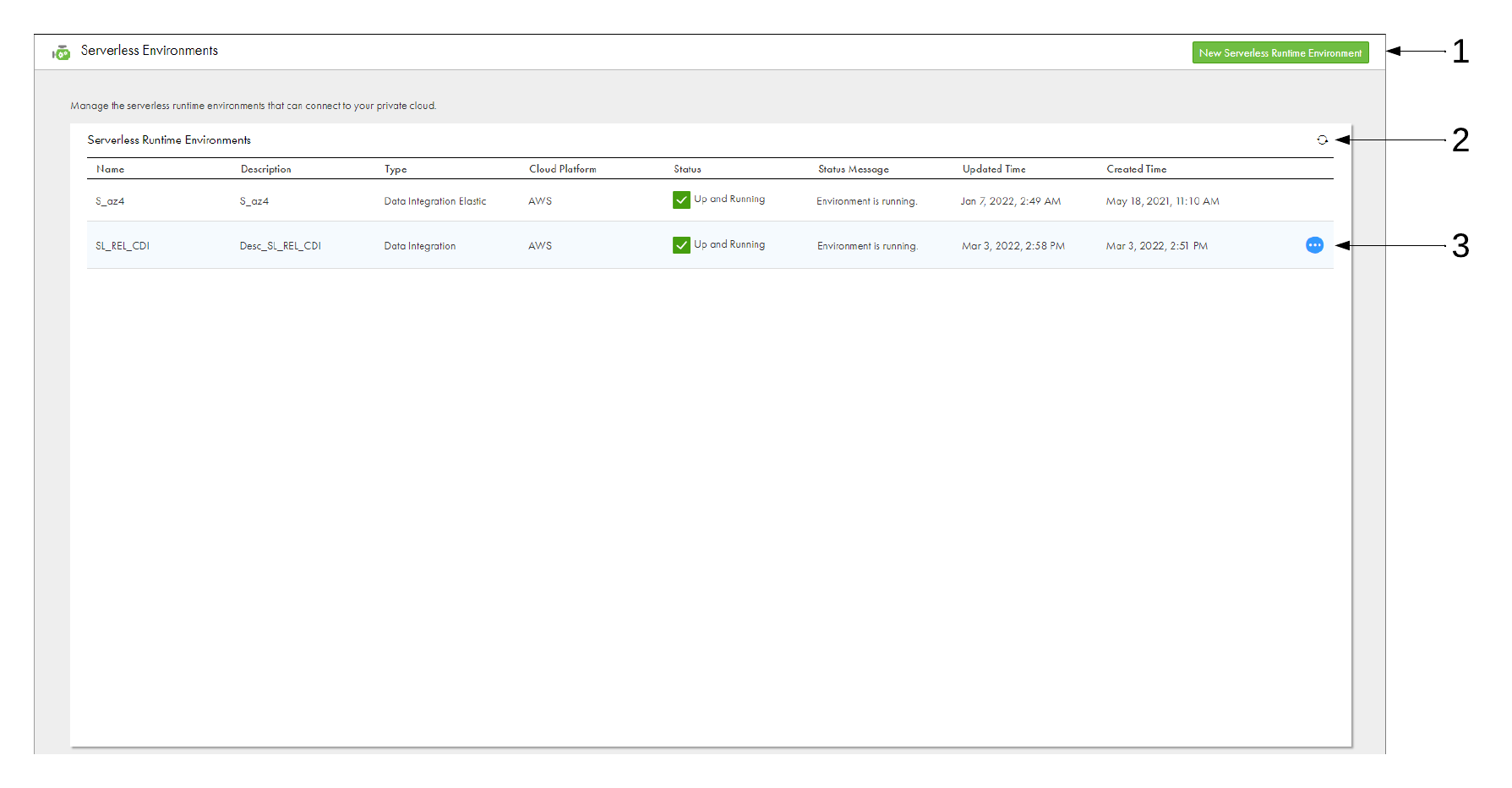
You can view serverless runtime environments on the Serverless Environments page. To view environments, you must have at least read permissions for Secure Agent groups. For more information, see Working with Secure Agent groups.
The following image shows the Serverless Environments page:
1Option to create a serverless runtime environment
2Refresh icon
3Actions menu
You can create a maximum of 10 serverless runtime environments in your organization. If you have a trial license, you can create a maximum of two environments.