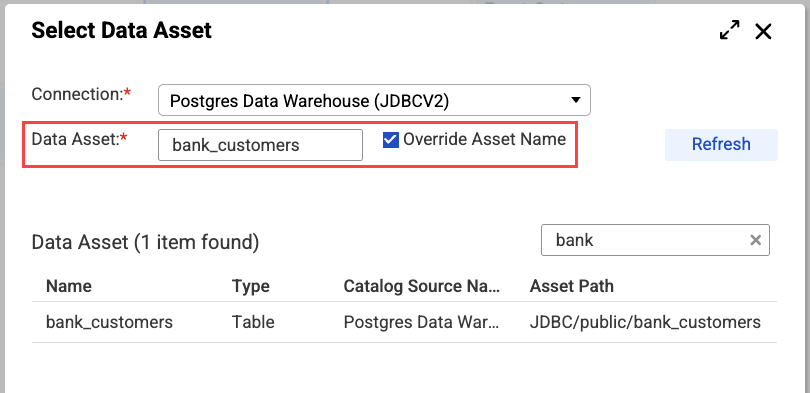
If you do not start the name of appended columns with "cdamx_," the mapping will fail, as the data asset definition from the Data Governance and Catalog catalog will not match the data asses definition in the Source transformation.
The following image shows the Source Type menu on the Source tab:
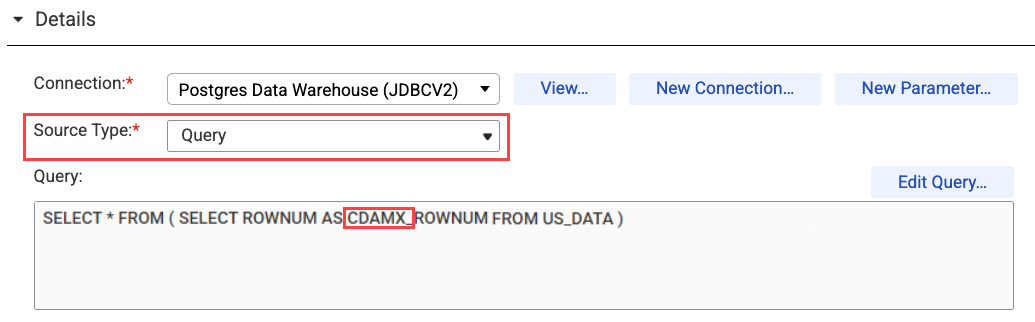
For example, to add the row number to the table, you can write a query to select all columns as they appear in the catalog and append the row number column as "cdamx_rownum."
The following image shows the Select Data Asset window:
The access_policy_filter field can display ACCESS_GRANTED, ACCESS_DENIED, or FAILURE_FIELD.
The access_policy_filter field displays FAILURE_FIELD when Data Access Management is unable to apply a data protection. The field is redacted with null. This can occur when a field's value does not meet the criteria specified in a data protection's regular expression syntax. For example, a data protection might consistently randomize a five-digit postal code. If a field contains more than five digits, the access_policy_filter field displays FAILURE_FIELD and the field is redacted with null.
Complete the following tasks when defining Access Policy transformations that include data access policies:
- - Add a Filter transformation after the Access Policy transformation to remove those records where access has been denied or where a data protection was not applied. Take this action if you prefer not to include ACCESS_DENIED or FAILURE FIELD in the target.
- ▪ On the Incoming Fields tab, include all fields.
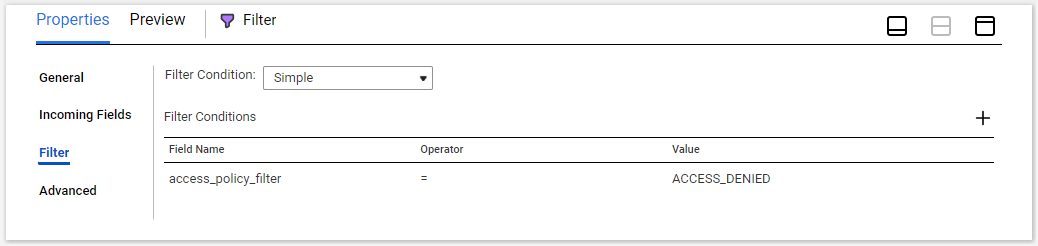
- ▪ On the Filter tab, add a simple filter condition for the field name access_policy_filter with a value of ACCESS_DENIED.
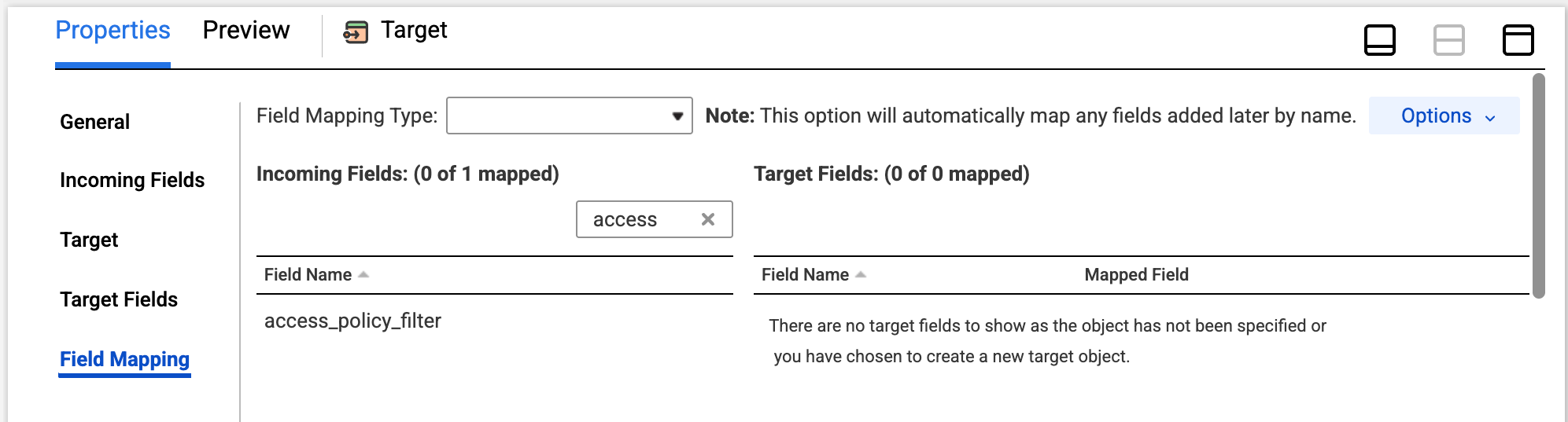
- - Configure the Target transformation to exclude the access_policy_filter field from being written to the target. Take this action if you prefer not to include the access_policy_filter field from being written to the target.
- ▪ On the Field Mapping tab, do not map access_policy_filter to any fields.
The following image shows the Filter tab:
The following image shows the Field Mapping tab for the Target transformation: