1Click Global Settings > Rule Association Migration.
2Click Start.
Note:
If you have already migrated rule associations in an organization, the option to start the migration is disabled.
3In the Rule Association Migration dialog box, enter the Organization ID.
The following image shows the Specify Organization Details step of the Rule Association Migration dialog box: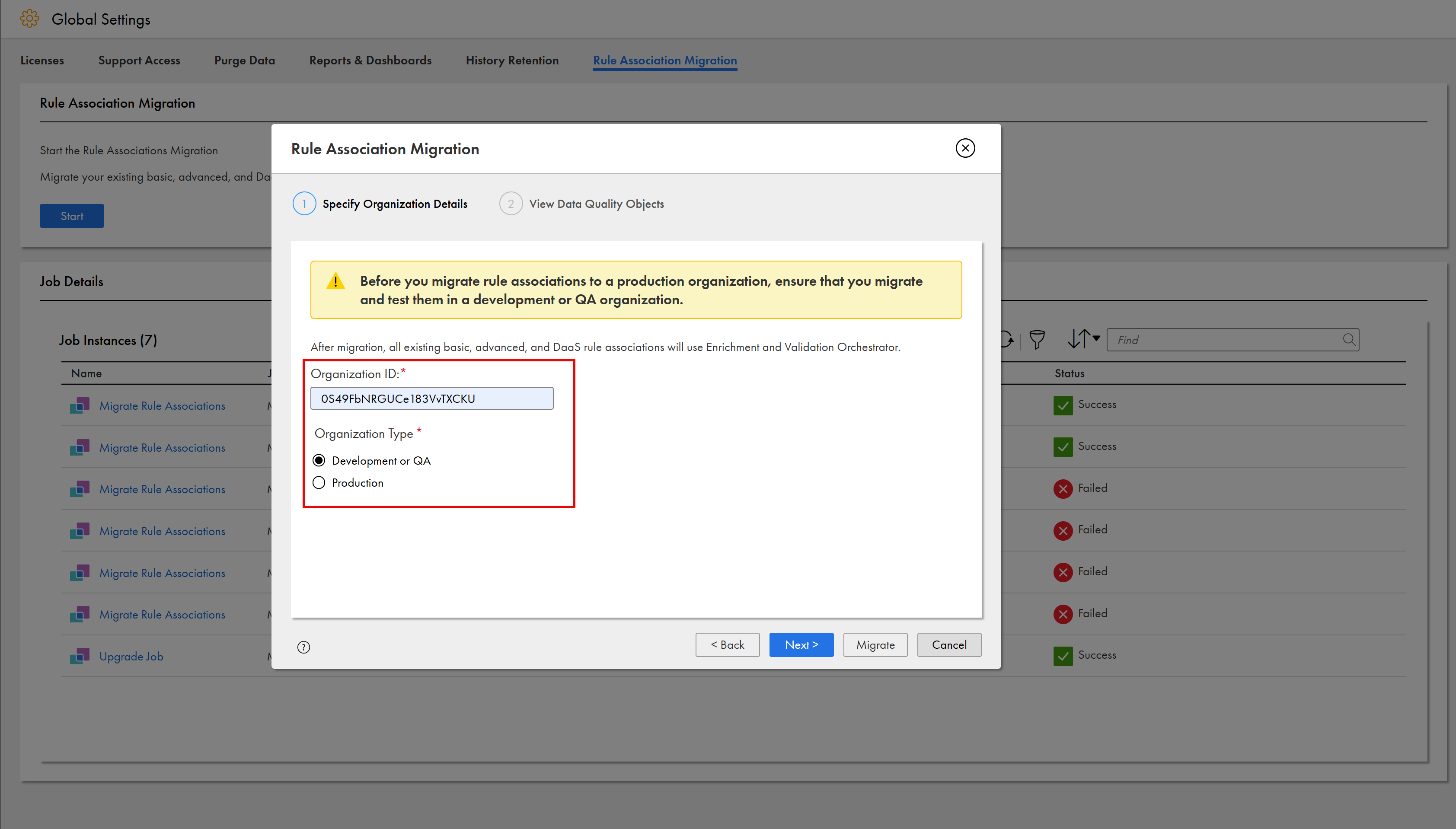
4Select the organization type.
Note:
Informatica recommends that you first migrate rule associations in your development and QA organizations. After you complete testing the migrated rule associations, migrate them in a production organization.
5If you select the organization type as Production, acknowledge that you have migrated and tested the rule associations in a development or QA organization.
6Click Next.
7In the View Data Quality Objects section, review all the data quality objects including functions of basic rule associations, rule specifications from Data Quality that are used in advanced rule associations, and DaaS-related objects.
8Click Migrate.
MDM SaaS runs the migrate rule associations job. You can view the status of the job in the Job Details section of the Global Settings page. You can also monitor the job on the My Jobs page.
For more information about the migrate rule associations job, see Monitoring migrate rule associations job.