1From the search results, open the record that you want to edit.
If a record is already enriched, you can view the date and time when the record was last enriched.
2To enrich the record again, click the CLAIRE icon and if you see the Enrich button in the Insights tab, perform the following steps:
- aClick Enrich.
- bSelect a recommendation, and click Import.
- cIn the Confirm Import dialog box, click Import.
If matching records are found in the repository of the data provider, they appear as recommendations.
The following image shows recommendations from the GLEIF database for the sample record:
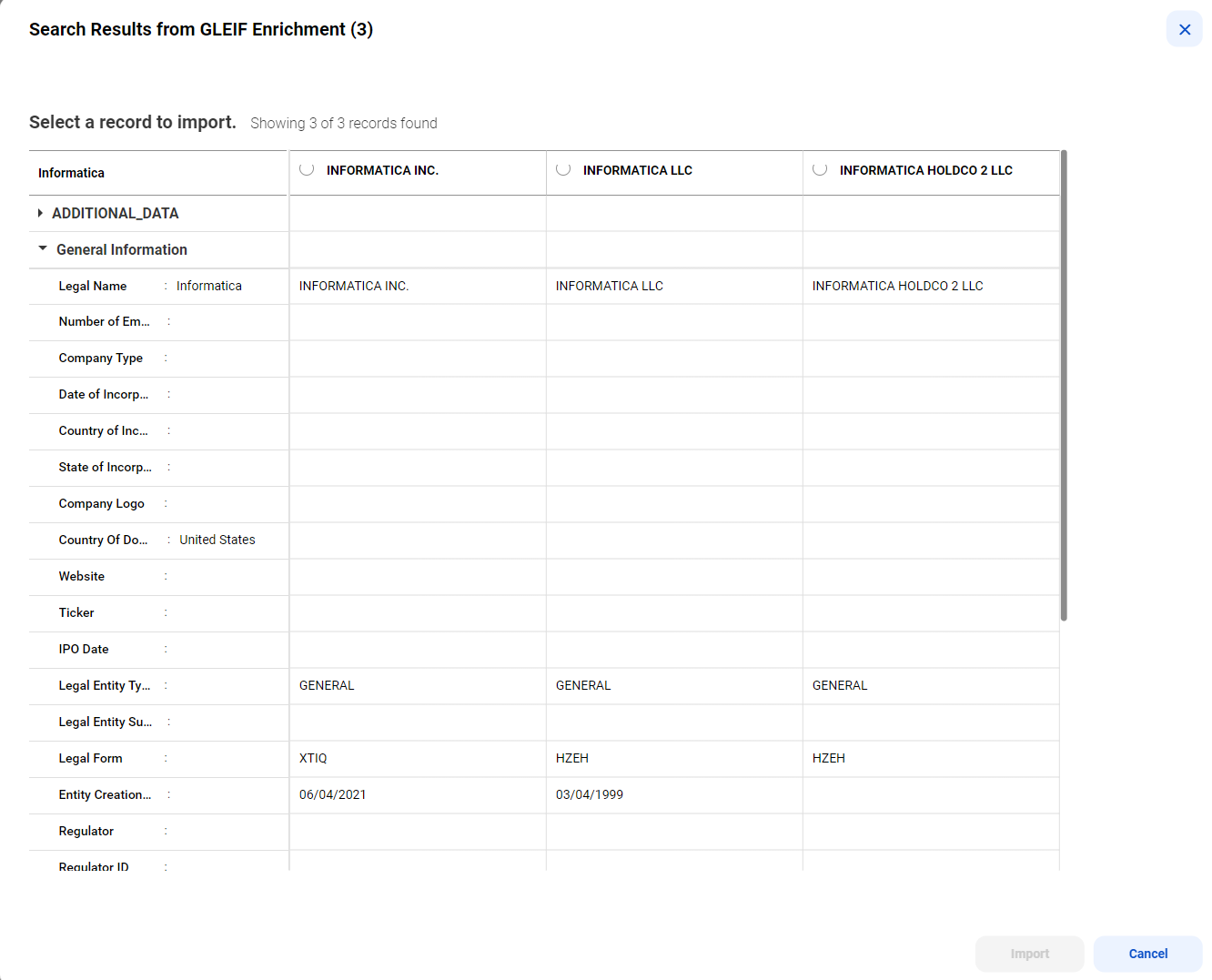
After you import a recommendation, the record is enriched and submitted or sent for approval.
3To update the record, click Edit.
4Update the information in the required sections.
Note: When a field group or a nested field group contains multiple entries, you can sort and filter those entries based on the fields within the field group.
5Apply the changes, and click Submit or Send for Approval.
When you send for approval, a review task is created and available for approvers to review. An icon appears after a few seconds to indicate that the record has pending changes.
6After you submit a record, if you see the CLAIRE icon highlighted, click the CLAIRE icon and perform the following steps to enrich records:
- aClick the Insights tab.
- bReview the recommendations, and accept a recommendation.
The CLAIRE Copilot panel displays recommendations in cards.
The following image shows a record with sample recommendations for middle name in the CLAIRE Copilot panel:
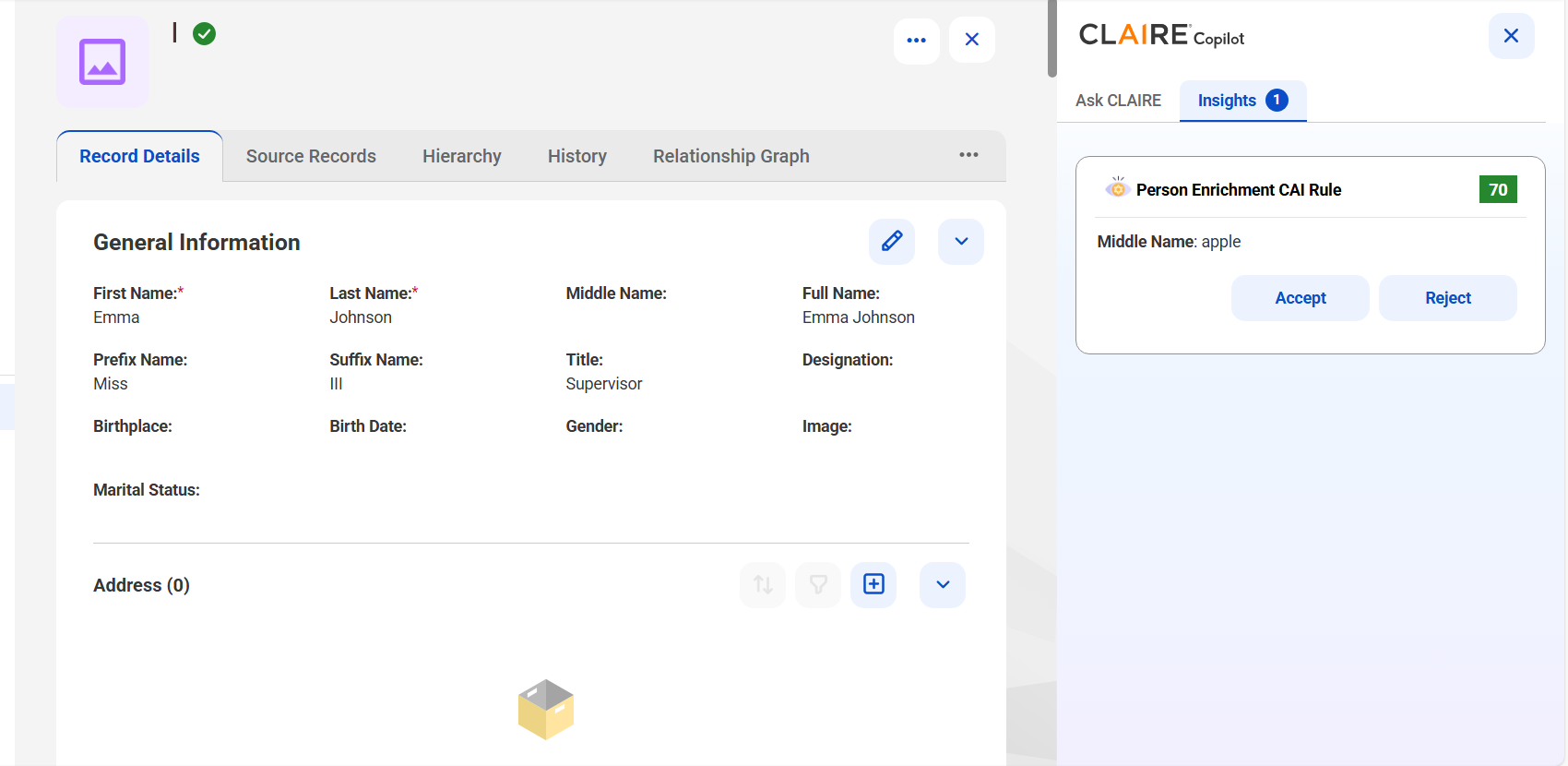
The CLAIRE Copilot panel continues to display the remaining recommendations.
Note: When you accept recommendations, you might update data that you already enriched. To avoid overriding data that's already enriched, review each recommendation and accept the recommendation that best fits your needs. Contact your administrator to learn more about the type of enrichment that's enabled for your organization.
7To remove inapplicable fields, click Remove Inapplicable Fields from the Actions menu.