Manage Records > Creating records > Enriching records
  

Enriching records

When you create or update a record, you can search the repository of external data providers for matching records and get them as CLAIRE recommendations. You can then import a recommendation to enrich the record. For example, you can use D-U-N-S® Numbers to search for organizations and enrich Organization records with the data that Dun & Bradstreet returns.
Also, after you submit a new record or submit changes to an existing record, you can view CLAIRE recommendations with data from external data providers. You can then accept a recommendation and enrich the record. These recommendations can include data to enrich field values of the record, to classify the record within a hierarchy, or both. For example, after you update a Product record with a product description, CLAIRE might recommend brand names based on the description. When you accept a recommendation, the Brand field is updated with the brand name.
Note: If rule associations for data enrichment fail because of errors, such as connection timeouts or lack of response from the data provider, the records from which the data enrichment is triggered are marked with the Exception validation status. You can search for and filter the records in search results by the Exception status.
For more information about filtering search results, see Filtering search results.
If an approval is required for the changes, you can view the CLAIRE panel after the changes are approved. In some cases, records might be automatically enriched. As an approver, you can view the data that's automatically enriched in the workflow inbox when you review records.

Enriching a new record

You can use CLAIRE recommendations to enrich records with data from external data providers.
    1Click New > Record.
    2Select a business entity.
    A form appears. If your organization is configured with external data providers, the CLAIRE panel expands.
    3If you see an enrichment card on the Insights tab of the CLAIRE Copilot panel, perform the following tasks to enrich records:
    1. aEnter information in the required fields.
    2. On the Insights tab, the Search button appears.
      The following image shows the option to search for matching records in the GLEIF database for a sample record:
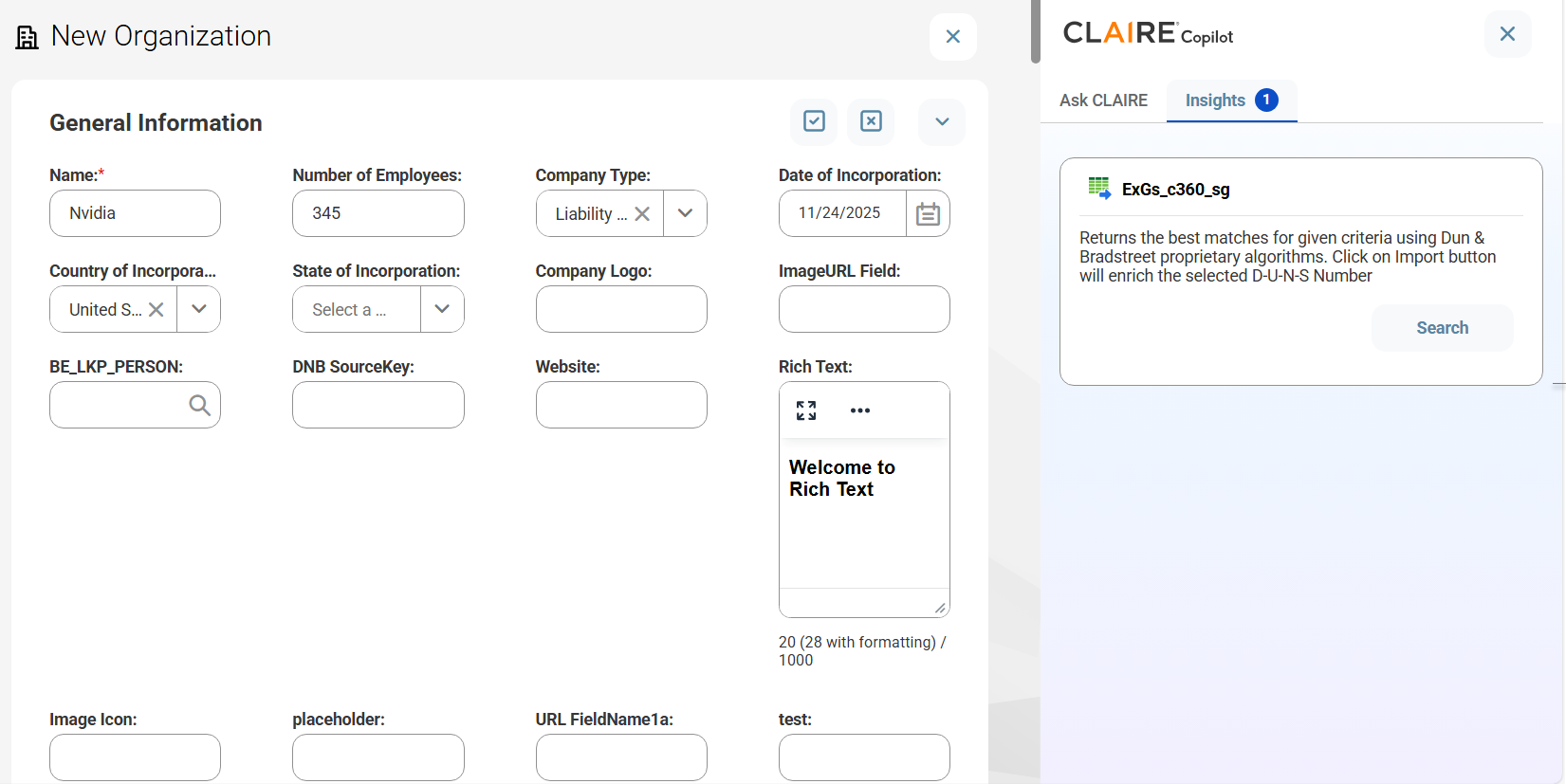
      A form to create a record for the Organization business entity. The CLAIRE Copilot panel displays an enrichment card with the Search button on the Insights tab because the Name and Country fields contain the values, Nvidia and United States.
    3. bTo find records from a data provider, click Search corresponding to the data provider.
    4. The details that you entered in the form are sent to the data provider to find matching records. If matching records are found, they appear as recommendations.
      The following image shows sample recommendations from the GLEIF database for the sample record:
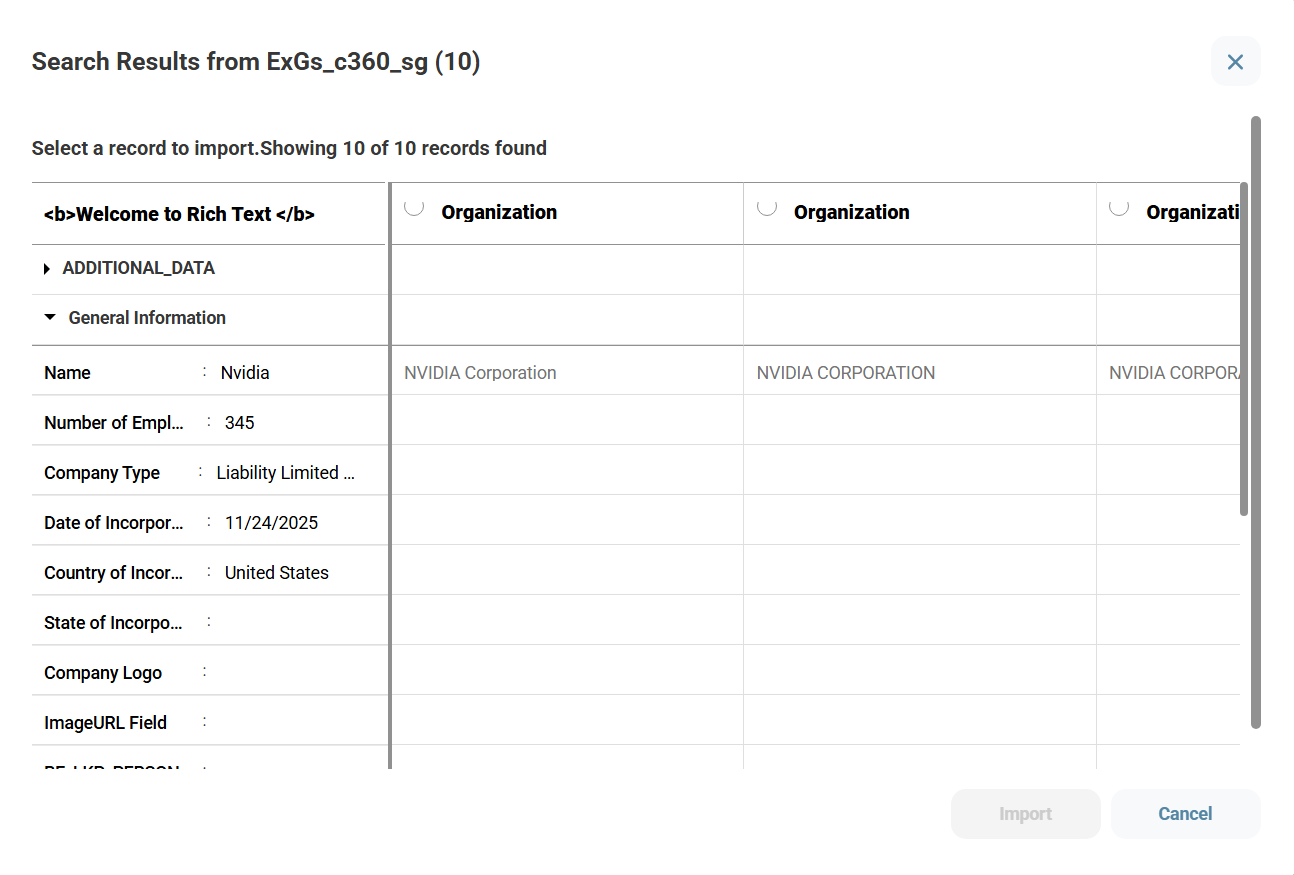
      The search results from GLEIF database for the name Nvidia and the country United States. The search results include the records of NVIDIA Corporation.
    5. cSelect a recommendation, and click Import.
    6. dIn the Confirm Import dialog box, click Import.
    7. After you import a recommendation, the record is enriched and submitted or sent for approval.
    4After you submit a record, if you see the CLAIRE icon highlighted, click the CLAIRE icon and perform the following steps to enrich records:
    1. aClick the Insights tab.
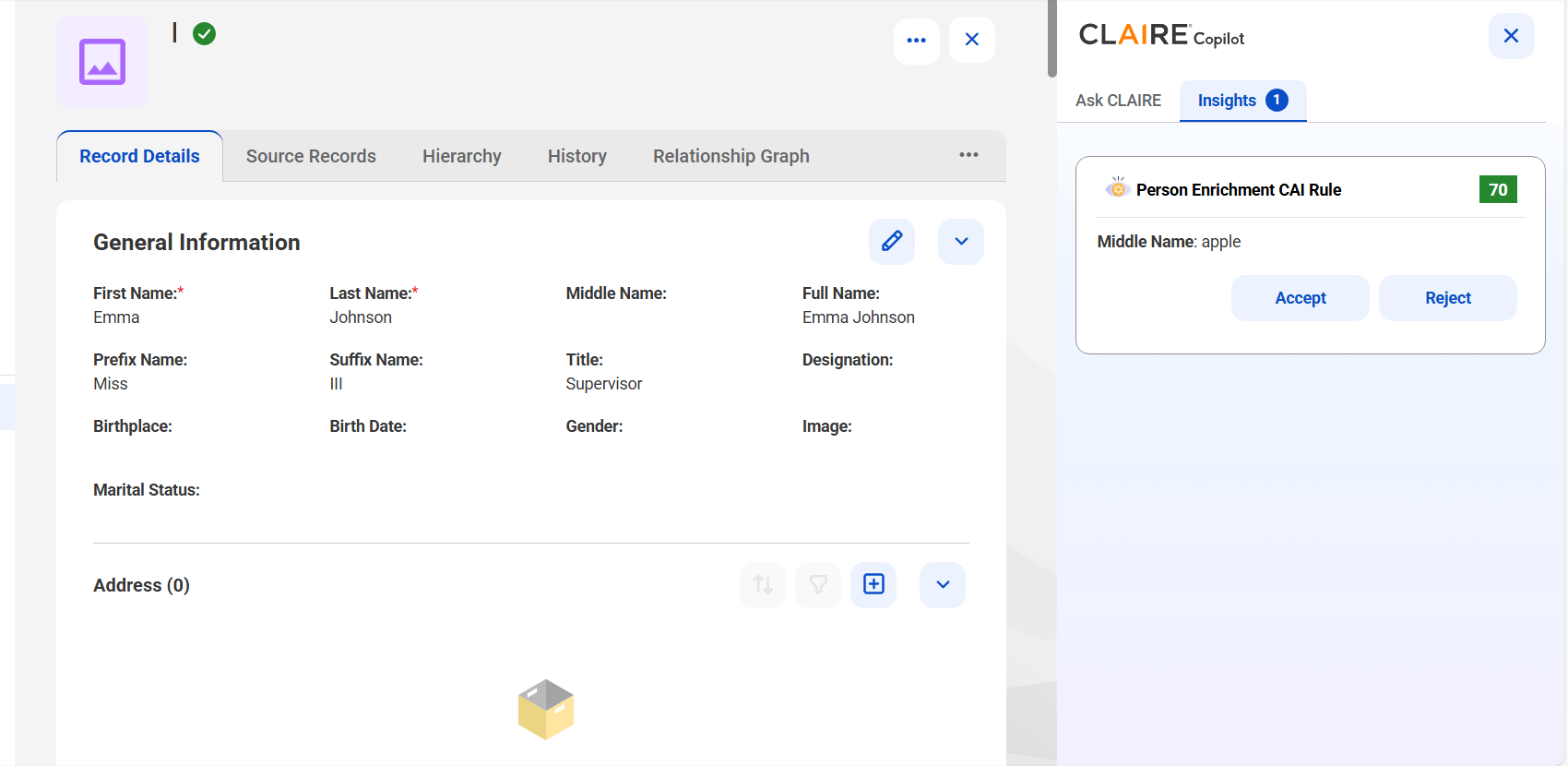
    2. The CLAIRE Copilot panel displays recommendations in cards.
      The following image shows a record with sample recommendations for middle name in the CLAIRE Copilot panel:
    3. bReview the recommendations, and accept a recommendation.
    4. The CLAIRE Copilot panel continues to display the remaining recommendations.
      Note: When you accept recommendations, you might update data that you already enriched. To avoid overriding data that's already enriched, review each recommendation and accept the recommendation that best fits your needs. Contact your administrator to learn more about the type of enrichment that's enabled for your organization.