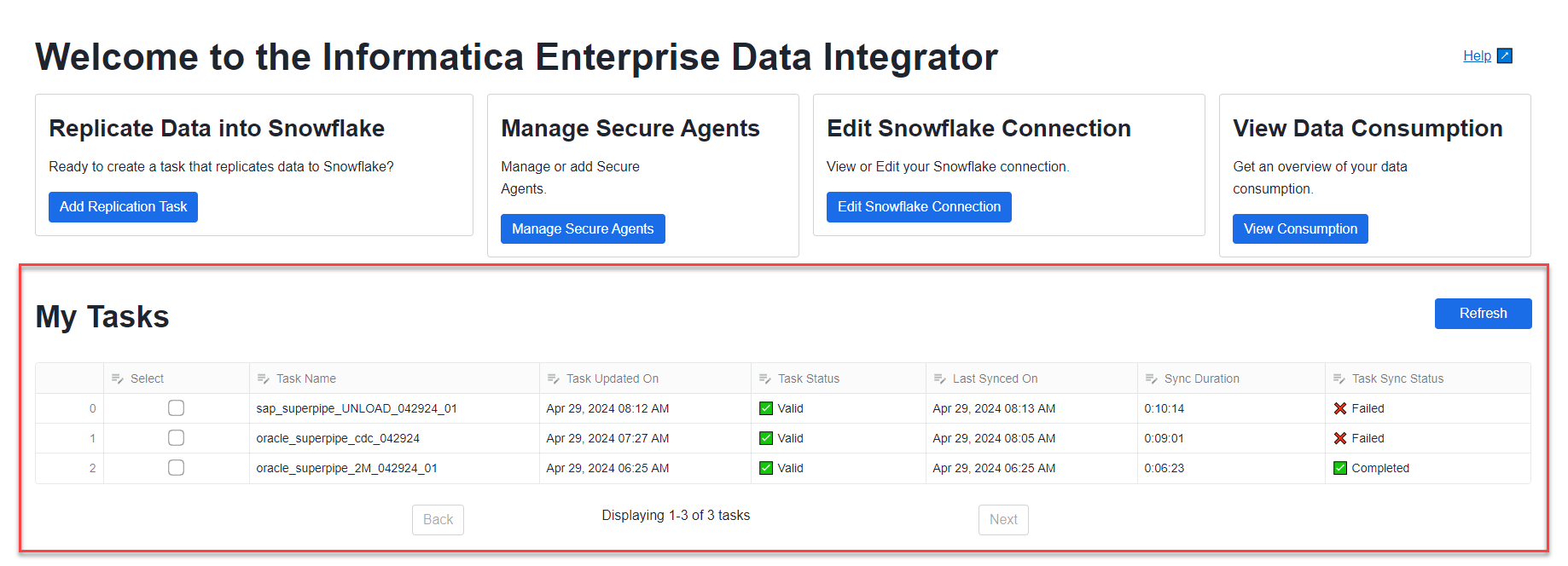
On the My Tasks section of the home page, you can view status and summary information for tasks that users of your app created.
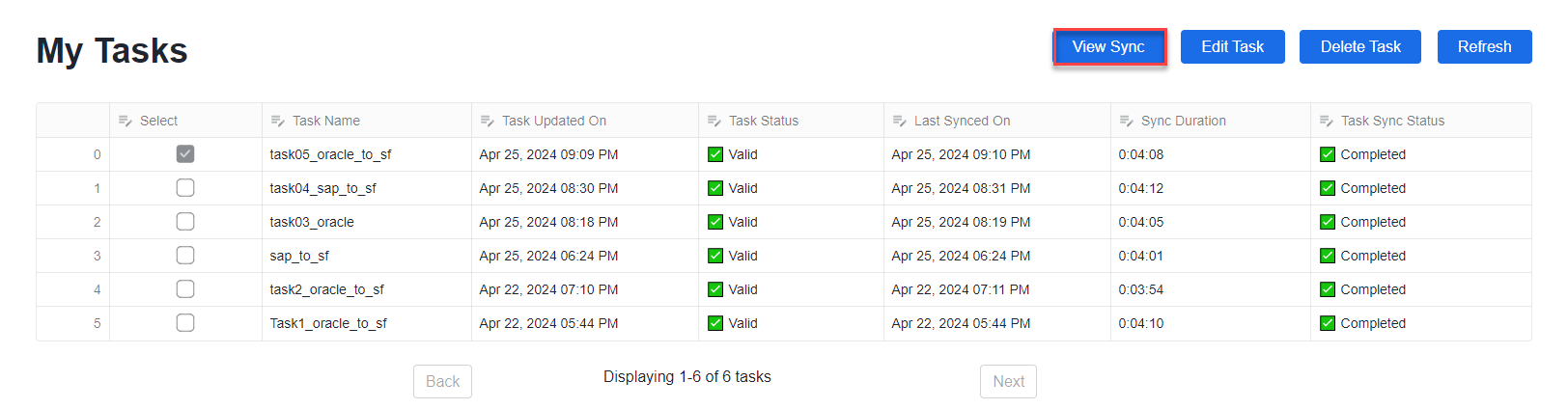
The My Tasks view shows the following information for each listed task:
•Task Name - The name of the replication task.
•Task Updated On. The date and time on which it was last updated.
•Task Status. Whether the task definition is Valid or Invalid.
•Last Synced On. The UTC start date and time of the task’s last synchronization run.
•Sync Duration. The duration, in h:mm:ss format, of the last synchronization run.
•Task Sync Status. The synchronization status of the task, which can be one of the following values: Up and Running, On Hold, Stopped, Failed, Deployed, Aborted, Undeployed, or Completed.
Tips:
If you do not see the task you're looking for in a long list of tasks, use the Next and Back buttons at the bottom to navigate through the list.
Click Refresh to update the list view with the latest changes.
To drill down on a completed task and view more sync details, select the task and click View Sync.
Sync details for a task
You can view the processing details for a replication task that has run.
1In the My Tasks section of the Home page, select a task and click View Sync.
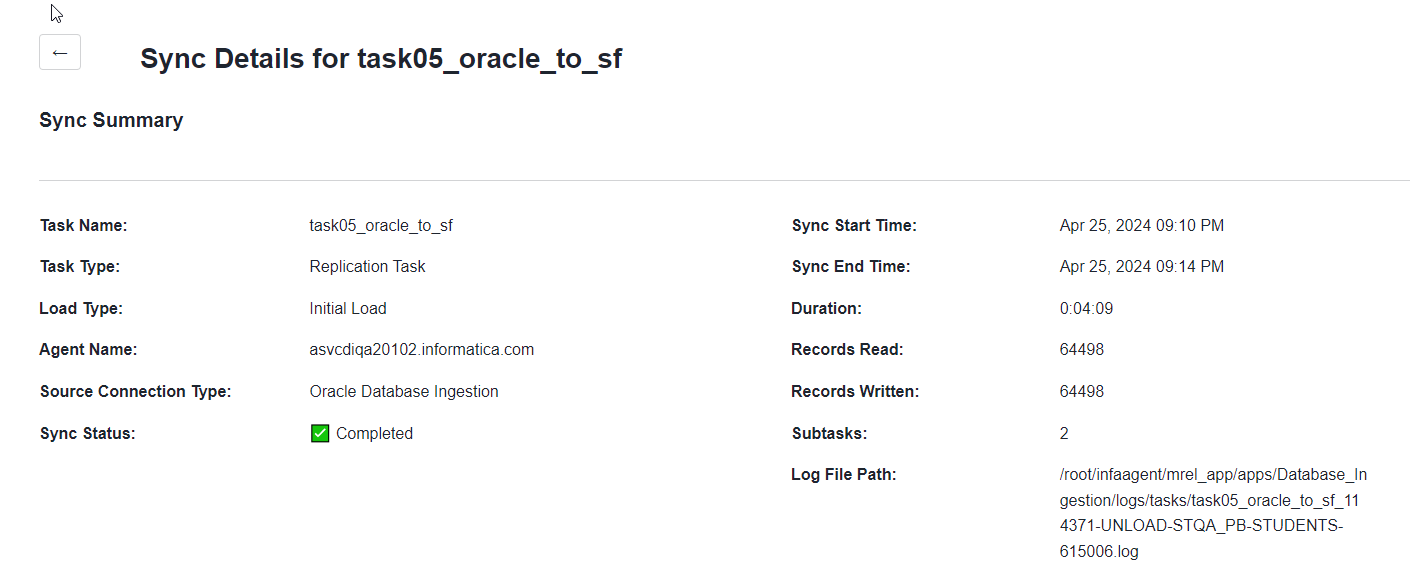
2In the Sync Details for <task_name> page, you can view the following summary information for the task:
This page displays some or all of the following information for the task:
•Task Name- The name specified for the replication task
•Task Type - The task type of Replication Task
•Load Type - Initial Load, Incremental Load, or Initial and Incremental Loads
•Agent Name - The name of the Secure Agent used for running the task.
•Source Connection Type - The type of source connection, which can be either Oracle Database Ingestion or SAP ODB Extractor
•Sync Status - The status of the current or last task run: Up and Running, On Hold, Stopped, Failed, Deployed, Aborted, Undeployed, or Completed
•Sync Start Time - Date and time at which the last task run started
•Sync End Time - Date and time at which the last task run ended
•Duration - Amount of time, in the hh:mm:ss format, that the task ran before it ended
•Records Read - Number of records read from the source
•Records Written - Number of records written to the target
•Subtasks - Number of subtasks on source tables or objects
•Capture Progress - For incremental load and combined initial and increment load tasks, the date and time in the source change stream to which capture processing has progressed
•Log File Path - The path to the source database log files
To return to My Tasks, click the Back arrow next to the page name.