To use the AI Agent for Customer Support Case Processing recipe, the following prerequisites must be met:
•Set up the Jira Project
•Create an index in Pinecone
Setting up the Jira Project
Before starting the project tasks, it is essential to create an appropriate Jira project for issue tracking and management. The project must include the following work types to ensure proper categorization and workflow of tasks:
•New Feature
•Support
•Developer Escalation
•Bug
To simplify this process, you can use the existing Jira project template named Customer Service Management, which already contains all the required work types listed above. Using this template ensures consistency and saves time by avoiding configuring the project from scratch.
Creating an index in Pinecone
To ensure that the process works correctly, you must create an index in Pinecone and add text for the context. The context is then converted into vectors using the Get Embeddings process.
1Open the Create a new index page in Pinecone.
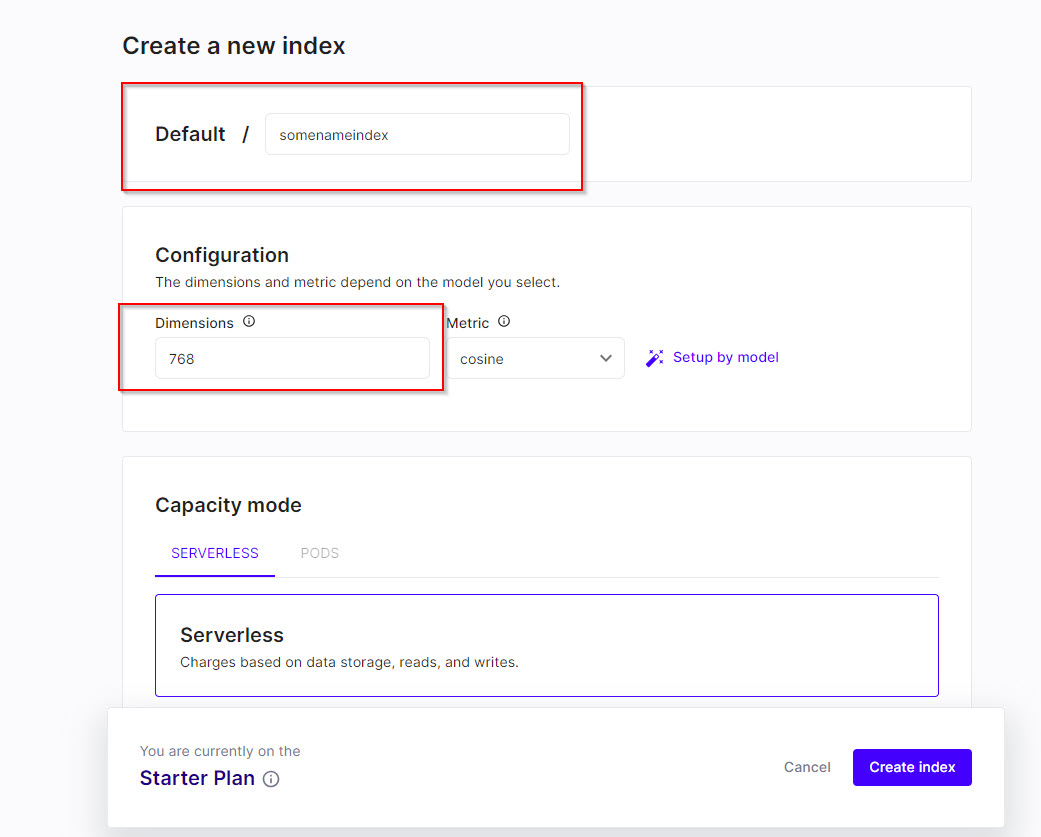
2In the Default field, enter an index name and in the Dimensions field, enter the value 768 as shown in the following image:
3Click Create index.
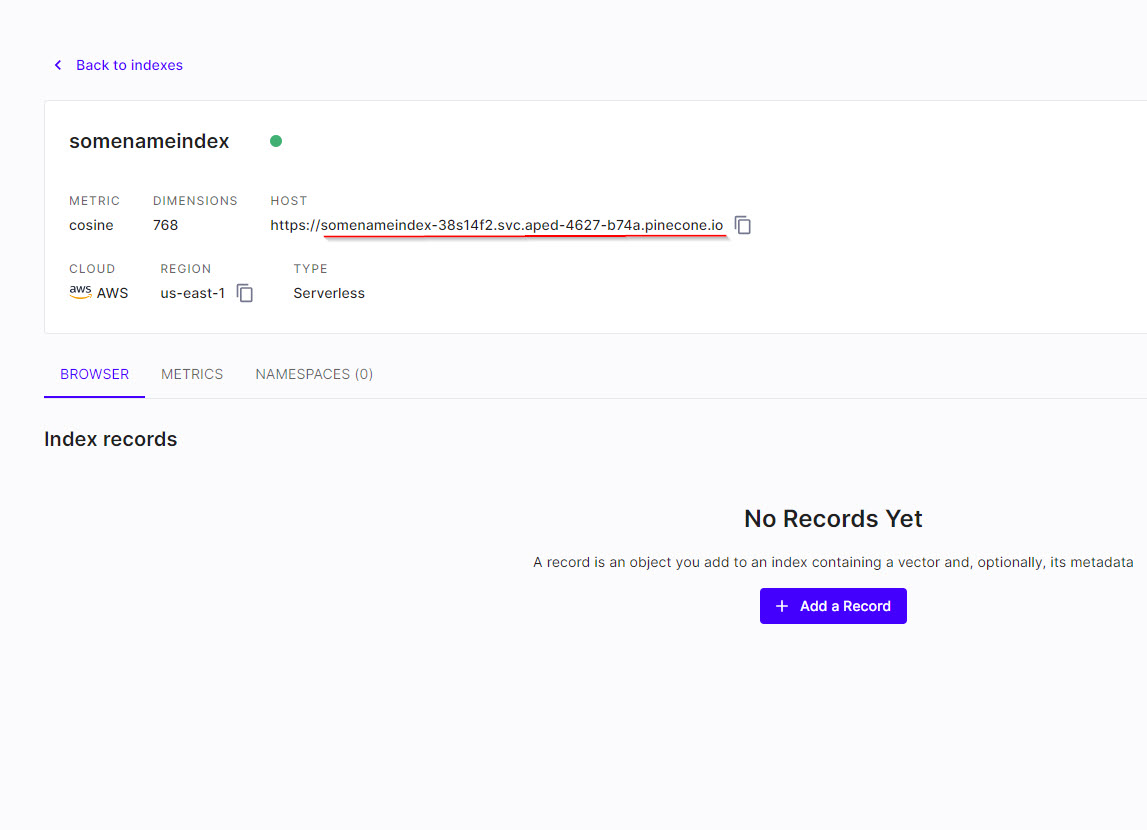
After creating the index, you can use the HOST value without https:// in the Index_Host input parameter as shown in the following image: