You can configure a webhook to communicate between systems when an event occurs.
To create a webhook in Microsoft Teams, perform the following steps:
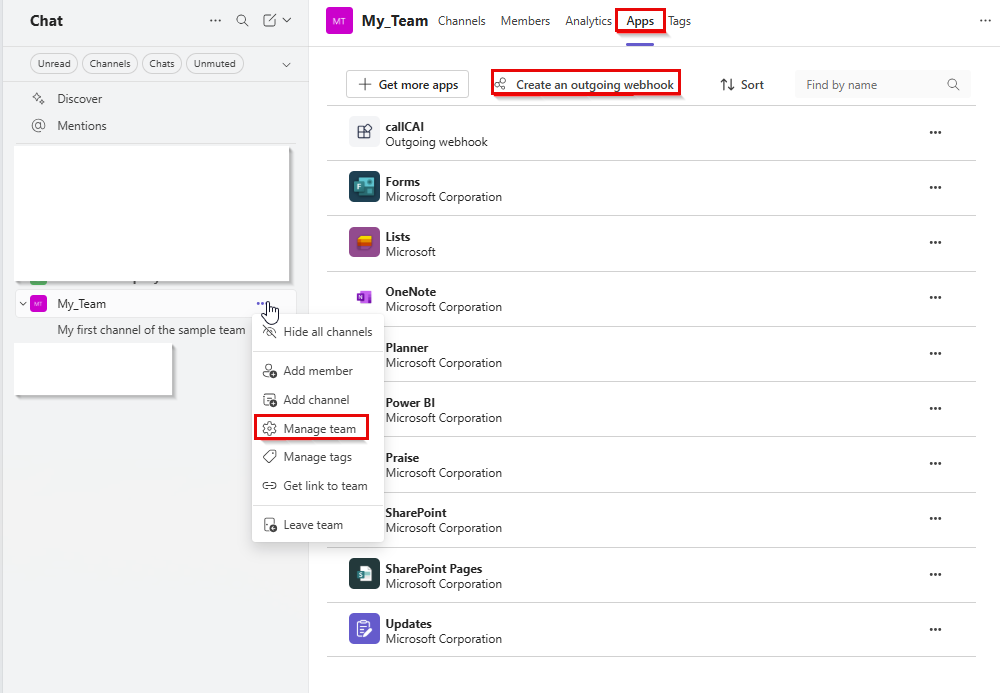
1Open your team and select Manage team > Apps > Create an outgoing webhook.
The following image shows the steps to create an outgoing webhook in the Teams app:
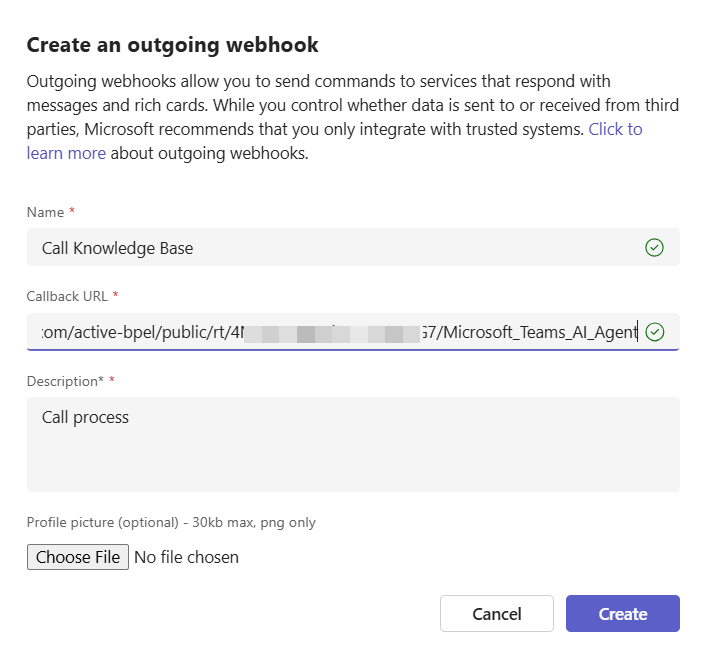
2Enter the webhook name, the service URL that you get after publishing the process, and the description, and then click Create as shown in the following image:
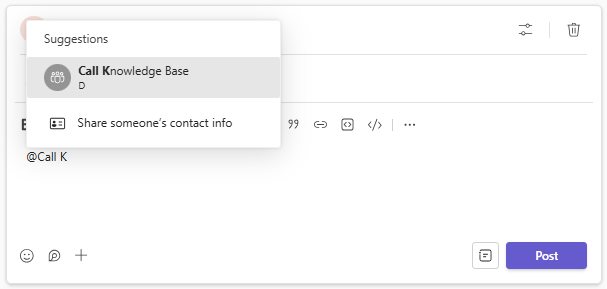
The process is triggered by a message containing the @<Webhook_Name> in the Teams channel where the webhook is deployed as shown in the following image: