Create an OAuth application
To use the Databricks Mosaic AI connector, you must create an OAuth application for a Databricks Mosaic AI connector.
- 1Log in to your Databricks account.
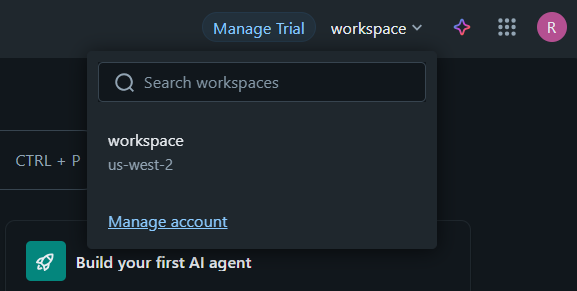
- 2From the workspace list, select Manage account as shown in the following image:
- 3Go to Settings > App connections and click Add connection.
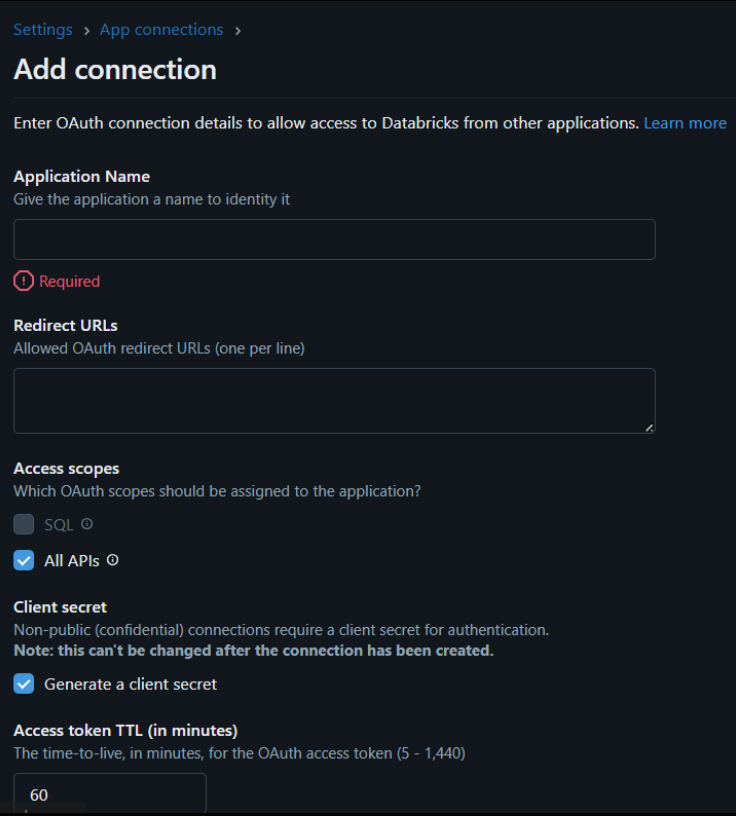
- 4Enter the OAuth connection details, such as application name and redirect URLs as shown in the following image:
- 5After you add the connection, Databricks generates your client ID and client secret.
- 6Copy the Client ID and Client secret. You will need these details to configure the Databricks Mosaic AI connection.
- 7Use the client ID and client secret to connect your Databricks Mosaic AI connector application securely.