After you create a Google BigQuery V2 connection, you can validate and save the connection. You can then publish the Google BigQuery V2 connection and click the Metadata tab to view the generated process objects for the connection.
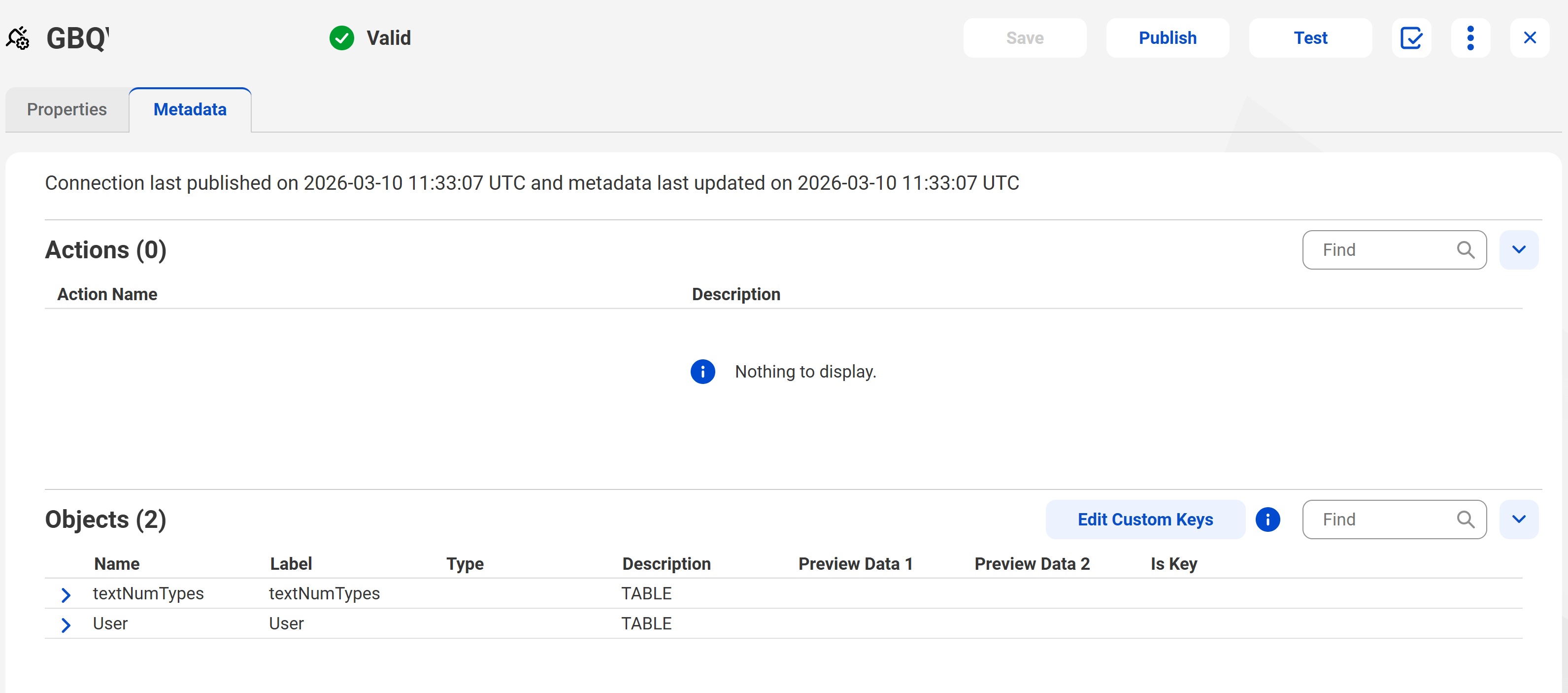
When you publish a Google BigQuery V2 connection, a list of Objects appear in the Metadata tab. The Objects section displays the entities along with the column metadata for the schema you specified in the connection. You can also preview the data.
The following image shows the Metadata tab for a published Google BigQuery V2 connection:
You use custom keys to define primary keys for a table. As Google BigQuery V2 doesn’t enforce primary key constraints, you provide primary keys as custom keys.
Note:
You need primary keys to perform update and delete operations on a table.
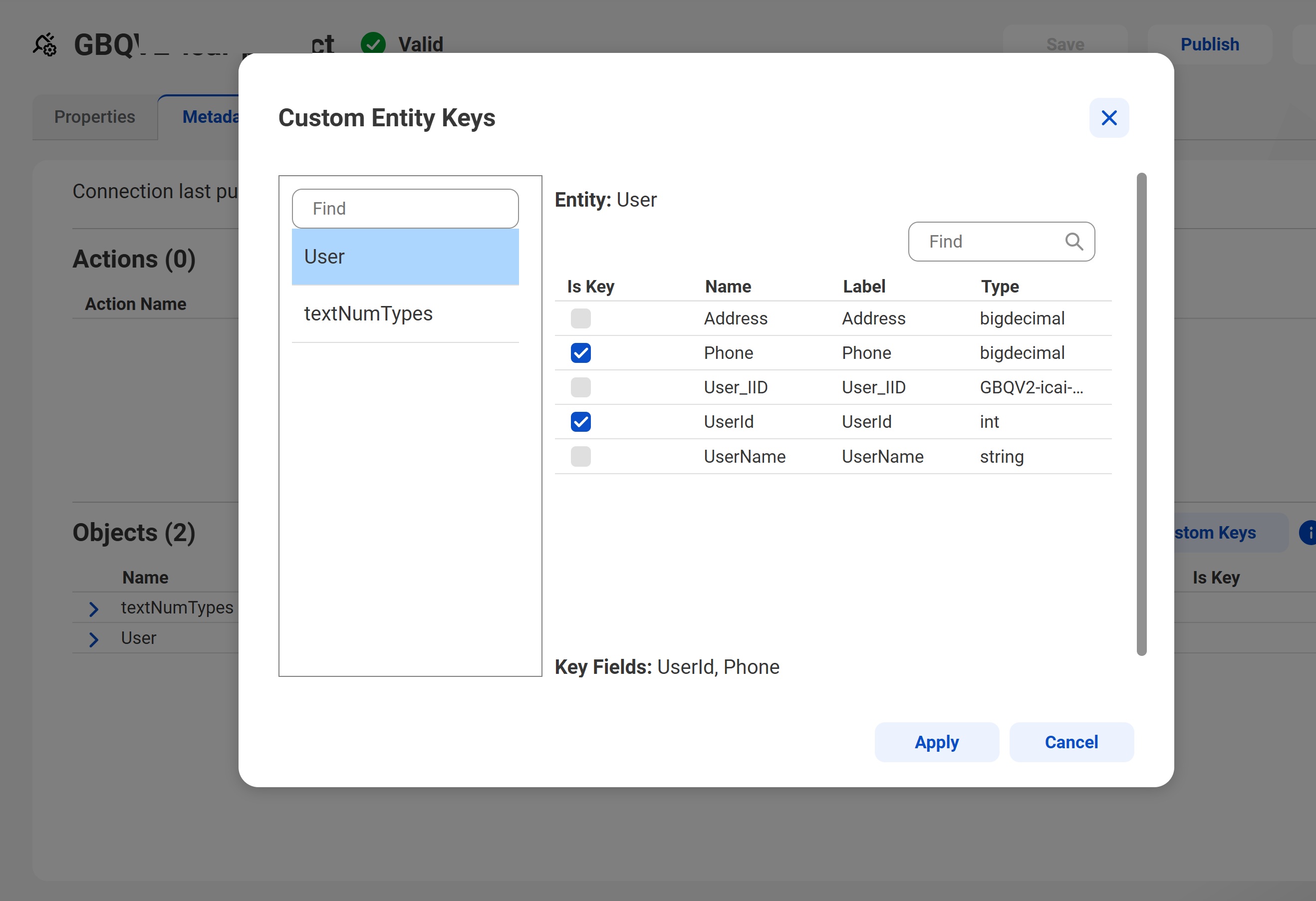
To edit the custom key, click Edit Custom Keys. The Custom Entity Keys page appears as shown in the following image:
Select the required custom keys for each entity and republish the connection to apply the changes.
When you publish a Google BigQuery V2 connection, the Metadata tab is refreshed by default. You can click Publish (Skip Metadata Refresh) to skip the metadata refresh and reduce publishing time.