Before you use a Hubspot connection, you must create a Hubspot app. When you create a public app in HubSpot, you associate an app that you have built with a HubSpot developer account.
1Create a new developer account or log in to an existing HubSpot account.
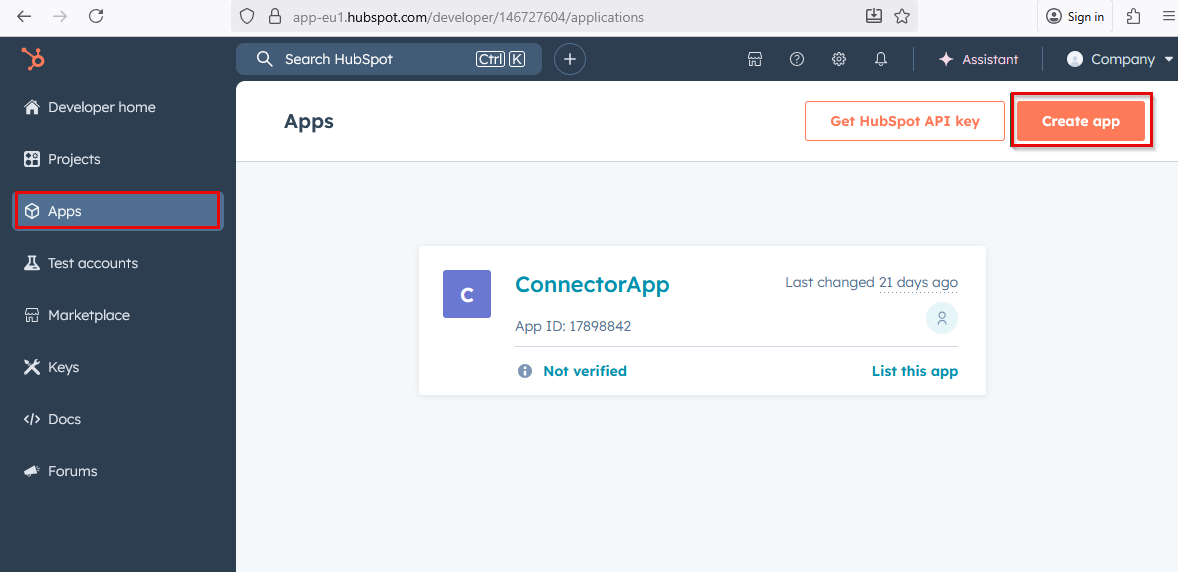
2In your developer account, go to Apps and click Create app as shown in the following image:
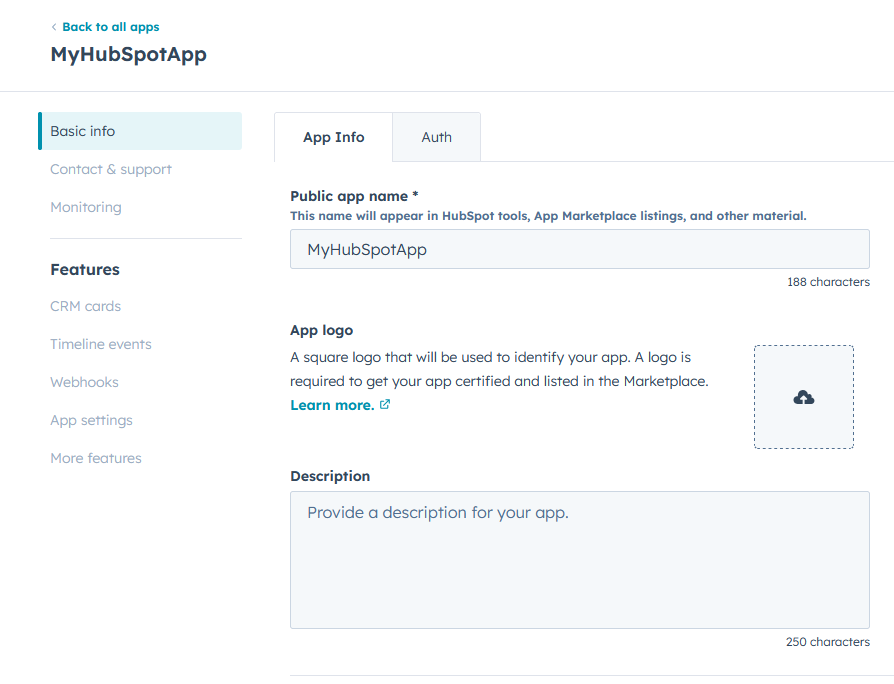
3Enter the app name, description, and logo, and then save the app as shown in the following image:
4Click the Auth tab.
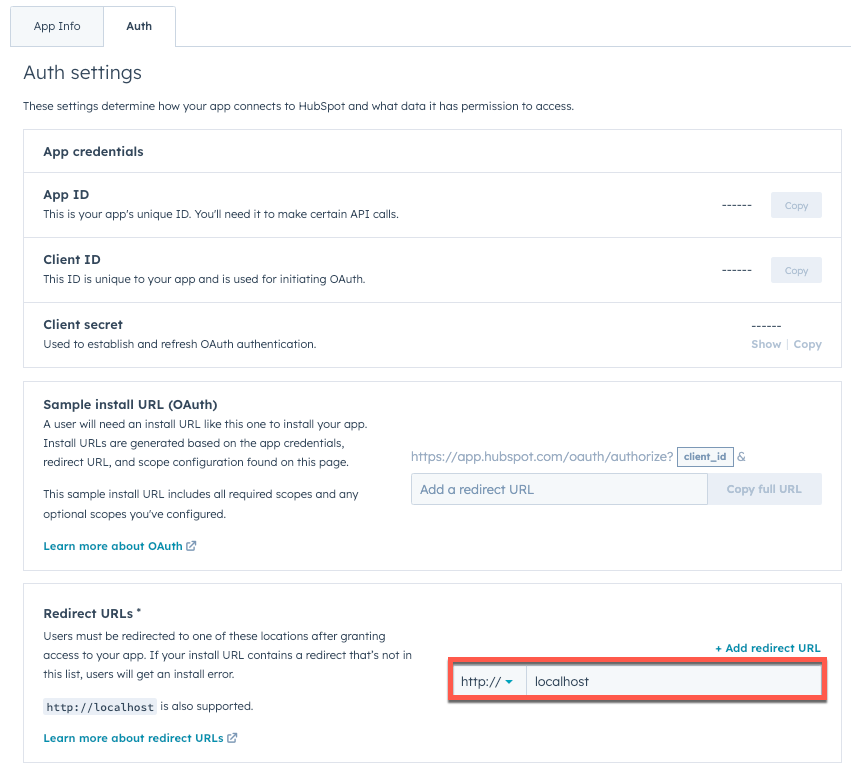
5Copy the App ID, Client ID, and Client secret. You will need these details to configure the HubSpot connection.
6Enter a Redirect URL for your app as shown in the following image:
The redirect URL is the callback URL of your server. After granting access and the associated account permissions to your app, you will be redirected to this URL. If you don’t have an official redirect URL, you can use http://localhost for local development while you build and test your app.
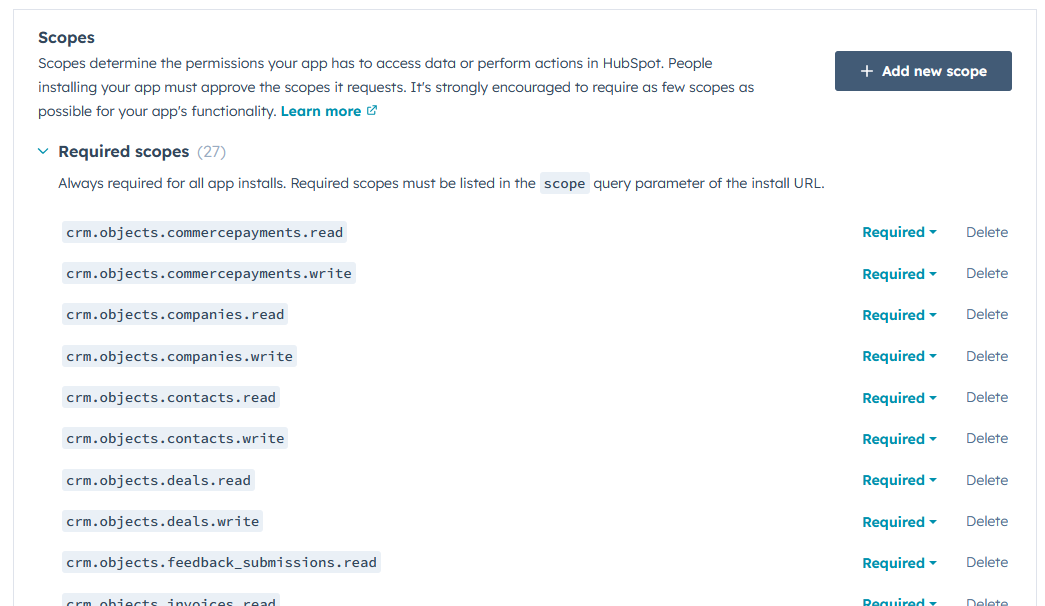
7To configure the scopes that your app will require, in the Scopes section, click Add new scope as shown in the following image:
8Select the check box corresponding to the scopes that you want the user to authorize.
9Click the scope list and select a scope type.
10Click Update.
11After configuring the app settings, click Create app.