Using a Microsoft SharePoint connection in a process
After you create a Microsoft SharePoint connection, you can use it in a Service step in a process.
1Add a Service step to the process.
2Click the Service tab.
3From the Service Type list, select Connection.
4From the Connection list, browse and select the Microsoft SharePoint connection that you created.
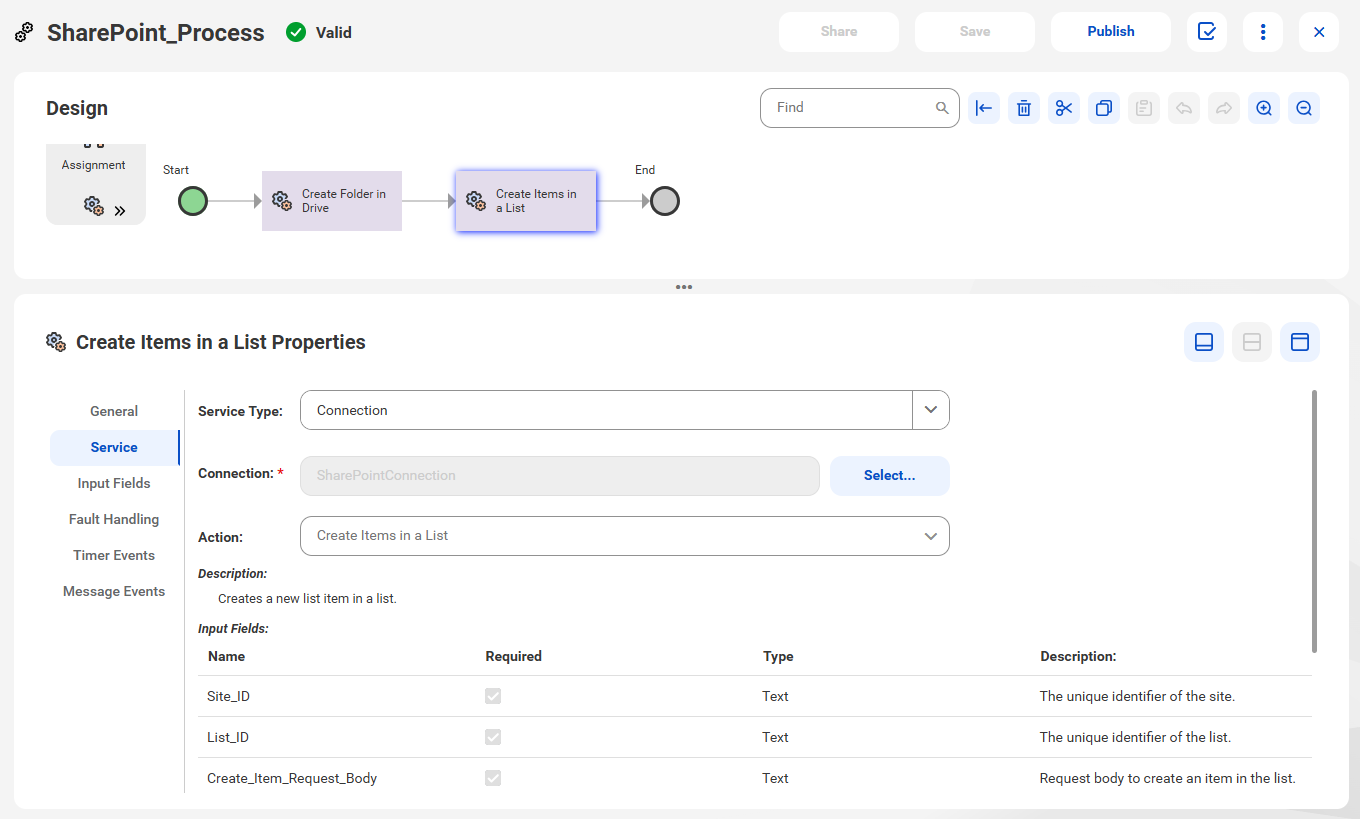
5From the Action list, select the action that you want to perform. For example, select the Create Items in a List action to create a new item in a list as shown in the following image:
In this case, Application Integration populates the Site_ID, List_ID, and Create_Item_Request_Body objects under the input fields and the Create_Item_Response, Web_URL, and Item_ID objects under the output fields.