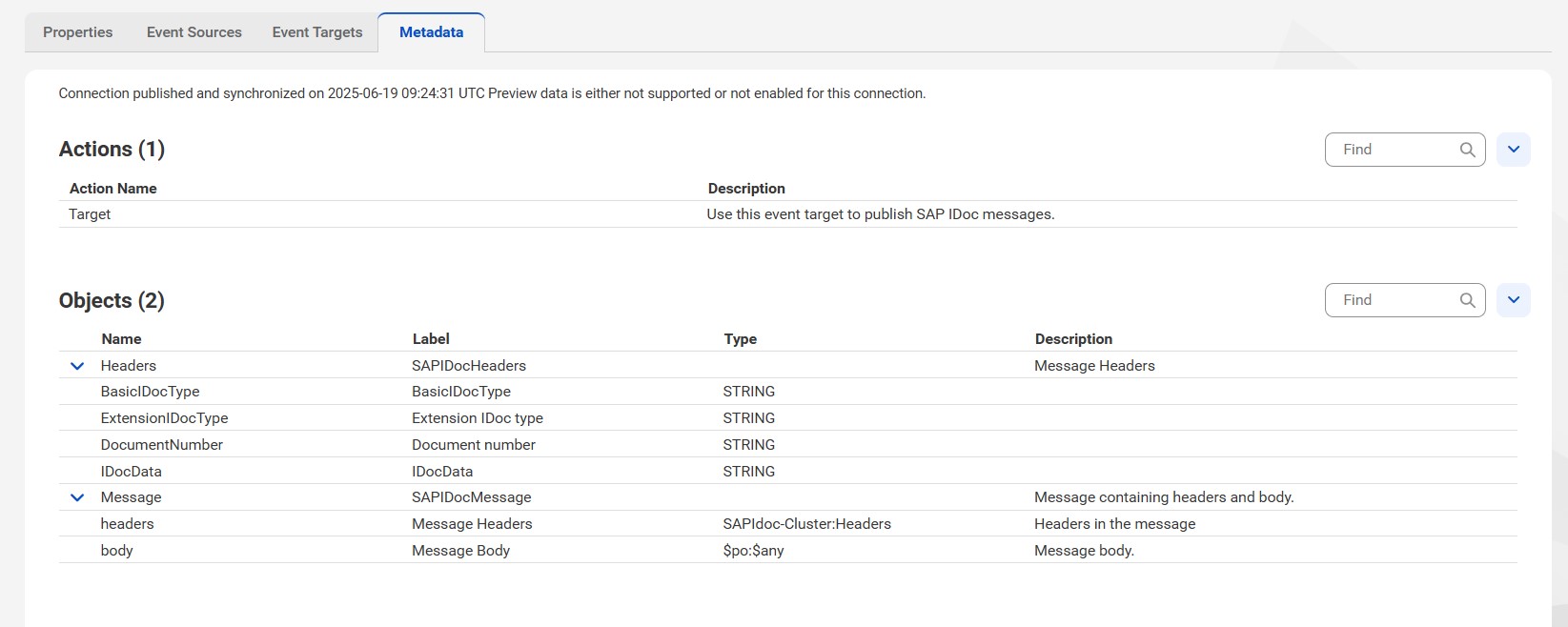
After you create or update an SAP IDoc connection, you validate, save, and publish the connection. You can view the actions and process objects for the connection on the Metadata tab.
The Metadata tab displays the process objects generated when you publish the SAP IDoc connection. The process objects are based on the search filter options you provide.
In the Actions section on the Metadata tab, you can view the event source and event target configured for the connection.
In the Objects section on the Metadata tab, you can view the objects associated with the SAP IDoc connection.
The published metadata for the connection consists of the following objects:
Headers
The Header object contains name and type fields that represent the SAP IDoc header name and its type.
Messages
IDoc messages consist of headers and a body. The headers in an IDoc message are a list of name-value pairs that contain multiple attributes for the IDoc message. The IDoc message body contains the message payload, which the process accesses as a process object of type $po:$any.
The following image shows the published metadata of an SAP IDoc connection:
When you publish an SAP IDoc connection, the system refreshes the Metadata tab by default. When you create an SAP IDoc connection, you click Save and then click Publish to download the metadata.