You can configure fixed partitioning to optimize the performance of mapping tasks that read data from Snowflake sources.
When you run a mapping task enabled for fixed partitioning, the Secure Agent distributes the source data across the partitions to read data in parallel based on the number of partitions that you specify in the Source transformation.
You can't configure fixed partitioning for mapping tasks that are based on the following asset types:
•Mappings in advanced mode
•Mappings in SQL ELT mode
•Mappings enabled with SQL ELT optimization
For more information about partitions, see "Partitions" in Transformations in the Data Integration help.
Enabling fixed partitioning
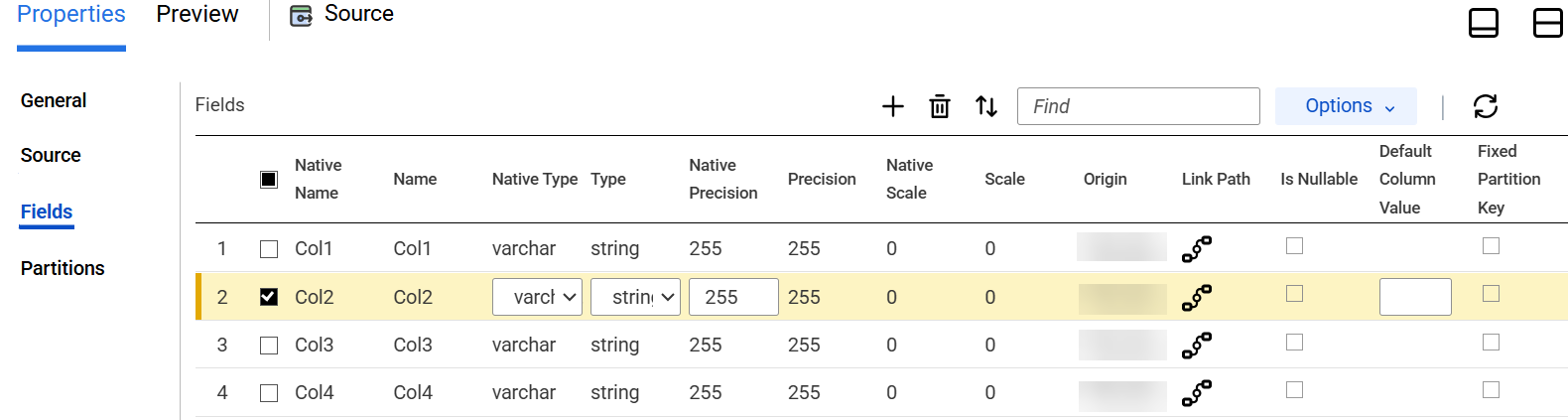
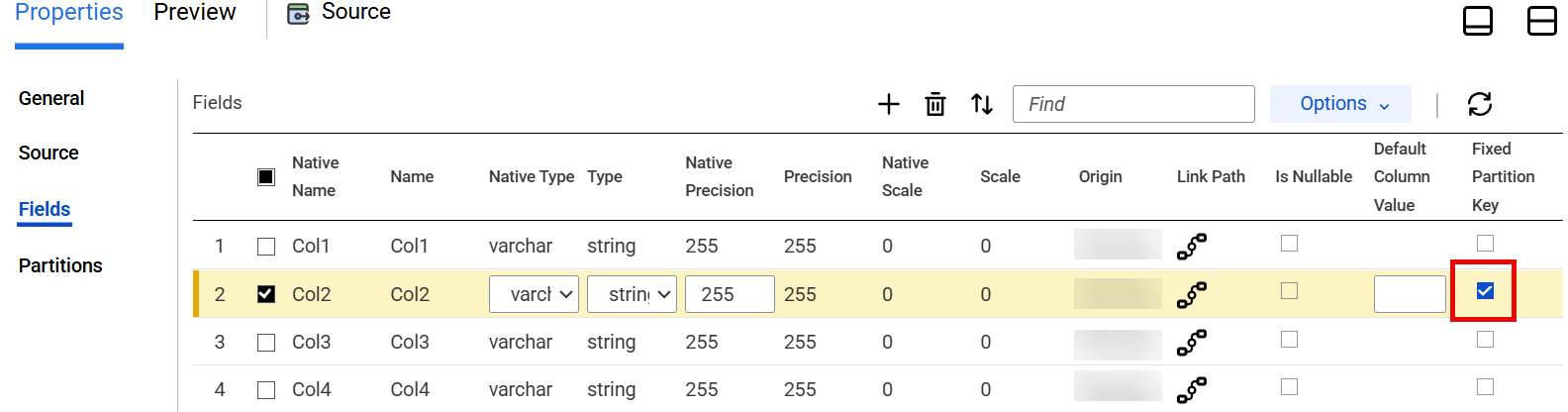
To enable fixed partitioning for a mapping task that reads data from Snowflake sources, select at least one key for fixed partitioning in the Fields tab of the Source transformation.
After you configure fixed partitioning in the Partitions tab, the Fixed Partition Key option remains greyed out and non-editable in the Fields tab.
To select the Fixed Partition Key option, you need to perform certain steps.
1In the Fields tab, from the Options list, select Edit Metadata.
2Select any editable metadata fields of a column that you want to include for fixed partitioning.
3Select the Fixed Partition Key option for the column.
Rules and guidelines for fixed partitioning
Consider the following rules and guidelines when you configure fixed partitioning for a mapping task:
•You can't configure fixed partitioning to read from multiple source objects.
•You can't filter source data using an advanced filter.
•You can't sort data or extract distinct rows from the source table.
•If you set the number of partitions value to 0, or use negative integers, alphabets, or special characters, the mapping doesn't throw a validation error.