1Open the Tasks Inbox page.
2In the Tasks section, select the task that you want to assign to a user.
You can use the Find bar and apply filters to locate the task.
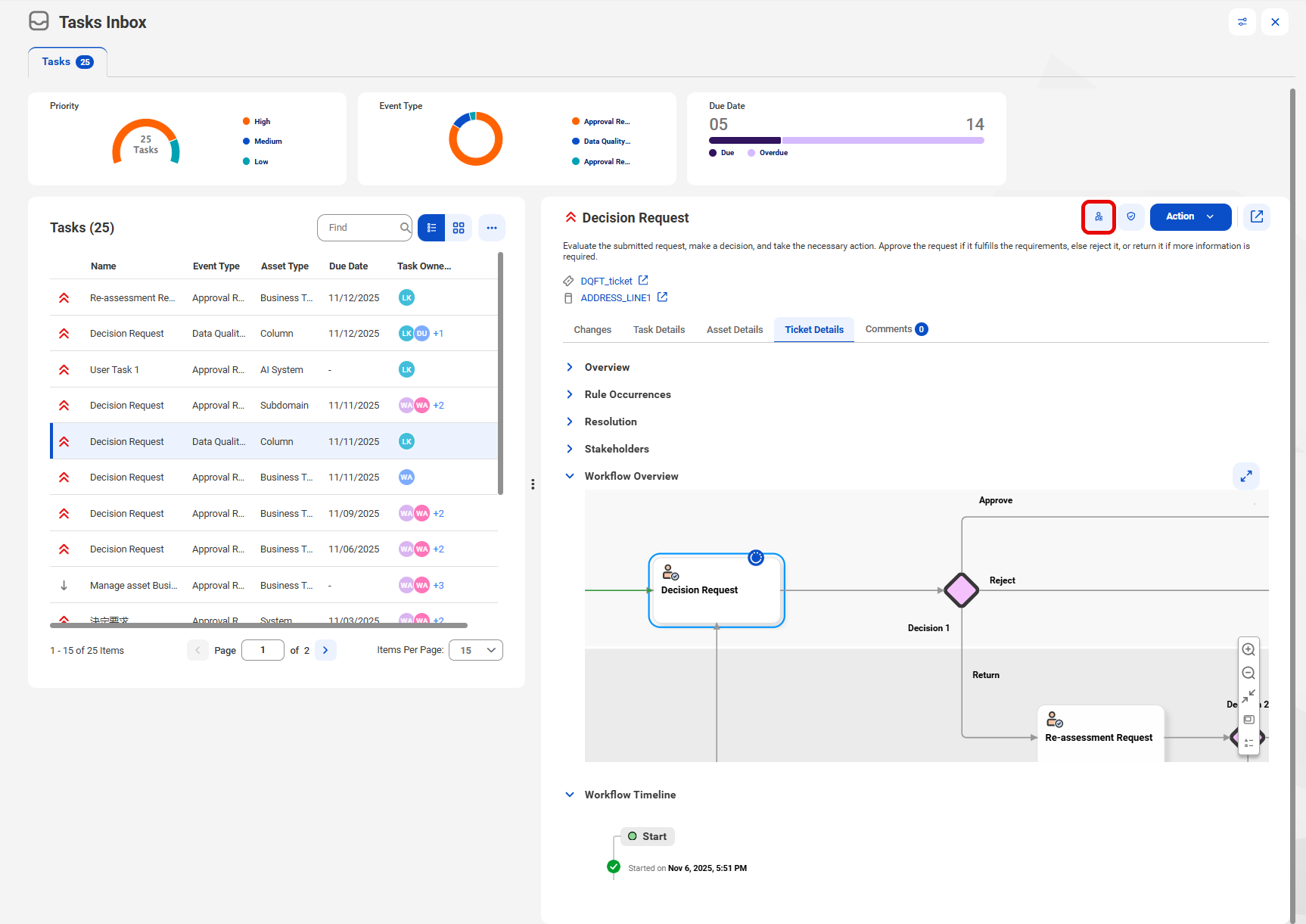
3On the selected task, click the Assign icon.
The following image shows the Task Inbox and highlights the icon:
4In the Assign Task dialog box, select the user to whom you want to assign the task. You can select a user that has the relevant stakeholder role assigned either directly or through a user group.
5Click Assign.