Before you create and run data profiles, ensure that you complete the prerequisites and enable data profiling in Metadata Command Center.
Complete the following prerequisites:
•In Administrator, create a user role and provide the required asset and feature privileges.
•Verify that the administrator of your organization configured a user role policy for your user role with the following conditions:
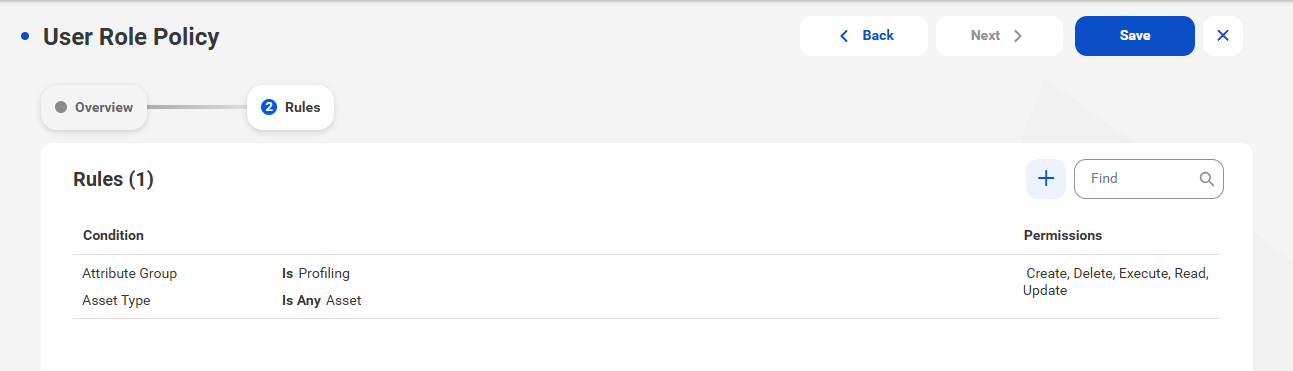
- Create, Read, Update, Delete, and Execute permissions for the Profiling attribute group. You need these permissions to manage data profiles.
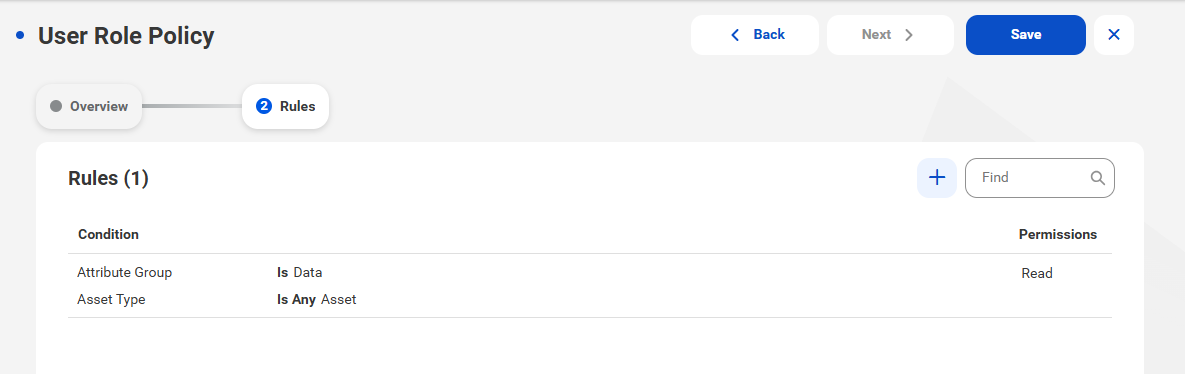
- Read permission for the Data attribute group. You need these permissions to view value frequencies for data elements after you run a data profile and to preview failed rows for data quality rule occurrences.
Note:
If you create a user group policy that applies to all users in your organization, ensure that the policy grants permissions to create and run data profiles.
•If you assign another user as a stakeholder to the asset, verify that the administrator has configured a stakeholder policy for the user role.
•To view data quality assets, ensure that you have Read permission on the assets.
•To view data classifications, ensure that your organization administrator granted the View Data Classifications feature privilege to your user role in Administrator.
The following image shows a user role policy with the Create, Read, Update, Delete, and Execute permissions for the Profiling attribute group:
The following image shows a user role policy with the Read permission for the Data attribute group:
Perform the following tasks in Metadata Command Center:
•Create a catalog source and configure data profiling for the catalog source.
Note:
The parameters that you configure in Metadata Command Center also apply to data profiling in Data Governance and Catalog with the exception of filters and sampling type.
•Run a catalog source job to extract metadata from data sets.
Note:
When you compare profile results over time, you can only see rules that are associated with columns on which you have access permissions.