Before you can use the bulk import or export process, ensure that the necessary privileges are enabled for your role in the Intelligent Data Management Cloud™ (IDMC) Administrator .
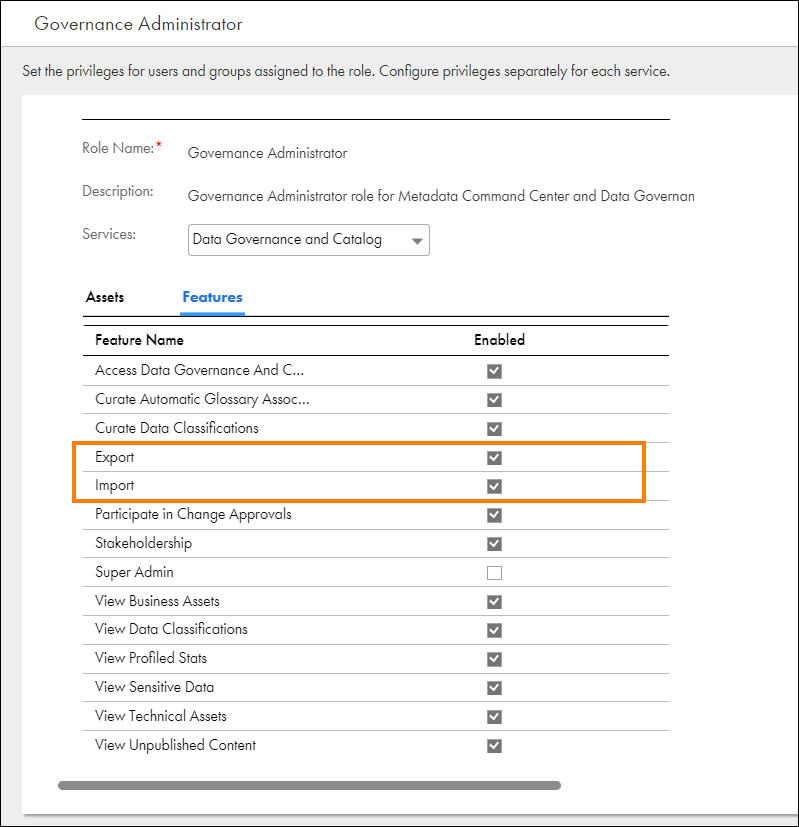
•To bulk import data, the organization administrator must assign the Import privilege to your user role in the Administrator. To export the results of a search, the organization administrator must enable the Export privilege to your user role. Both the Import and Export privileges are enabled by default for the Governance Administrator role in the Administrator.
The following image shows the Governance Administrator role with the Export and Import feature privileges enabled in Administrator:
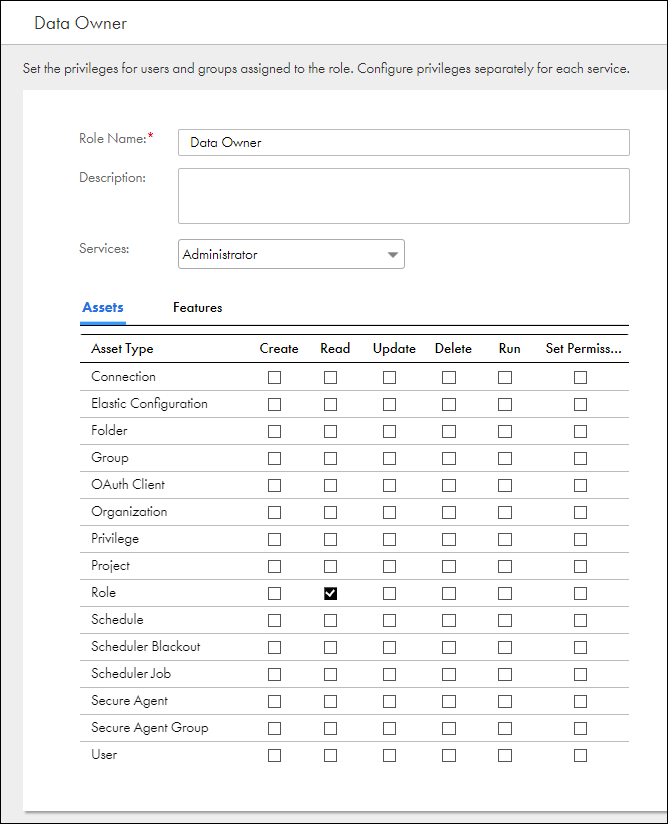
•To download a predefined Microsoft Excel template file for the assets that you want to import, the organization administrator must assign the read privilege for the Role asset to your user role in the Administrator.
The following image shows a sample user with the Read privilege enabled for the Role asset in the Administrator:
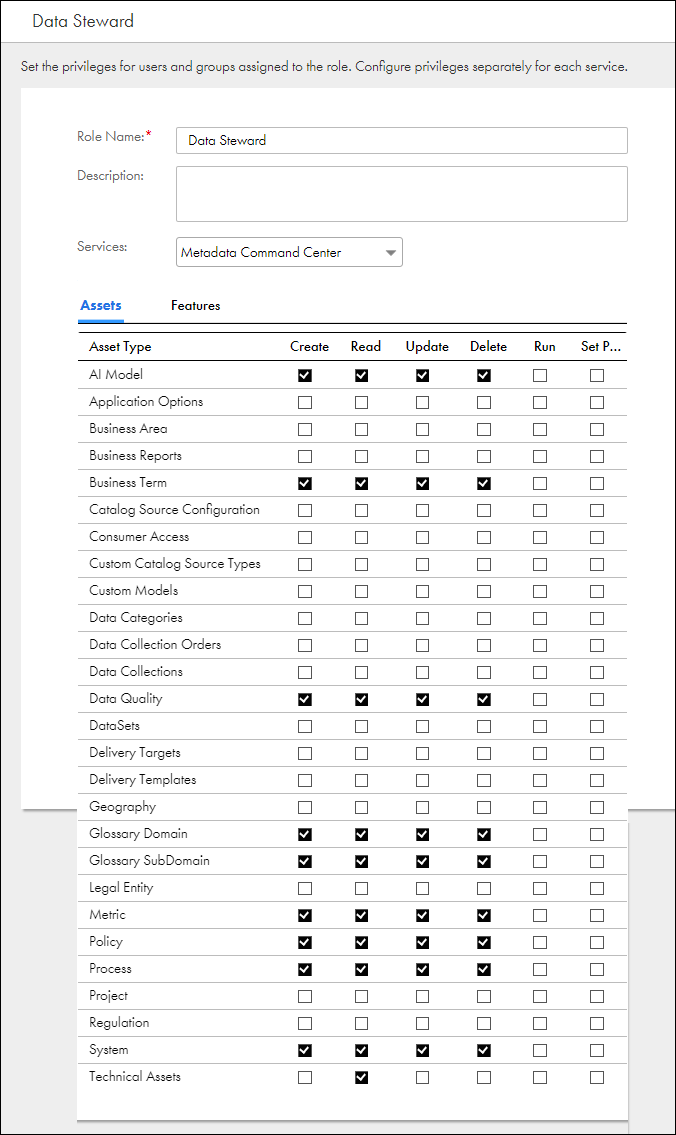
•To modify an asset or its details, the organization administrator must assign the Create, Delete, Manage, Access, Read, and Update privileges to your user role through access policies in Metadata Command Center.
The following image shows the privileges you must assign to your user role through access policies access Metadata Command Center:
For more information about the available feature privileges that the organization administrator can enable, see the Asset Management help.