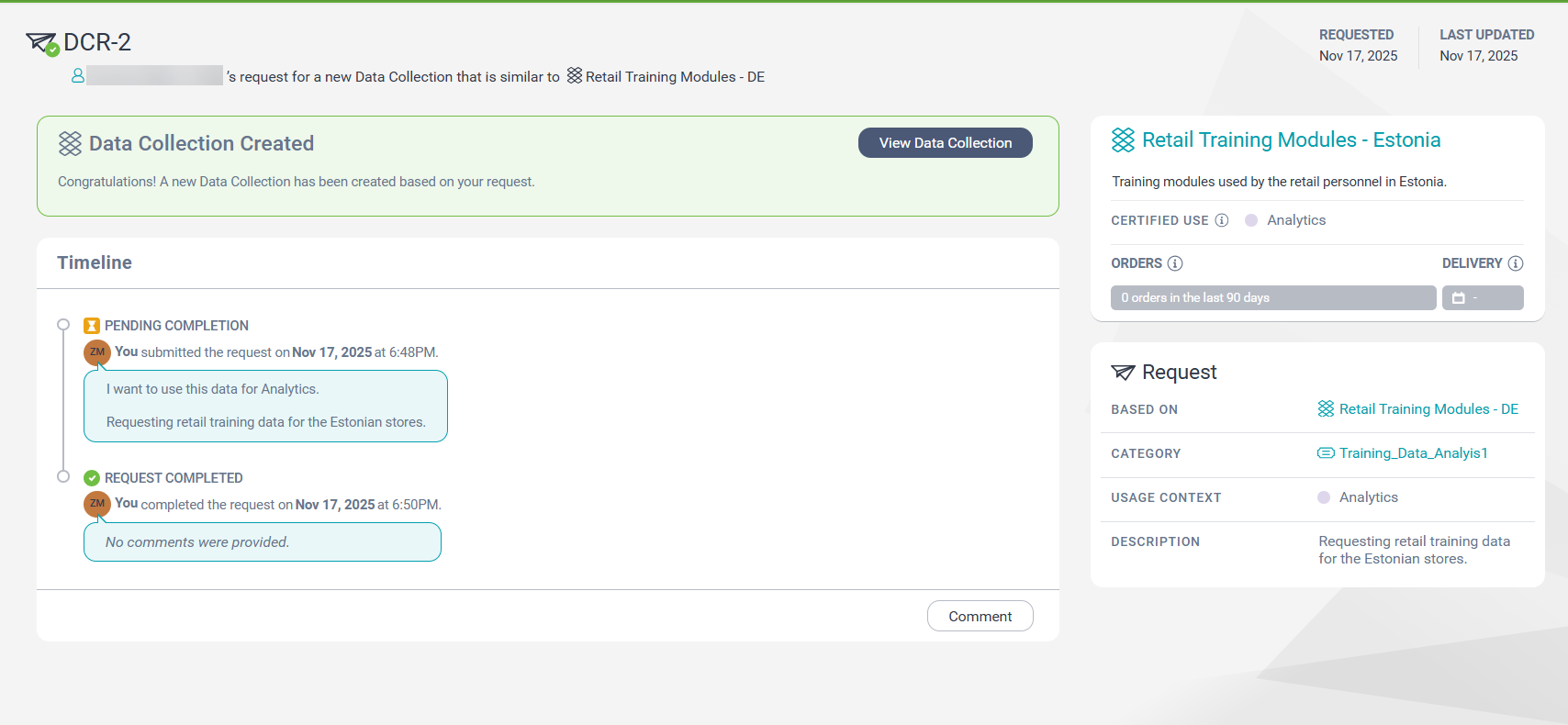
On a data collection request page, you can view details of your data collection request.
The following image shows a data collection request summary page:
Prerequisites
To view a data collection request, verify one of the following prerequisites:
- The data collection request was created by you and your user profile is assigned at least one of the predefined roles for Data Marketplace. For more information about the predefined roles for Data Marketplace, see the Predefined roles topic in the Introduction and Getting Started help.
- Your user profile is assigned the Data Marketplace Administrator role.
- You are either an inherited or specifically assigned stakeholder with one of the following stakeholder roles on the category or data collection from which the Data User submitted the data collection request:
▪ Data Owner
▪ Category Owner
- You are either an inherited or specifically assigned stakeholder on the relevant category or data collection and your user profile is assigned a role for which the following privileges and permissions are enabled:
▪ Access Data Marketplace and Complete or Reject Data Collection Requests privileges are enabled in Administrator.
▪ Read permission for categories, data collection, data collection requests and usage contexts is enabled in Metadata Command Center.
Timeline section
In the Timeline section, you can view a summary of the actions and comments on the data collection request, along with the timestamp of each action or comment.
Note:
You can't tag users in your comments, if you did not request for the data collection or you are not a stakeholder with the permissions to view data collection request details.
Consumer information section
The following table describes the fields that you can view in the consumer information section:
Field
Description
Requested
Date when the Data User submitted the request.
Last Updated
Latest date when the data collection request was modified.
Data collection section
In the data collection section, you can view the details of the data collection that was created in response to the request. To view more details of the data collection that is created, hover your pointer over the data collection details section.
Request section
The following table describes the fields that you can view for the data collection request:
Field
Description
Based On
Name of the data collection that is the basis of the new data collection.
Category
Name of the category in which the data collection is requested.
Usage Context
The context within which the data is to be used if the data collection is created, as specified by the Data User at the time of request.