Data lineage is a visual representation of the flow of data across the systems in your organization. Lineage depicts how the data flows from the system of its origin to the system of its destination.
Data lineage views are available for technical assets in the catalog source. You can view lineage at the catalog source, data set, or data element level.
The lineage at the catalog source level shows how data flows from one catalog source to another. The lineage at the data set and the data element levels show how other technical assets such as files or tables contribute to the selected asset.
If linking catalog sources is available for your catalog source, you can use Metadata Command Center to generate data lineage based on rules or by generating automated lineage with CLAIRE. You can choose source and target catalog sources and objects to link and generate lineage.
To determine whether linking catalog sources is available for your catalog source, navigate to the Configuration tab of the Link Catalog Sources page. The catalog source must appear in the list of source and target catalog sources.
The catalog source level shows how data flows from one catalog source to another with the lineage aggregating data from the data set and data element levels.
To view data lineage at the catalog source level, open a technical asset, click the Lineage tab, and then verify that the level is set to Catalog Source Level.
The following image shows how the Denodo_Lineage_CA catalog source gets data from the Snowflake-CA and Oracle-CA catalog sources after connection assignment:
View lineage at the data set level
The data set level displays individual sets of data in the data flow.
To view lineage at the data set level, open a technical asset, click the Lineage tab, and then verify that the level is set to Data Set Level.
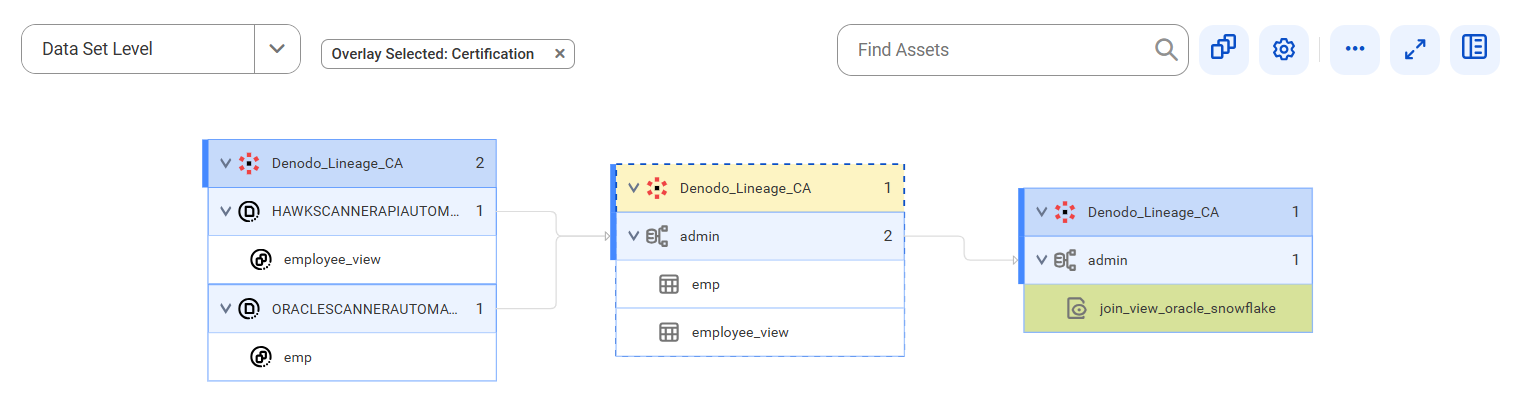
The following image shows data set level lineage where the join_view_oracle_snowflake target view gets data from the employee_view and emp source reference data sets using the emp and employee_view tables of the admin schema before connection assignment:
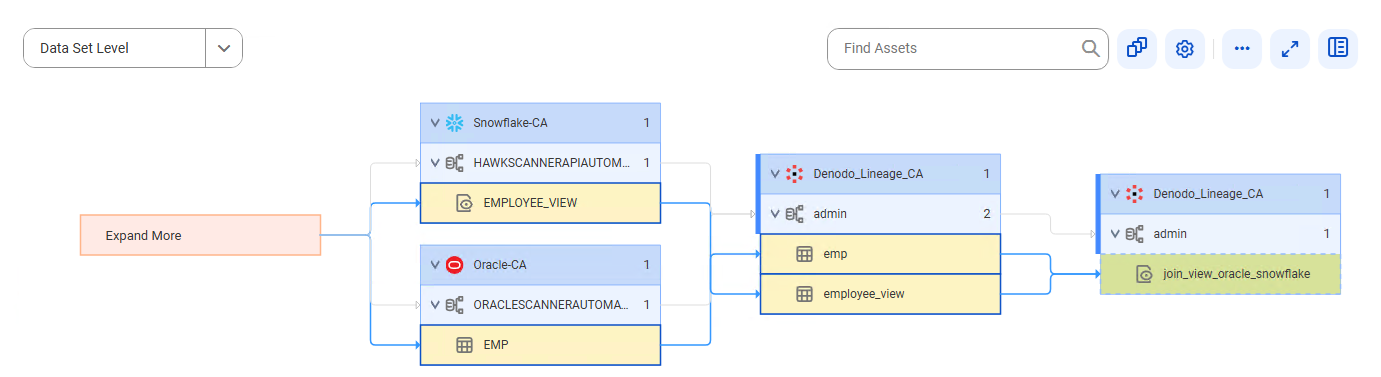
The following image shows how the join_view_oracle_snowflake view gets data from the EMPLOYEE_VIEW view and the EMP table using the emp and employee_view tables of the admin schema after connection assignment:
After connection assignment, the referenced object icons change to specific object icons.
View lineage at the data element level
The data element level displays details of the data set level. At the data element level, you can see the input sources for expressions or commands and calculations or transformations on the data.
To view data lineage at the data element level, open a technical asset, click the Lineage tab, and then verify that the level is set to Data Element Level.
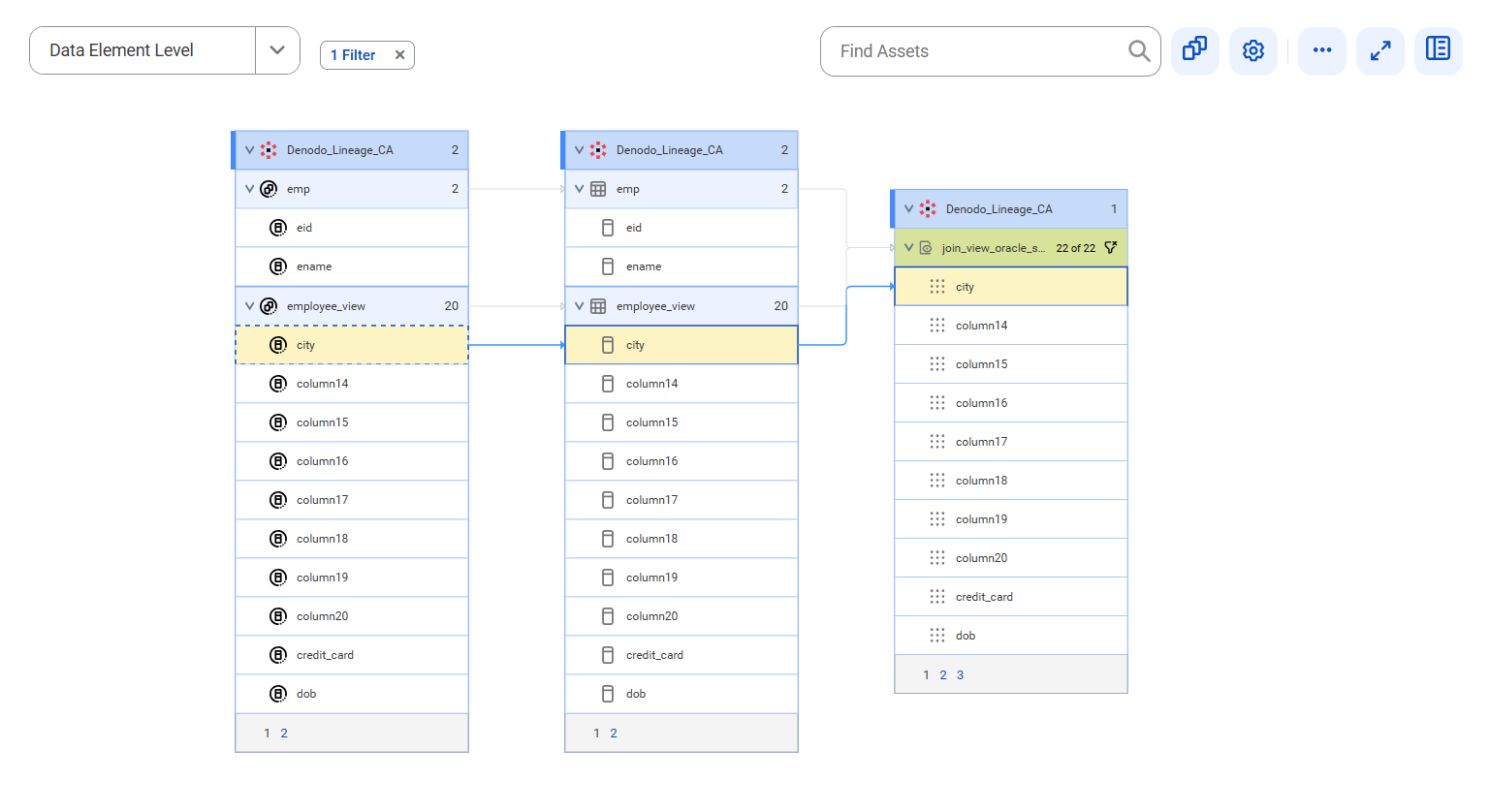
The following image shows data element level lineage where the city view column of the join_view_oracle_snowflake view gets data from the city reference data element of the employee_view reference data set using the city column of the employee_view table before connection assignment:
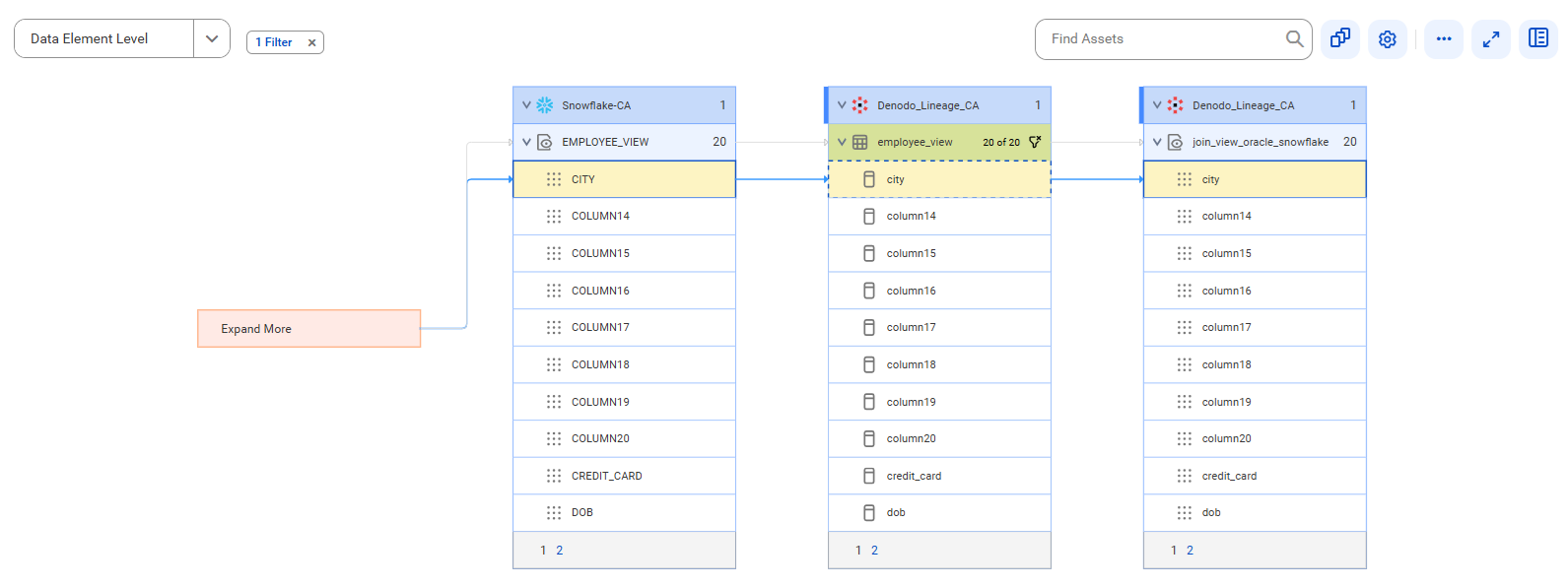
The following image shows data element level lineage where the city view column of the join_view_oracle_snowflake view gets data from the CITY view column of the EMPLOYEE_VIEW view using the city column of the employee_view table after connection assignment:
After connection assignment, the referenced object icons change to specific object icons.