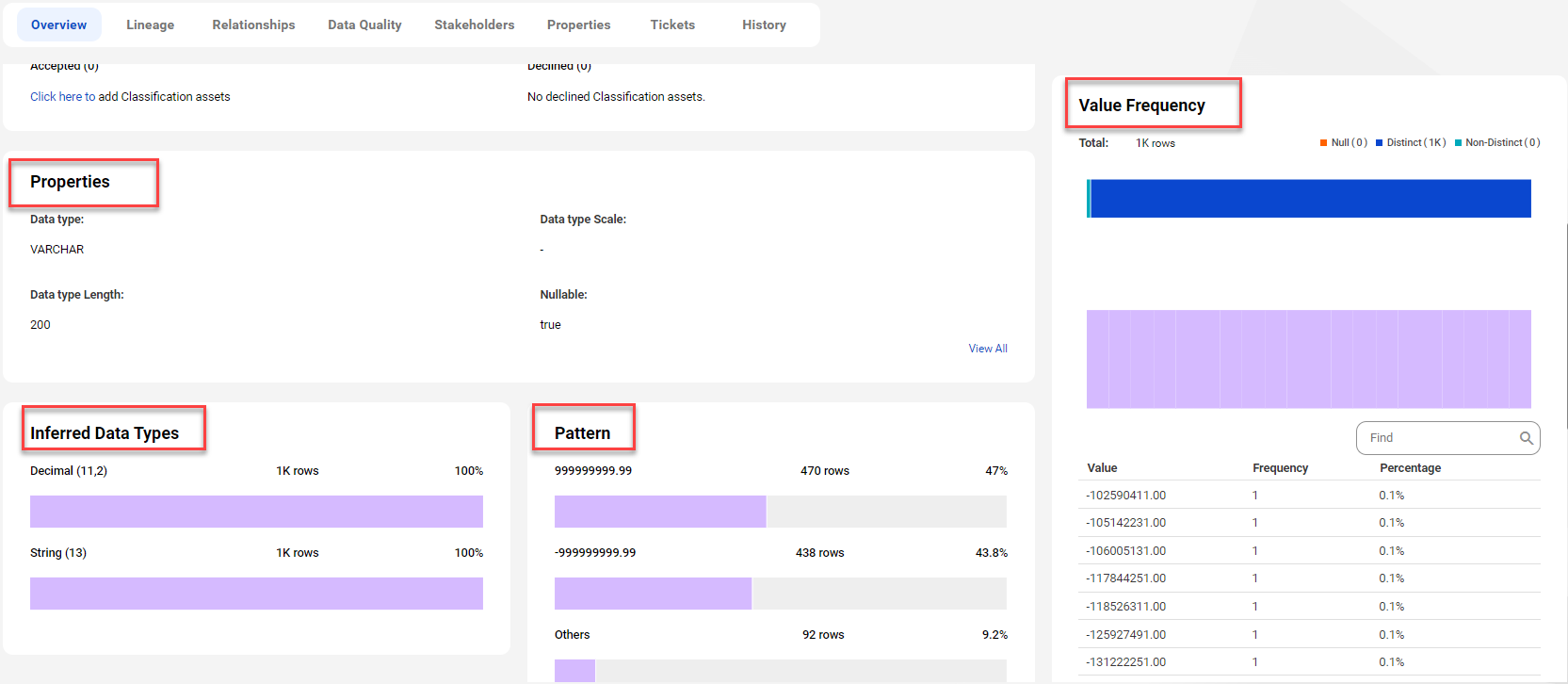
When you enable the data profiling task for a catalog source in Metadata Command Center, the system runs a profile to evaluate the quality of the metadata extracted from the source system. The profiling statistics appear in Data Governance and Catalog when you open the technical assets.
The scope of profiling statistics that Data Governance and Catalog displays depends on the data profiling configuration parameters that you set when you configured the catalog source in Metadata Command Center.
The following image shows the data profiling statistics that appear on a column asset page in Data Governance and Catalog:
For more information about data profiling results, see Asset Details in the Data Governance and Catalog help.