You can use a Snowflake SQL Script catalog source to extract metadata from script files that define transformations on an Oracle Database. Configure the catalog source and run the extraction job in Metadata Command Center. Then view the results in Data Governance and Catalog.
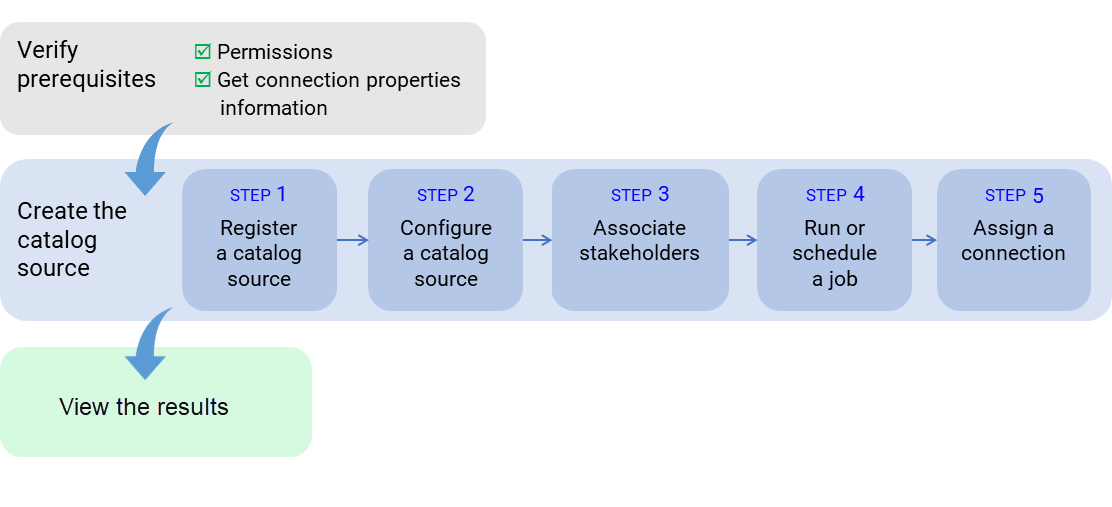
The following image shows the process to extract metadata from a script:
After you verify prerequisites, perform the following tasks to extract metadata from Snowflake SQL Script:
1Register a catalog source. Create a catalog source object, select Snowflake SQL Script, and specify values for connection properties.
2Configure the catalog source. Specify the runtime environment and add filters.
3Associate stakeholders. Optionally, associate users with technical assets, giving the users permission to perform actions determined by their roles.
4Run or schedule the catalog source job.
5Assign a connection to referenced source system assets.