You can extract metadata from source systems hosted on Google Cloud Dataproc clusters using non-Kerberos authentication and on Cloudera Data Platform (CDP) version 7.3.1.
When you extract metadata from Databricks notebooks, you can use the Notebooks Preload Paths property to specify the paths to the Databricks notebooks that you want to preload.
- You can extract metadata from pipelines that connect to SAP HANA source systems.
- You can perform connection assignment to view lineage between an SAP HANA Database source system and a Microsoft Azure Synapse Analytics source system.
- You can extract metadata from Salesforce datasets that use Salesforce Object Query Language (SOQL) queries.
- You can run metadata extraction jobs with the SAP Datasphere Command Line Interface. You can choose the metadata extraction method when you configure metadata extraction.
- You can perform connection assignment to view lineage between the following source systems and an SAP Datasphere source system:
▪ SAP Enterprise Resource Planning
▪ SAP Business Warehouse
▪ SAP HANA
▪ SAP BW/4HANA
▪ SAP S/4HANA
▪ SAP Analytics Cloud
For more information about catalog sources, see SAP Datasphere.
SAP SuccessFactors
You can use OAuth 2.0 authentication to connect to an SAP SuccessFactors source system.
You can configure the following additional data capabilities on catalog sources:
•Glossary association, data classification, and relationship discovery capabilities on Greenplum.
•Glossary association and data classification capabilities on the following catalog sources:
- SAP Datasphere
- Workday
•Profiling and data quality capabilities on SAP SuccessFactors.
For more information about catalog sources, see the corresponding catalog source help.
Incremental metadata extraction
You can now run incremental metadata extraction jobs on the following catalog sources:
•Databricks
Applicable only to Databricks Unity Catalog.
Applies to the following Databricks Unity Catalog objects:
- Table
- View
•Google BigQuery
•Google Cloud Storage
•Microsoft Sharepoint Online
•Workday
A full metadata extraction extracts all objects from the source to the catalog. An incremental metadata extraction considers only the changed and new objects since the last successful catalog source job run. Incremental metadata extraction doesn’t remove deleted objects from the catalog and doesn’t extract metadata of code-based objects.
For more information about catalog sources, see the corresponding catalog source help.
Technical Description extraction
You can now view the technical description after you run a metadata extraction job on pipelines and activities with the following catalog sources:
•Microsoft Azure Synapse Analytics
•Microsoft Azure Data Factory
For more information about catalog sources, see the corresponding catalog source help.
Metadata extraction from partitioned JSON files
You can extract metadata from partitioned JSON files with the following catalog sources:
•Amazon S3
•File System
•Google Cloud Storage
•Hadoop Distributed File System
•Microsoft Azure Blob Storage
•Microsoft Azure Data Lake Storage Gen2
•Microsoft Fabric OneLake
•Microsoft OneDrive
•Microsoft SharePoint Online
•Oracle Cloud Object Storage
•SFTP File System
For more information about catalog sources, see the corresponding catalog source help.
Configure partition detection for JSON and XML files
You can enable partition detection for JSON and XML files in the following catalog sources:
•Amazon S3
•File System
•Google Cloud Storage
•Hadoop Distributed File System
•Microsoft Azure Blob Storage
•Microsoft Azure Data Lake Storage Gen2
•Microsoft Fabric OneLake
•Microsoft OneDrive
•Microsoft Sharepoint Online
•Oracle Cloud Object Storage
•SFTP File System
For more information about catalog sources, see the corresponding catalog source help.
Deprecate objects deleted from a source system
When you configure or run a catalog source, you can choose to deprecate objects that are deleted from a source system using the Metadata Change Option. If you delete objects from the source or make changes to the filter, the objects imported into the catalog before the change move to the "Obsolete" lifecycle in the catalog.
You can purge such obsolete objects from a catalog source. This permanently deletes all objects with the "Obsolete" lifecycle status, along with associated enrichments, from the catalog.
For more information about catalog sources, see the corresponding catalog source help.
Modify assigned connections
You can modify connection assignments to endpoint catalog source objects. After you modify connections, the connection assignment job starts. When the job completes, the old connections are unassigned, new connections are assigned, and Metadata Command Center creates links between matching objects in the connected catalog sources.
Export lists of matched and unmatched objects after assigning connections
After you assign connections to endpoint catalog source objects, there can be both matched and unmatched objects in the catalog. Matched objects are objects that directly match the assigned endpoint objects. Unmatched objects are objects that don't directly match the assigned endpoint objects and are not found in the source system.
After assigning connections, you can export a list of matched and unmatched objects to a Microsoft Excel file. You can use these lists for remediation or for reference.
When you define filters for metadata extraction, you can include or exclude metadata from a folder or file path. You can either enter the path as the filter value or select a path from a list of folders and files available in the source system.
You can filter based on a folder, file, or path when you configure the following catalog sources:
•Amazon S3
•File System
•Google Cloud Storage
•Hadoop Distributed File System
•Microsoft Azure Blob Storage
•Microsoft Azure Data Lake Storage Gen2
•Microsoft Fabric OneLake
•Microsoft OneDrive
•Microsoft SharePoint Online
•Oracle Cloud Object Storage
•SFTP File System
For more information about catalog sources, see the corresponding catalog source help.
Generate lineage for file system based catalog sources
When you link catalog sources to generate lineage, you can select file system based catalog sources as the source and target catalog sources.
You can choose any of the following file system based catalog sources when you link catalog sources:
Generating JSON Web Token (JWT) to authenticate REST API requests
To authenticate users to REST API endpoints, organization administrators can choose the JSON Web Token-based authentication method in Administrator. This method allows you to generate JWT tokens without a session ID.
With this method, you can authenticate to REST API endpoints with only the JWT token. However, generating the JWT token from a session ID remains the default.
You can use the parallel gateway component to design workflows that require multiple tasks to run concurrently.
For example, when you create a workflow for processing a loan application, you can add multiple tasks that can run in parallel to speed up the process. Customer credit risk validation, KYC collection, asset details, and legal inputs are tasks that users can perform concurrently.
For more information about how you can design a workflow, see Designing a workflow.
Modify published workflows
You can now edit an existing workflow that is already published.
For more information about how you can modify a workflow, see Update a workflow.
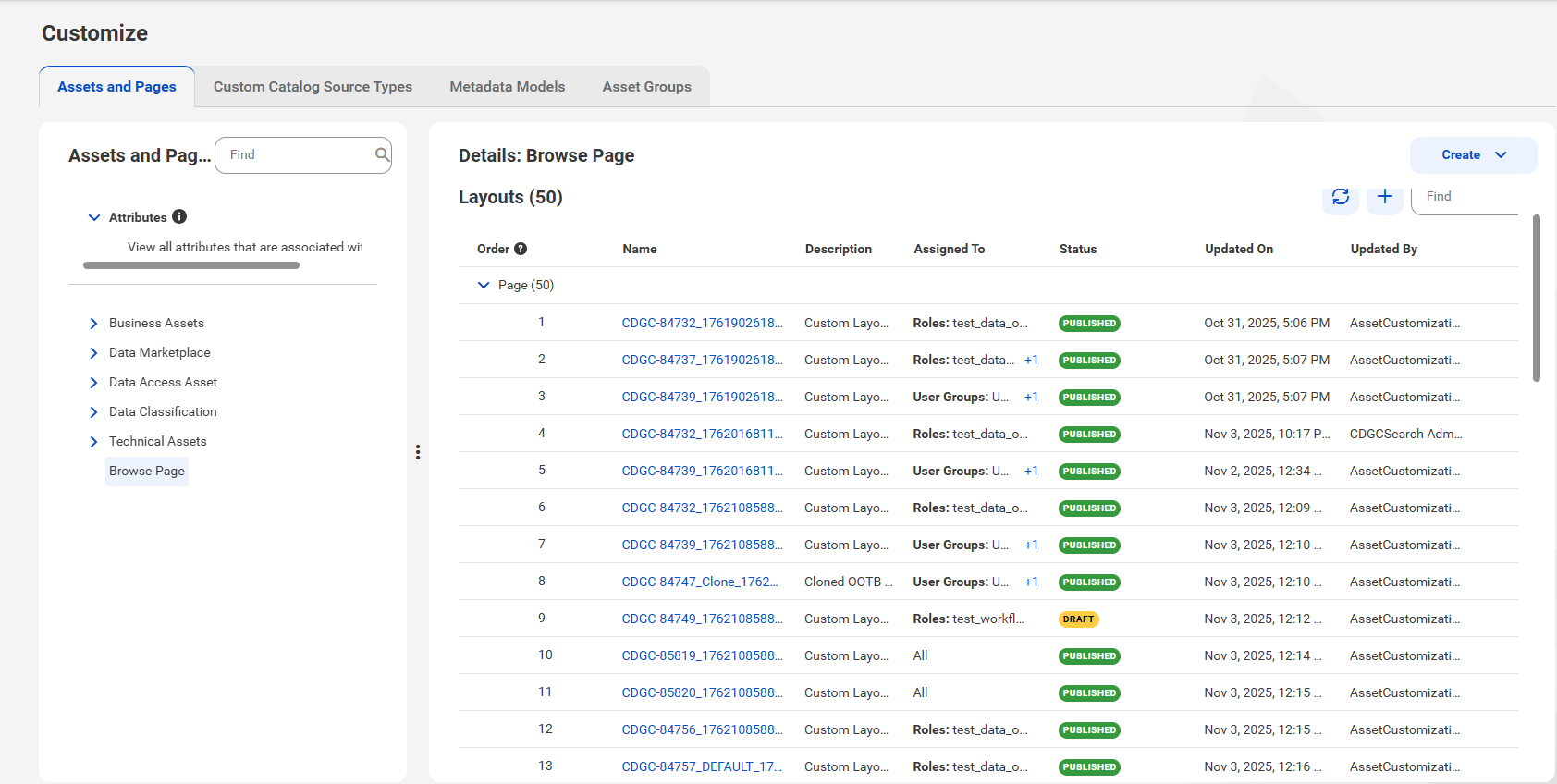
Custom layouts for the Browse page
Administrators can configure custom layouts for the Browse page. The configuration options are similar to the custom layout options for the Asset page.
Metadata Command Center now sends email notifications about organization upgrades to the latest versions of Metadata Command Center, Data Governance and Catalog, and Data Marketplace.
As an administrator, you receive notifications for the following events: