Type | Name | Description | Sample Value | Default Value |
|---|---|---|---|---|
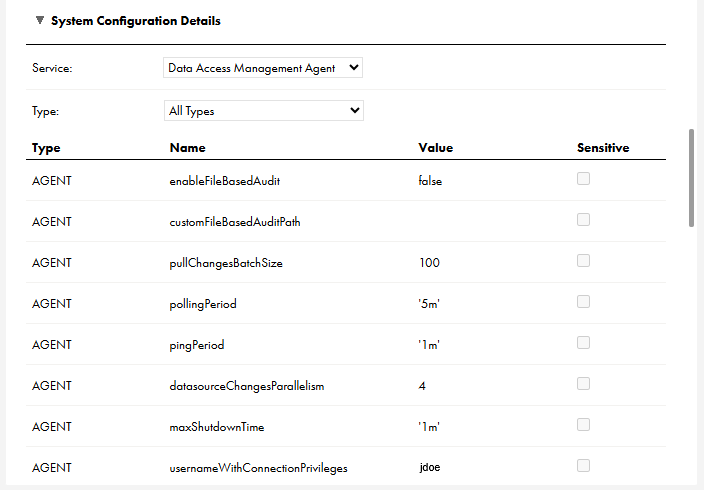
AGENT | enableFileBasedAudit | Set to true to generate audit logs. Leave as false to prevent audit log generation. | true | false |
AGENT | customFileBasedAuditPath | You can specify a directory where the Secure Agent writes audit logs. The default path is the path in which you installed the Secure Agent. | log/audit/ | not set |
AGENT | dataAccessManagementSecretName | Name of the secret used for the hashing data de-identification technique used in Secret Key Mode. | my_secret | DATA_ACCESS_MANAGEMENT_SECRET |
AGENT | usernameWithConnectionPrivileges | Required. Specify a user name from the tenant that has the "read Connection" privilege and the "read Secure Agent Group and Secure Agent" privilege. The Secure Agent uses this user name to retrieve the required connection configuration and credentials in the runtime service. | jdoe Note: The Data Access Management Agent service doesn't start without a valid value for the usernameWithConnectionPrivileges property. | not set |
AGENT | pullChangesBatchSize | The maximum number of updates in a batch to process. | 50 | 100 |
AGENT | pollingPeriod | The period for polling for new updates. | 1h | 5m |
AGENT | pingPeriod | How often to ping the runtime service to indicate that the agent is still up and consuming updates. | 45s | 1m |
AGENT | plugin.databricks.default.useIsAccountGroupMember plugin.databricks.<connection-id>.useIsAccountGroupMember | Grants data access based on group membership. plugin.databricks.default.useIsAccountGroupMember applies to all connections of type Databricks. plugin.databricks.<connection-id>.useIsAccountGroupMember applies only to the connection specified. The connection-specific setting overrides the default. | true Note: Set this to true if plugin.databricks.default.useIsMember is set to false. Both can be true. | false |
AGENT | plugin.databricks.default.useIsMember plugin.databricks.<connection-id>.useIsMember | Grants data access based on local workspace group membership. plugin.databricks.default.useIsMember applies to all connections of type Databricks. plugin.databricks.<connection-id>.useIsMember applies only to the connection specified. The connection-specific setting overrides the default. | false Note: Set this to true if plugin.databricks.default.useIsAccountGroupMember is set to false. Both can be true. | true |
AGENT | plugin.fabric-warehouse.default.schema | Note: The default Microsoft Fabric Data Warehouse schema name that Data Access Management uses to manage data filter policies is CDAM_INTERNAL_STATE. If this name does not comply with your organization's schema naming convention, use the plugin.fabric-warehouse.default.schema property to give the schema another name. | MY_SCHEMA | CDAM_INTERNAL_STATE |
AGENT | plugin.redshift.default.namespace plugin.redshift.<connection-id>.namespace | Note: If your organization uses an identity provider (IdP) and pushes data access policies to Amazon Redshift, add a custom property to the Data Access Management Agent service for the namespace that Amazon Redshift requires. With the custom property, the Secure Agent maps the IDMC user groups in the data access policies to the IdP-based roles created in a namespace in Amazon Redshift. plugin.redshift.default.namespace applies to all connections of type Amazon Redshift. plugin.redshift.<connection-id>.namespace applies only to the connection specified. The connection-specific setting overrides the default. | my_namespace | not set |
AGENT | datasourceChangesParallelism | The maximum number of data source updates to process in parallel. | 3 | 4 |
AGENT | maxShutdownTime | How long to wait for a graceful shutdown to complete before invoking a forced shutdown. | 45s | 1m |