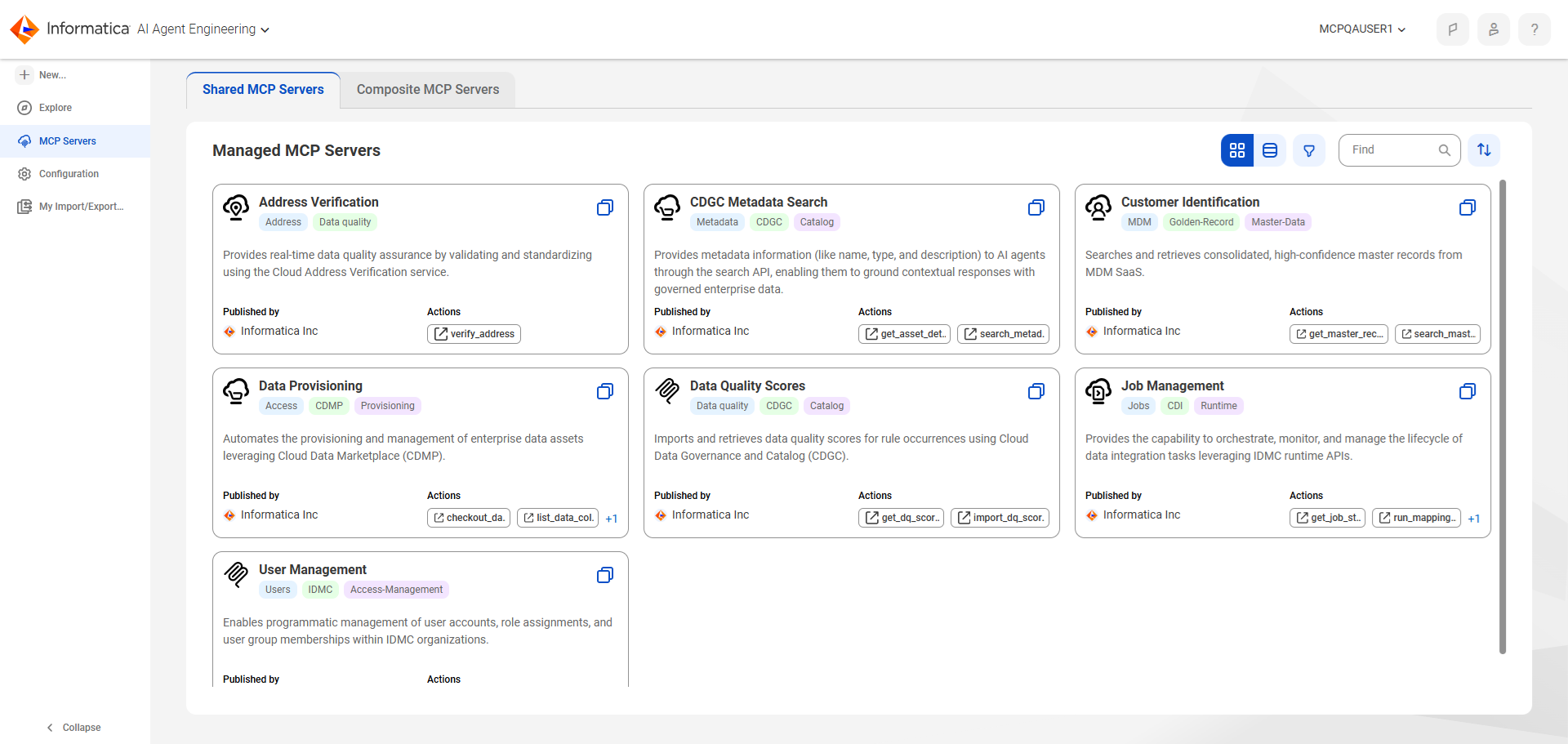
MCP server | Description |
|---|
Address Verification | Provides real-time data quality assurance by validating, standardizing, and geocoding physical addresses using the Cloud Address Verification service. |
Audit Management | Enables AI agents to browse IDMC audit and security logs with read-only access. |
Catalog Asset History | Lets you investigate how enterprise data assets change over time in Data Governance and Catalog. |
Catalog Discovery | Allows your AI agents to discover and explore enterprise data assets in Data Governance and Catalog. |
Catalog Enrichment | Allows your AI agents to manage, enrich, and curate enterprise data assets in Data Governance and Catalog. |
CDGC Data Quality Score | Enables AI agents to retrieve data quality scores for business and technical assets using Data Governance and Catalog. |
CDGC Metadata Search | Allows your AI agents to perform natural language searches to discover data assets, understand their context, and retrieve essential metadata from Data Governance and Catalog. |
CLAIRE Data Exploration Agent | Gives AI agents and applications direct access to the data in Data Governance and Catalog and MDM SaaS. An AI agent can explore the data in these services directly. |
CLAIRE Data Quality Agent | Lets AI agents profile data sets, recommend and generate data quality rules, analyze rule outcomes, and cleanse data. |
CLAIRE Orchestrator | Provides the capability to use the CLAIRE Orchestrator MCP server to orchestrate the full data management flow in IDMC, including discovery, data exploration, data quality, and other data management skills. |
Connection Management | Enables AI agents to create, manage, test, monitor, and validate connections to external systems with full CRUD operations over connection metadata. |
Customer Identification | Provides your AI agents with a direct link to the single source of truth for customer data within Informatica Master Data Management. |
Data Access Management | Lets AI agents create, review, and publish data access policies, which filter data, mask data, and control who can access data without bypassing your organization's data protection rules. |
Data Marketplace Order Management | Lets AI agents manage the Data Marketplace order workflow. |
Data Provisioning | Automates the provisioning and management of enterprise data assets by connecting your AI agents to Data Marketplace, enabling them to initiate governed provisioning workflows for enterprise data assets. |
IDMC Asset Documentation | Enables AI agents to document mappings, mapping tasks, mapplets, taskflows, ingestion tasks, connections, runtime environments, and Secure Agents. AI Agents can also trace dependencies between assets, review taskflow run statuses, and compare versions of source-controlled assets to document changes between releases. |
IDMC Asset Promotion | Enables AI agents to promote IDMC assets in the software development lifecycle, from development to production, automating multi-step promotion workflows and failure diagnostics. |
IDMC Troubleshooting | Enables AI agents to investigate and resolve operational issues by providing real-time visibility into IDMC schedules, assets, mappings, connections, jobs, Secure Agents, and Data Ingestion and Replication tasks. |
IPU Management | Enables AI agents to export IPU usage data grouped by organization, project, asset, or job in IDMC, and to track corresponding export jobs. |
Job Management | Provides the operational interface between your AI agents and the IDMC execution engine. Allows agents to orchestrate data pipelines, monitor process health, and manage task lifecycles in real-time. |
Log Management | Retrieves historical Data Integration activity logs, session logs, and error logs from the IDMC Monitor service. |
Secure Agent Management | Enables AI agents to observe and repair the execution fleet that powers IDMC workloads. |
User Management | Enables AI agents to automate IDMC user onboarding, role provisioning, and offboarding to accelerate user access, eliminate manual IT overhead, and enforce least privilege security policies. |