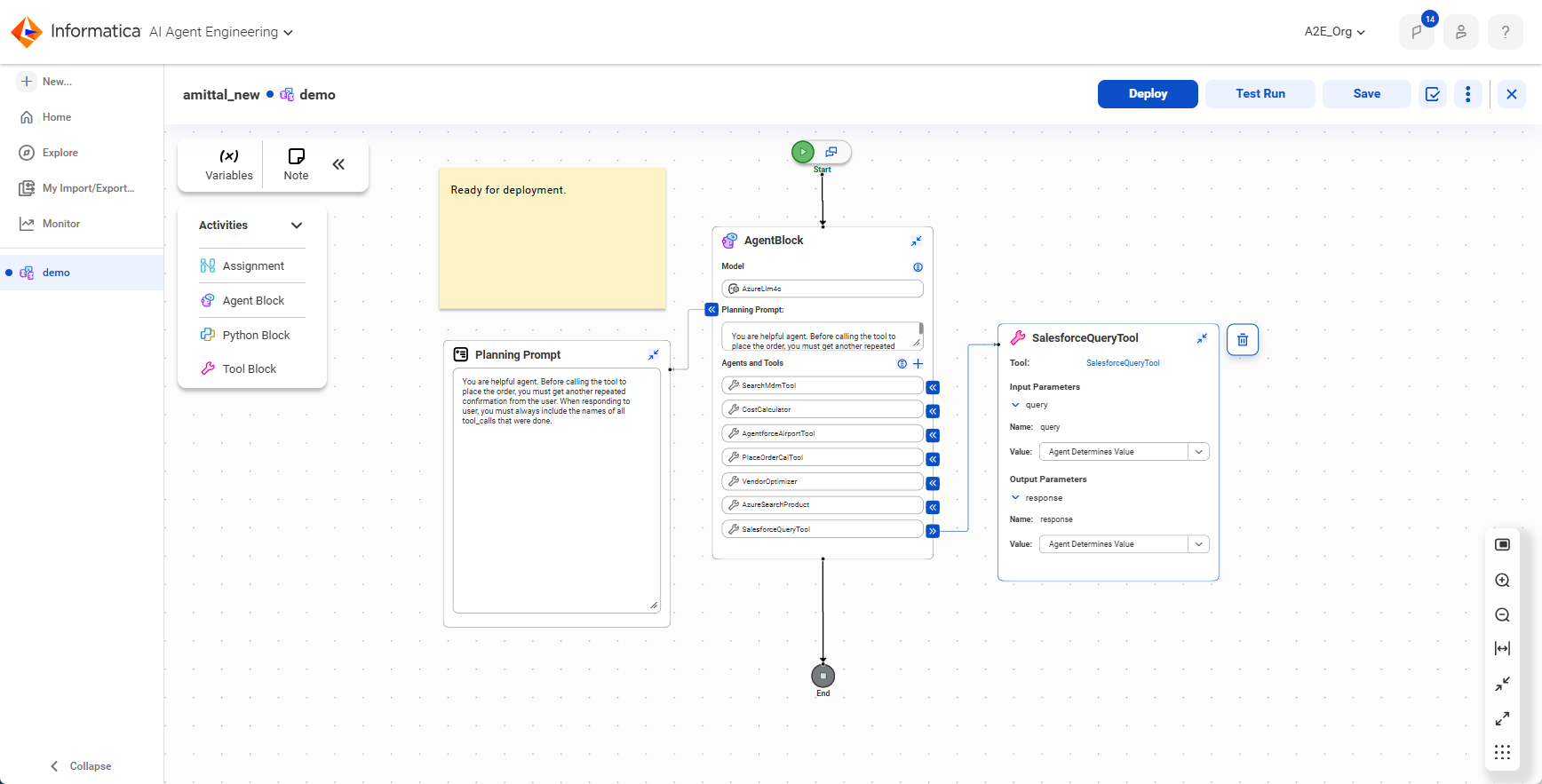
After you've created the connections and tools your agent will use, you're ready to build your AI agent. Build an AI agent by configuring the agent flow. The agent flow is an agentic AI workflow that orchestrates one or more AI agents and components so they can work together to achieve a goal.
Configure the agent flow on the agent flow canvas. The following image shows the agent flow canvas:
To configure the agent flow, perform the following steps:
1Drag an agent block onto the connector between the start and end nodes.
An agent block is the basic building block for an AI agent.
2Configure the properties inside the agent block.
Select the LLM, enter a planning prompt to guide the agent, and choose the other agents and tools that your agent can use to accomplish its goal.
3Optionally, add other agent blocks, tools, and nodes to the flow.
An agent flow can contain one or more agent blocks. It can also contain other components like guardrail blocks, Python code blocks, tool blocks, and variable assignment blocks. When you add a Python code block or tool block to the flow, you need to define variables to pass information between components. If you add a guardrail block, you can add an additional end node or other components to the Pass or Fail branch.
4Save the workflow.
Tip:
For some use cases, you can also quickly create agent flows using an Agent Hub recipe.
For information about using a specific recipe, see the guide for that recipe.
After you build an agent flow, you can deploy and test it. When you deploy an agent flow, it becomes an AI agent.