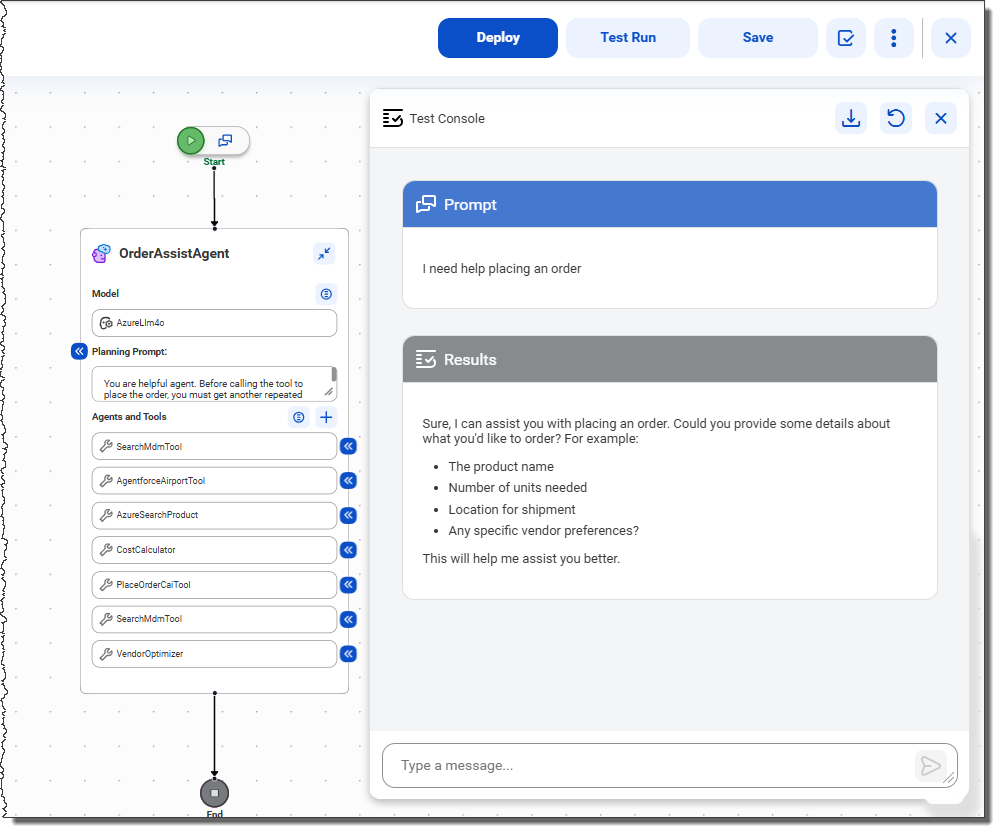
To test your agent, click Test Run at the top of the agent flow canvas. The test console opens.
The following image shows the test console:
Interact with your AI agent by typing messages in the chat box. For example, you might start the conversation with, "I need help placing an order." You can see the AI agent's responses in the test console.
Note:
Because the agent flow is deployed, the AI agent is fully functional when you test it. So, if your AI agent is designed to help you place an order and you confirm that you want to place an order, the agent places the order.
The chat history is retained when you close and reopen the agent flow. To download the chat history, click the download button. To clear the chat history, click the reset button. The chat history is also cleared when you redeploy the agent flow.