You can undeploy an agent flow if you no longer want the AI agent to be available for use or if you want to deploy the AI agent to a different Secure Agent.
Note:
You can't undeploy an agent flow that is deployed to an unavailable Secure Agent or a Secure Agent in which the AI Agent Runtime service isn't running. If you do this and the Secure Agent or AI Agent Runtime service becomes available, the agent flow is still deployed to that Secure Agent.
1Open the agent flow in the agent flow canvas.
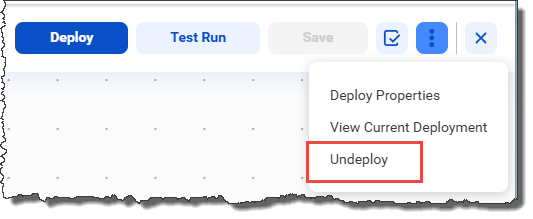
2Select Undeploy from the kebab menu in the upper right corner.