1Install the GitHub A2A Inspector.
For installation instructions, see the A2A Inspector README:
2Run the inspector locally by performing the following steps:
- aRun the following command to make the script executable:
- bRun the following command to start the frontend build process and backend server:
chmod +x scripts/run.sh
bash scripts/run.sh
The services start, and their outputs are displayed using colored prefixes. If you need to stop the services, press Ctrl+C.
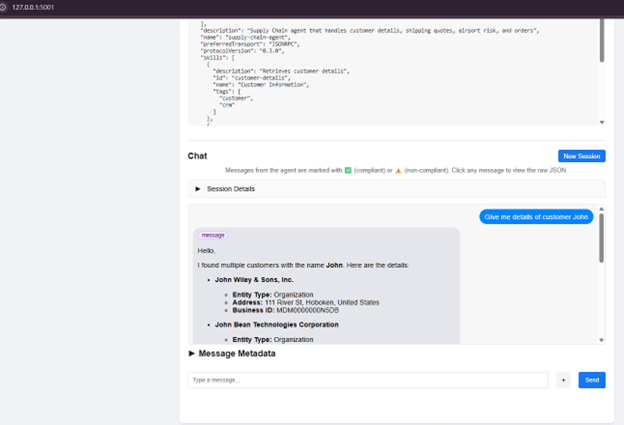
3Access the inspector by opening the following URL in your browser:
http://127.0.0.1:5001
4Validate that each AI agent is A2A compliant by performing the following steps:
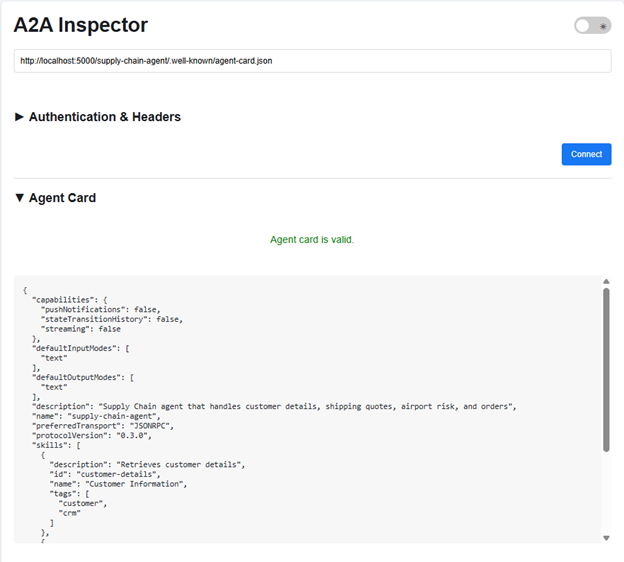
- aEnter the agent card URL in the inspector:
- bClick Connect to load the agent card, and verify that the schema validation passes.
- cSend a test message and verify that the response is valid.
http://localhost:5000/<agent name>/.well-known/agent-card.json
The following image shows an example of a valid agent card for an AI agent named "supply-chain-agent":
The following image shows an example of a valid response: