Configuring error messages for validation rule associations
Configure a rule association to display error messages for input fields in business applications or REST APIs when the input fields fail validation. You can configure the message text and the fields that display the message.
To configure a rule association for validation or cleansing to display a validation message, specify the message source and error fields on the Configure Validation tab.
You can use the following message types:
•Plugin message. The error message that a plugin returns. If you use the Data Quality - Validation or Application Integration-based validation or cleansing plugins in rule associations, you can configure the rule associations to display the error message that those plugins return. The fields display the error messages that the Data Quality - Validation plugin returns only if you configure the Error Message Field property in the corresponding data enhancement rule.
•Custom message. The error message that you enter in the rule association. A custom message always takes precedence over a plugin message.
•Fallback message. The default error message that appears when you don't configure any custom message and the plugin doesn't return an error message.
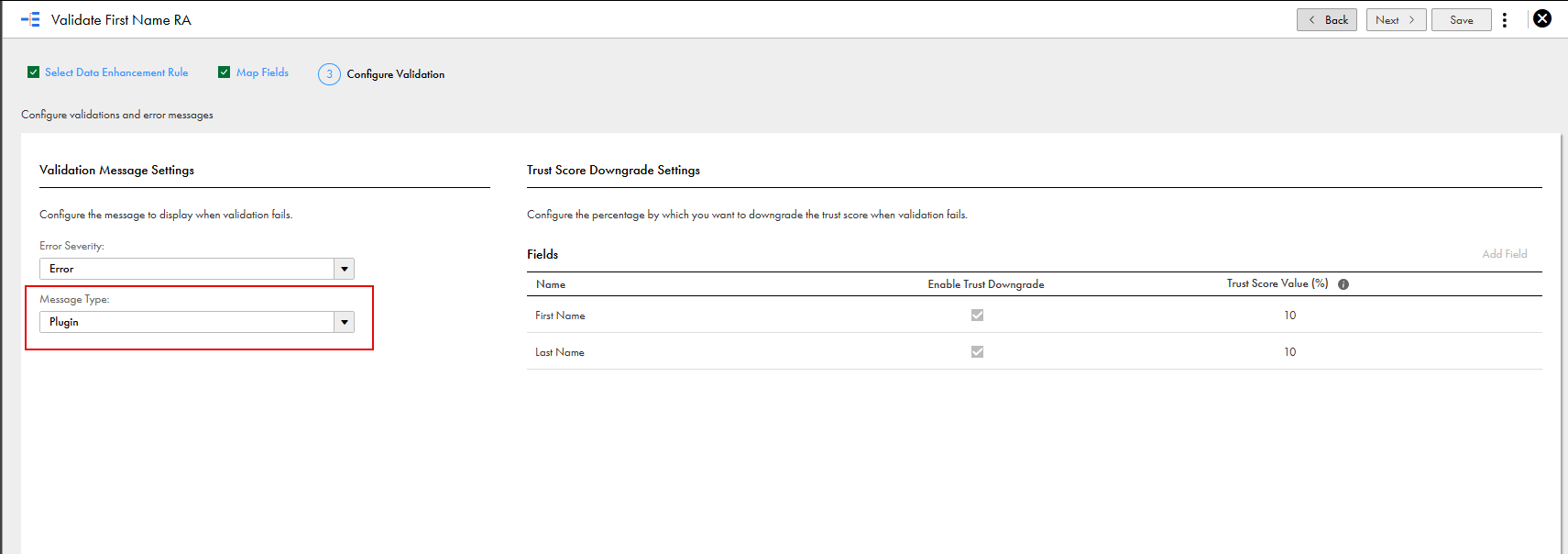
The following image shows the Configure Validation tab of a rule association that uses the plugin message type:
When you configure a custom message for a field group, the message applies to all fields in the field group entries that are validated.
The following situations determine which fields display an error, warning, or information message:
•If you configure fields on the Configure Validation tab, only those fields show the message.
•If you don't configure any fields on the Configure Validation tab, all mapped input fields of the rule association display the message.
When you configure a custom error message, the same message appears on all input fields of the rule association that you configure to display the message.