The analytical schema contains the dimension tables in Databricks that store transformed master data. Use the analytical schema to analyze and gain insights into the master data.
When you run Data Integration taskflows, Data Integration transforms and loads master data from the Databricks staging tables into the dimension tables of the analytical schema in Databricks.
The analytical schema is optimized for Databricks SQL. Unity Catalog, the Databricks governance layer for data and AI assets, manages the analytical schema.
The analytical schema in a Databricks catalog includes the following dimension tables:
•tbl_address_dim
•tbl_calendar_dim
•tbl_customer_dim
•tbl_email_dim
•tbl_esg_score_dnb_dim
•tbl_esg_score_dnb_environmental_reason_dim
•tbl_esg_score_dnb_governance_reason_dim
•tbl_esg_score_dnb_social_reason_dim
•tbl_item_dim
•tbl_location_dim
•tbl_phone_dim
•tbl_supplier_dim
Based on your use case, you can create or edit the dimension tables.
Note:
The extension package doesn't include transaction tables. To analyze sales and supplier orders, you must create the create the Sales Fact and Supplier Order Fact transaction tables.
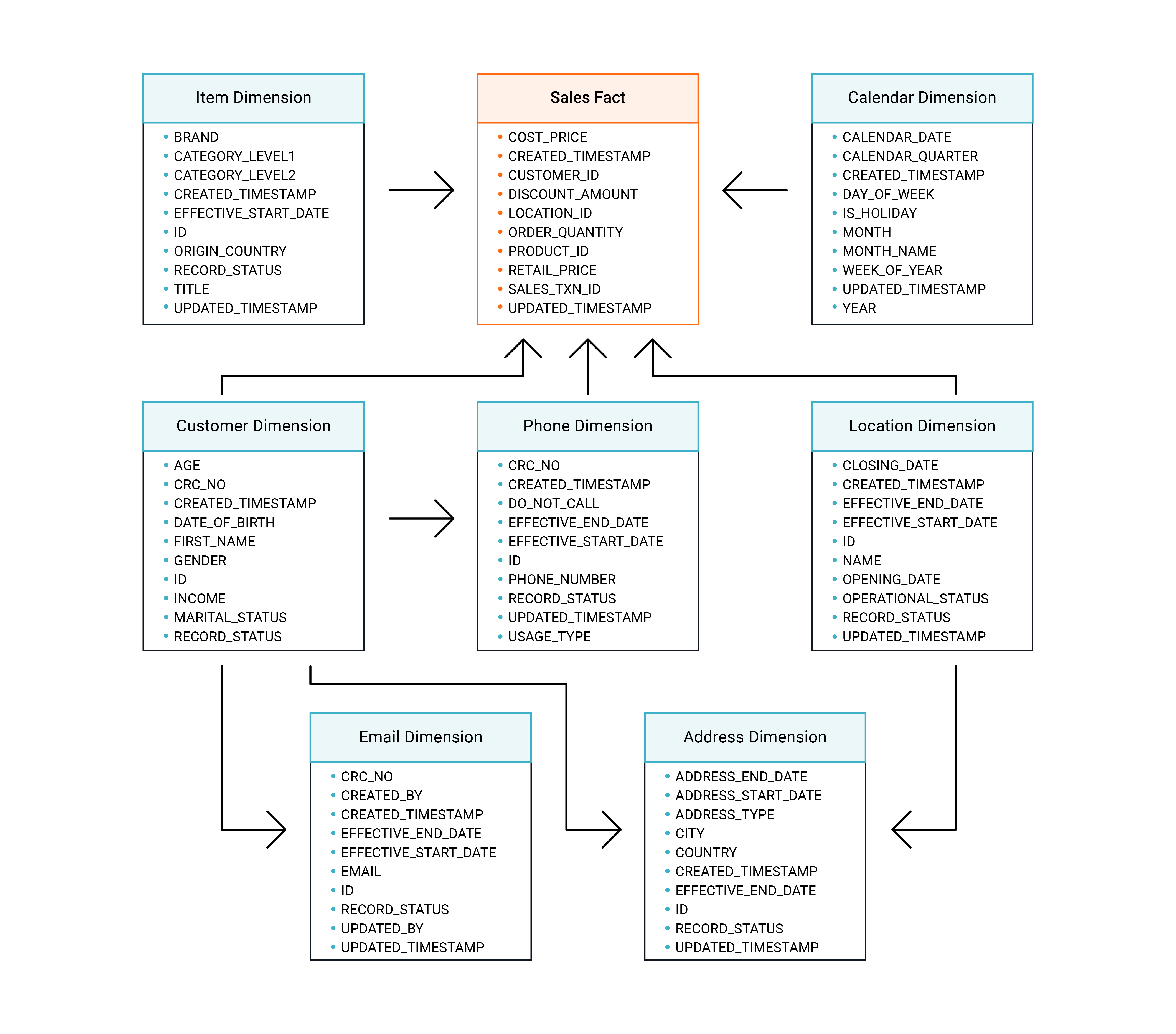
The following image shows the dimension tables of the Databricks analytical schema and their relationships with the Sales Fact table:
Note:
Some tables contain more fields than shown in the diagram. For the complete list, see the analytical schema in Databricks.
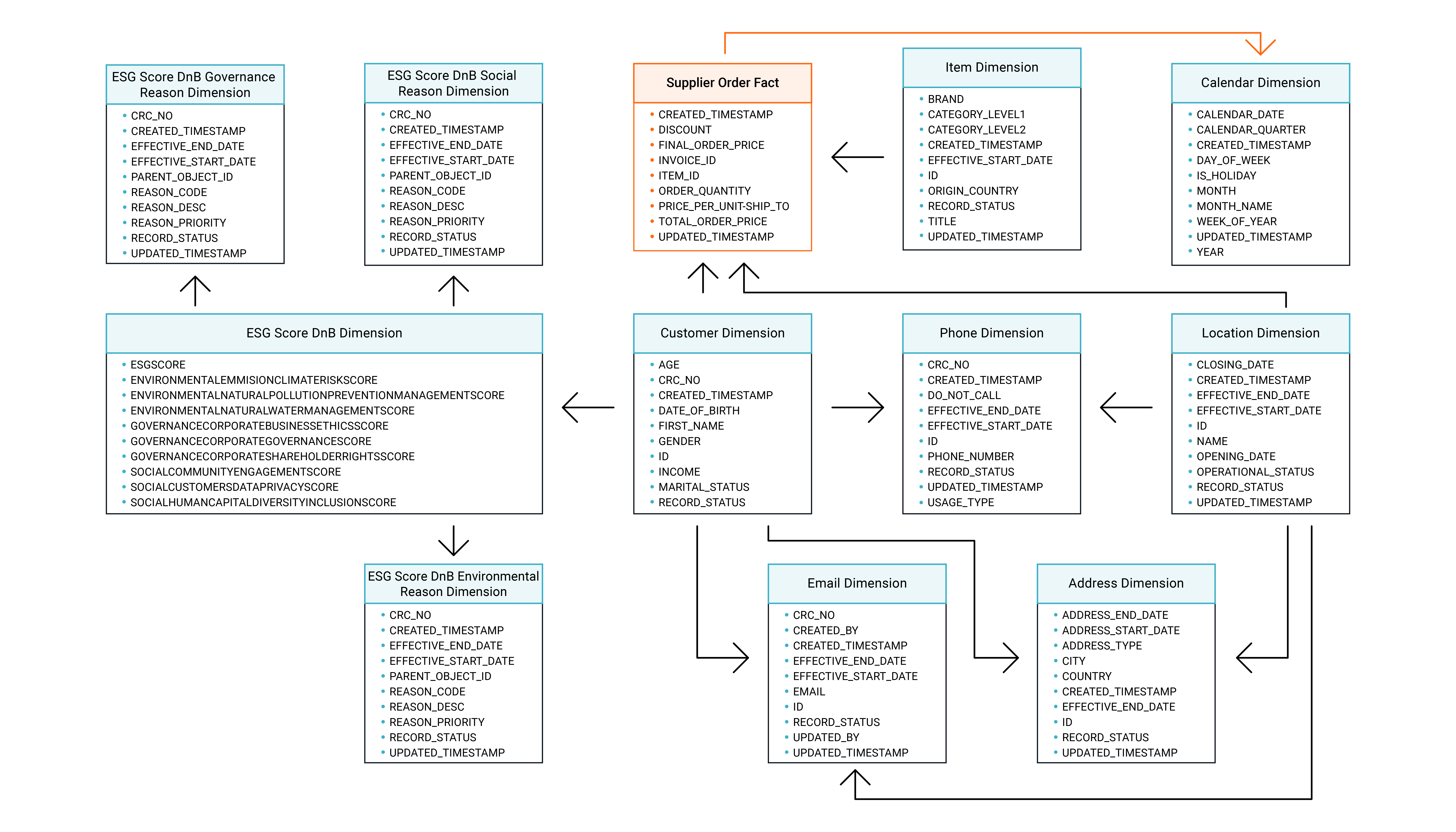
The following image shows the dimension tables of the Databricks analytical schema and their relationships with the Supplier Order Fact table:
Note:
Some tables contain more fields than shown in the diagram. For the complete list, see the analytical schema in Databricks.