You’re a data steward in a healthcare organization responsible for maintaining high-quality patient data. Your goal is to ensure that the data is accurate, complete, and ready for reliable healthcare reporting. To achieve this goal, you want to analyze the data to identify errors such as duplicate or missing medical record numbers (MRNs), missing or future-dated birth dates, and invalid gender values.
Here's the approach you can follow:
•First, you discover the PATIENT table that contains patient information. CLAIRE GPT uses the data discovery skill of the discovery agent to discover the table.
•After the discovery of the table, you can view the data profile of the table to assess the number of patient records in the table that contain duplicate or missing MRNs, missing or future birth dates, and non-standard gender values. CLAIRE GPT uses the data profiling skill of the data quality agent to check for these data quality issues.
•You can then identify and analyze the exact patient records that contain duplicate or missing MRNs, missing or future birth dates, and non-standard gender values. CLAIRE GPT uses the data exploration skill of the discovery agent to identify and analyze these patient records from the PATIENT table.
•You can now generate a mapping which detects all patient records with duplicate MRNs and other data quality issues so that you can address these issue for improved data accuracy. CLAIRE GPT uses the data integration skill of the data integration agent to create a mapping that you can save and run in Data Integration.
•Next, find out how you can modify and run the mapping that you created. CLAIRE GPT uses the product documentation research skill of the product help agent to answer product help queries.
To achieve the goal, perform the following steps:
1Log in to CLAIRE GPT.
2You can enter a single prompt to search for a table with patient information and to identify patient records containing duplicate or missing MRNs, missing or future-dated birth dates, and invalid gender values.
Enter the following prompt that includes multiple instructions:
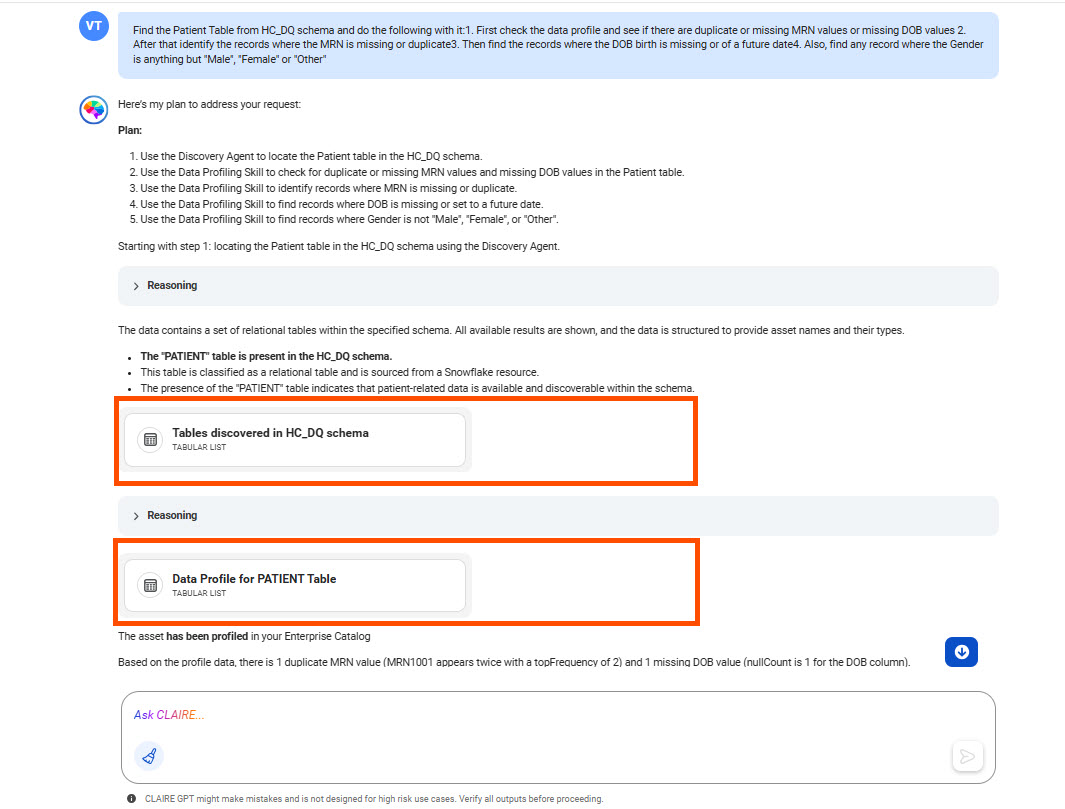
Find the Patient Table from HC_DQ schema and do the following with it: 1. First check the data profile and see if there are duplicate or missing MRN values or missing DOB values 2. After that identify the records where the MRN is missing or duplicate 3. Then find the records where the DOB birth is missing or of a future date 4. Also, find any record where the Gender is anything but "Male", "Female" or "Other"
The following image shows a part of the response highlighting the tables discovered in the HC_DQ schema and the data profiling insights on the PATIENT table:
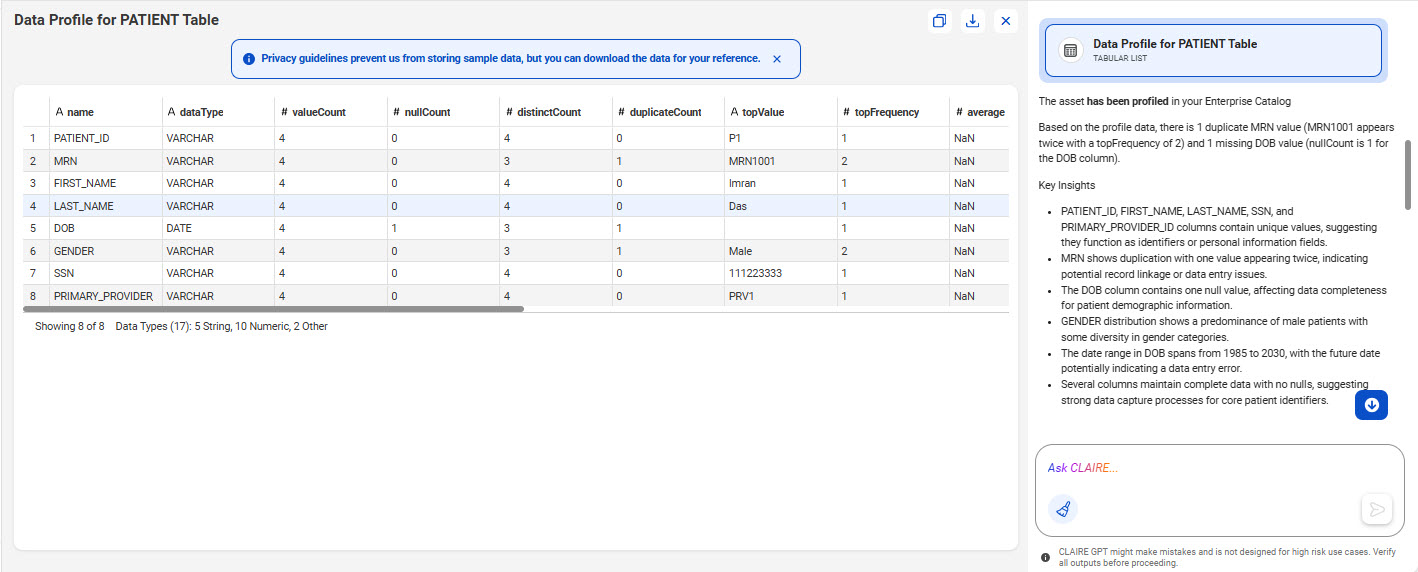
3Click the card named Data Profile for PATIENT Table to see if there are patient records containing duplicate or missing MRNs, missing or future birth dates, and non-standard gender values. You can also view the key insights on these findings.
The following image shows the canvas with the data profiling information of the PATIENT table, displaying the identified data quality issues as key insights:
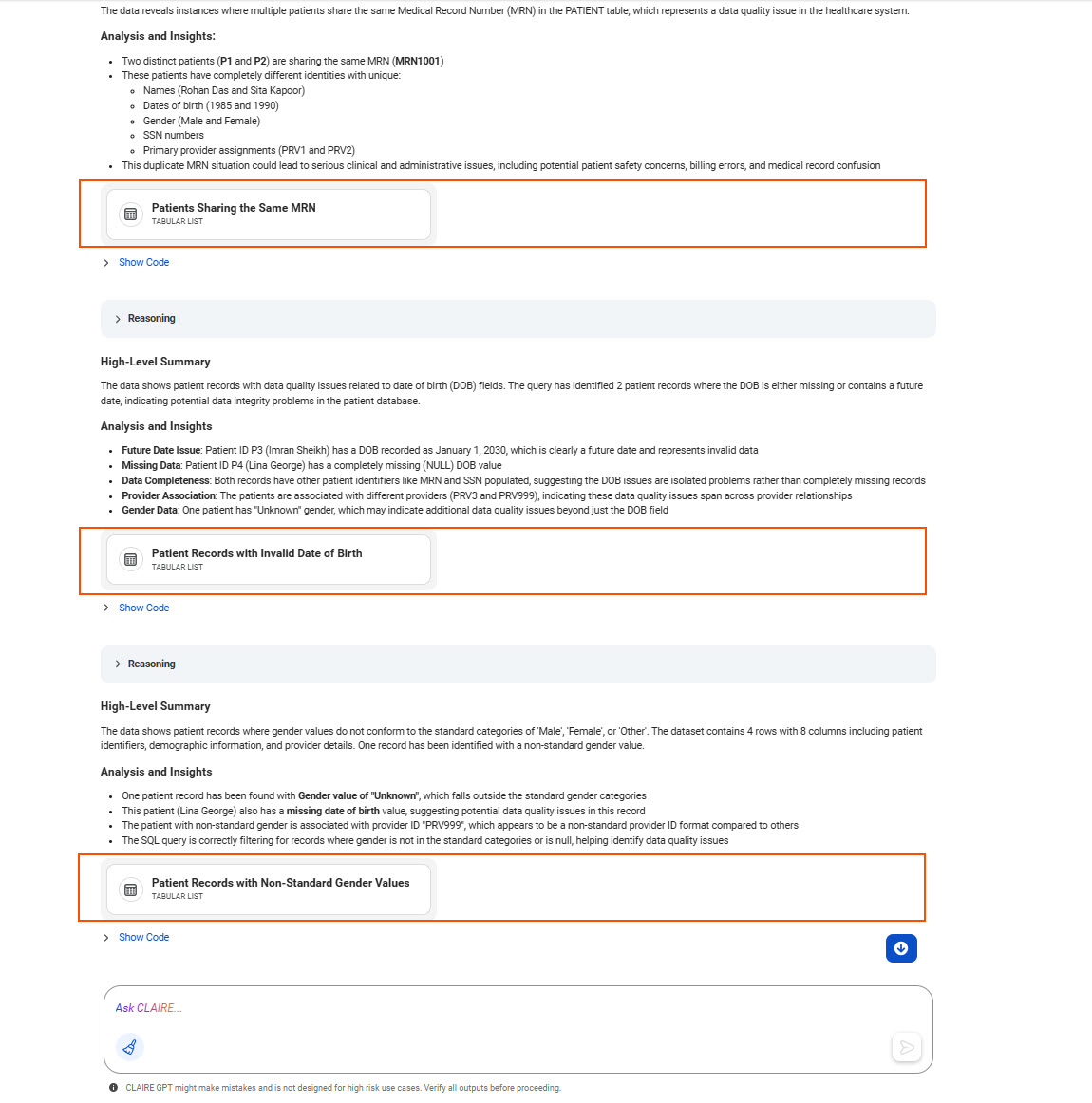
4To identify and analyze the patient records with data quality issues, you can open the card generated for each data quality issue. Each card is accompanied by a detailed analysis and insight on the sample patient records and the data quality issue in those records.
The following image shows the response highlighting different cards for the three data quality issues:
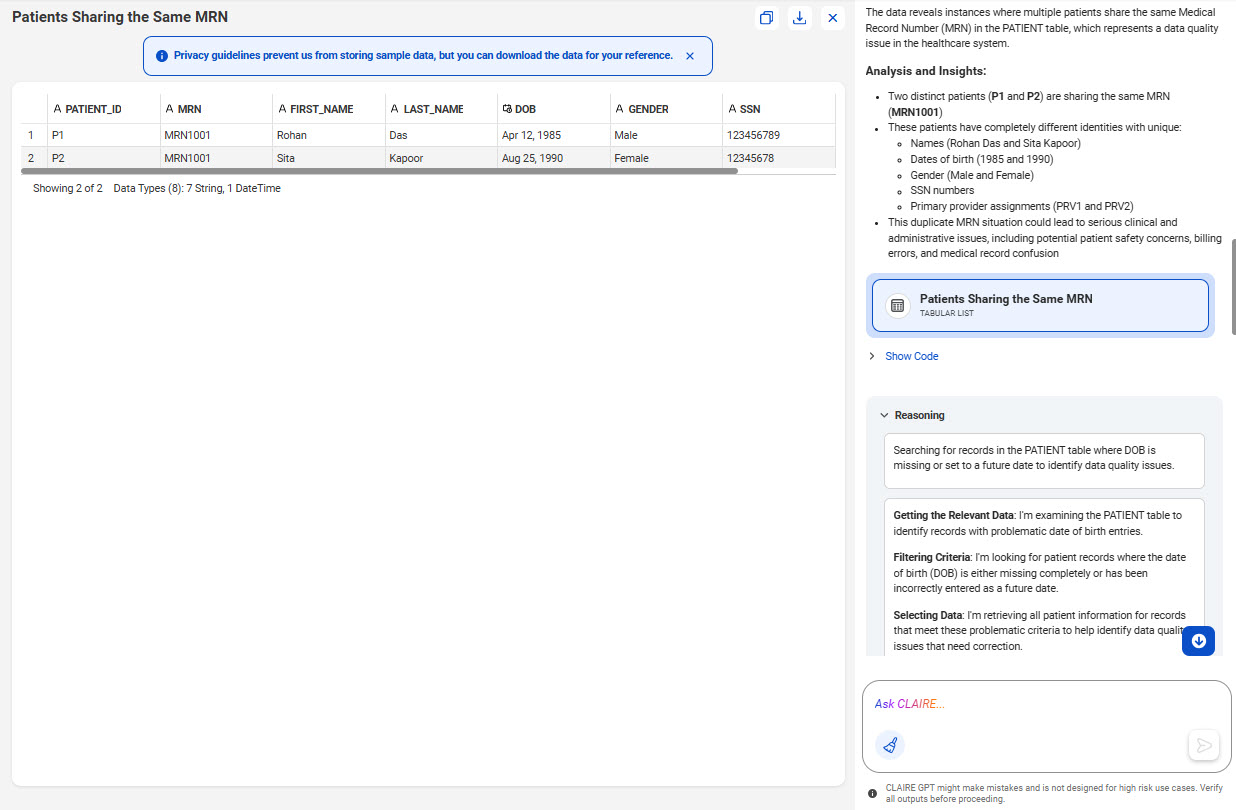
For example, you can open the card named Patients Sharing the Same MRN to view the sample patient records that share the same medical record number in the PATIENT table.
The following image shows the canvas with a tabular view of the patient records that share the same MRN value in the PATIENT table:
Optionally, to copy and paste the sample data to a CSV file, click the Copy icon. To export the sample data to a CSV file, click Download.
5Create a mapping to identify all patient records with duplicate MRNs.
Enter the following prompt:
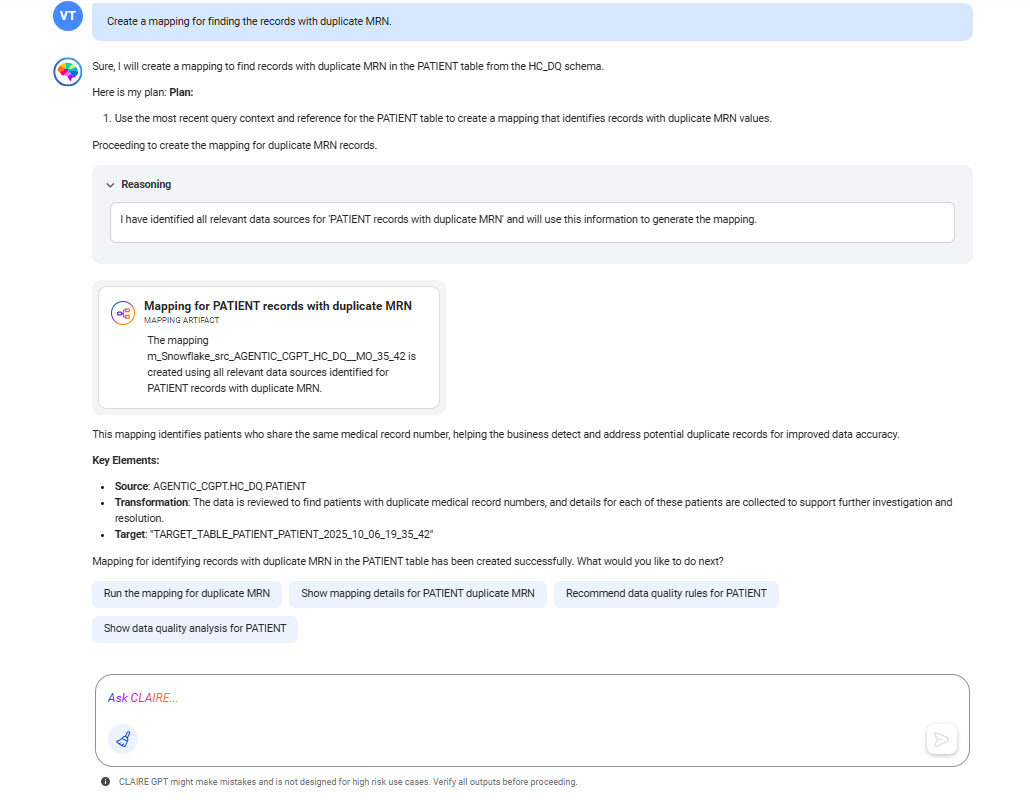
Create a mapping for finding the records with duplicate MRN.
The following image shows the response for creating the mapping:
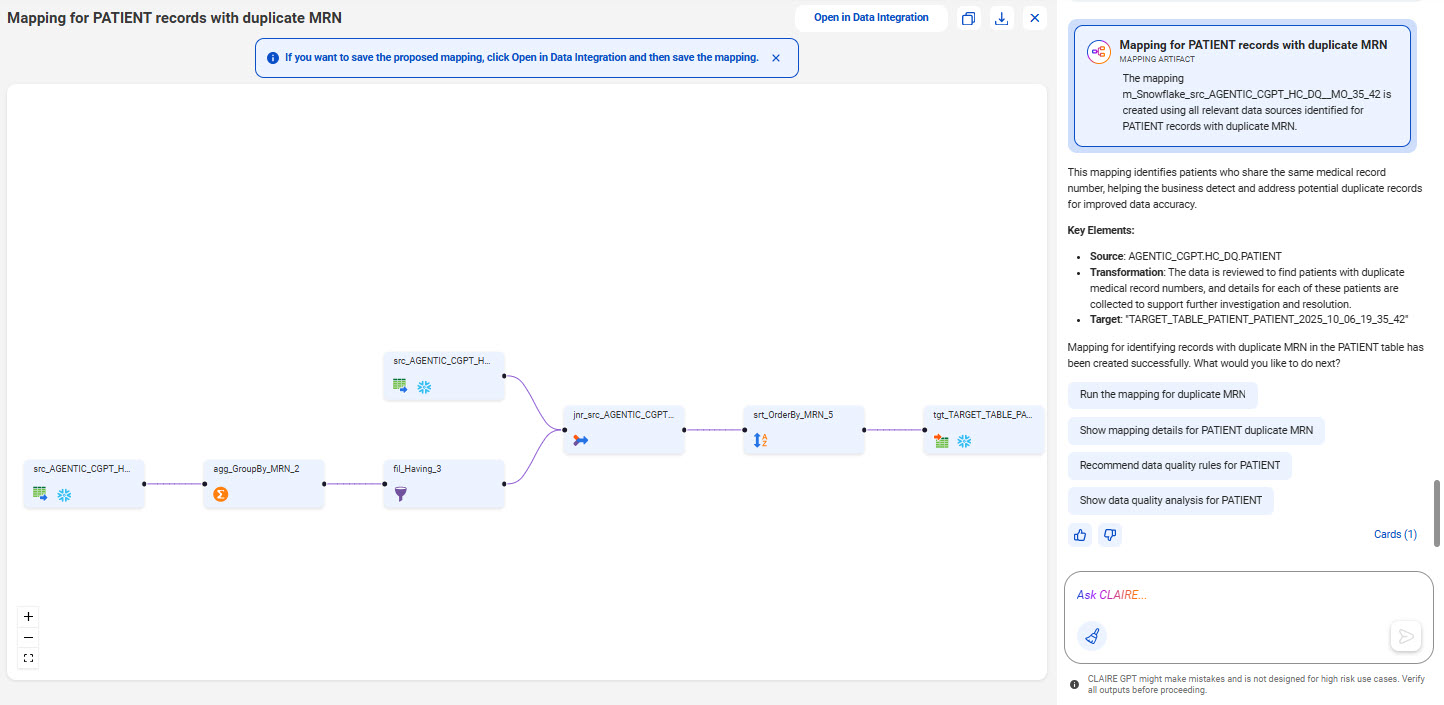
Optionally, open the card named Mapping for PATIENT records with duplicate MRN to view the proposed mapping.
The following image shows the mapping that CLAIRE GPT proposes to detect patient records with duplicate MRNs:
To view and save the proposed mapping, select Open in Data Integration. In Data Integration, you can also edit the mapping or create a mapping task to run it.
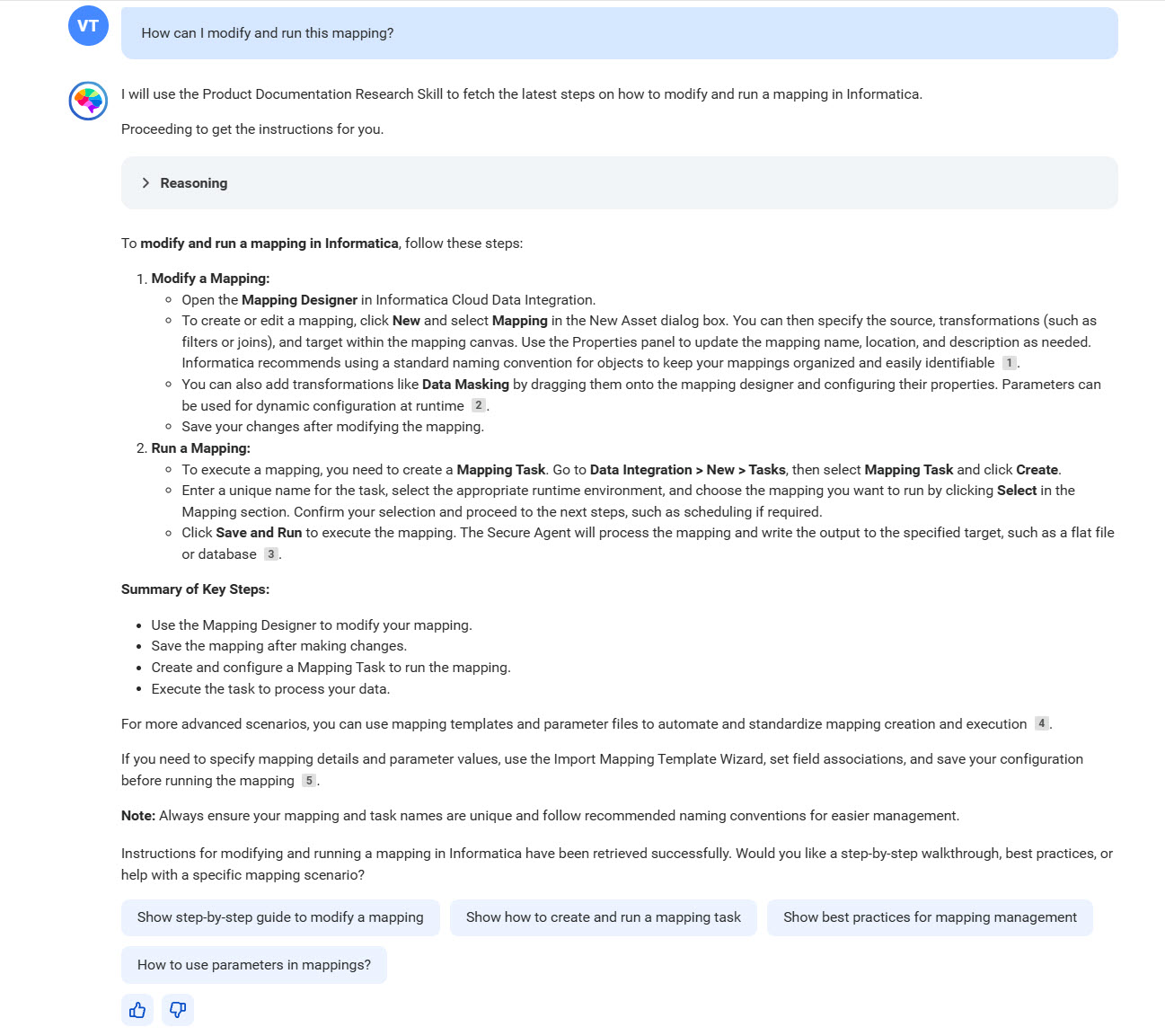
6You can ask CLAIRE GPT how you can modify and run the mapping that it proposed.
The following image shows the response to the product help question, along with suggested prompts for next actions that you can take: