1Log in to CLAIRE GPT.
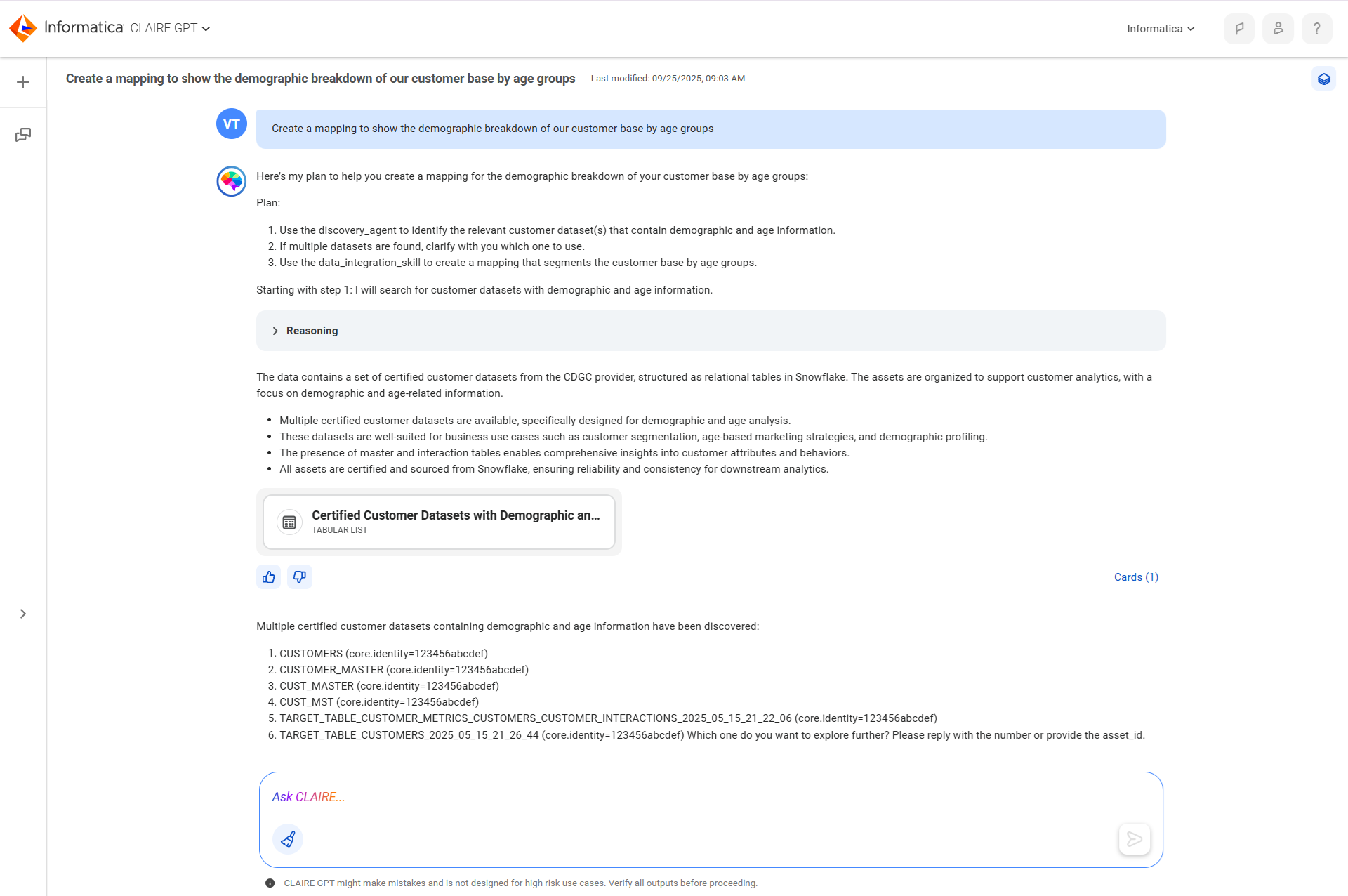
2Start a conversation by entering the following prompt:
Create a mapping to show the demographic breakdown of our customer base by age groups
The following image shows the response:
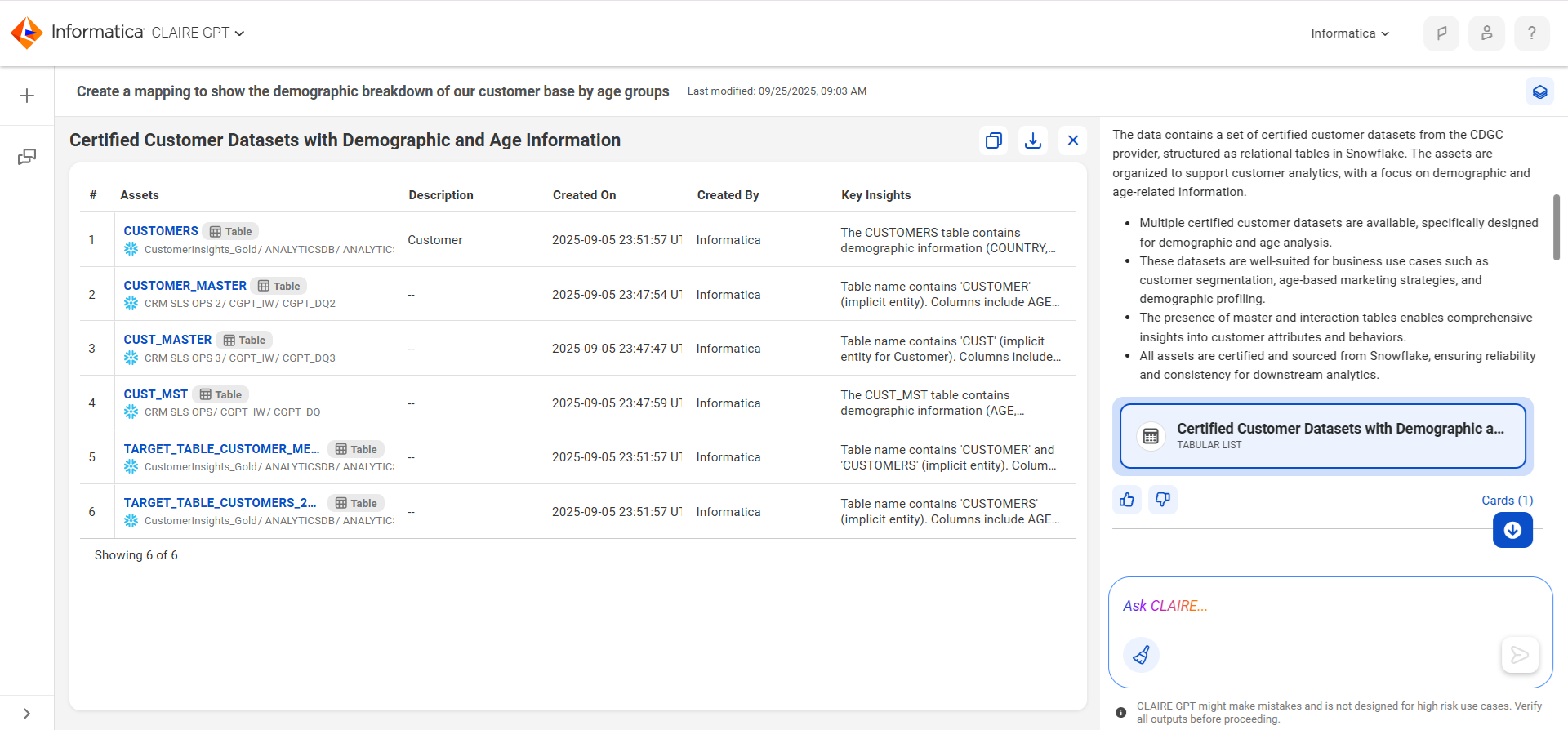
3To view the identified source tables, select the card for the customer datasets.
The following image shows the customer datasets:
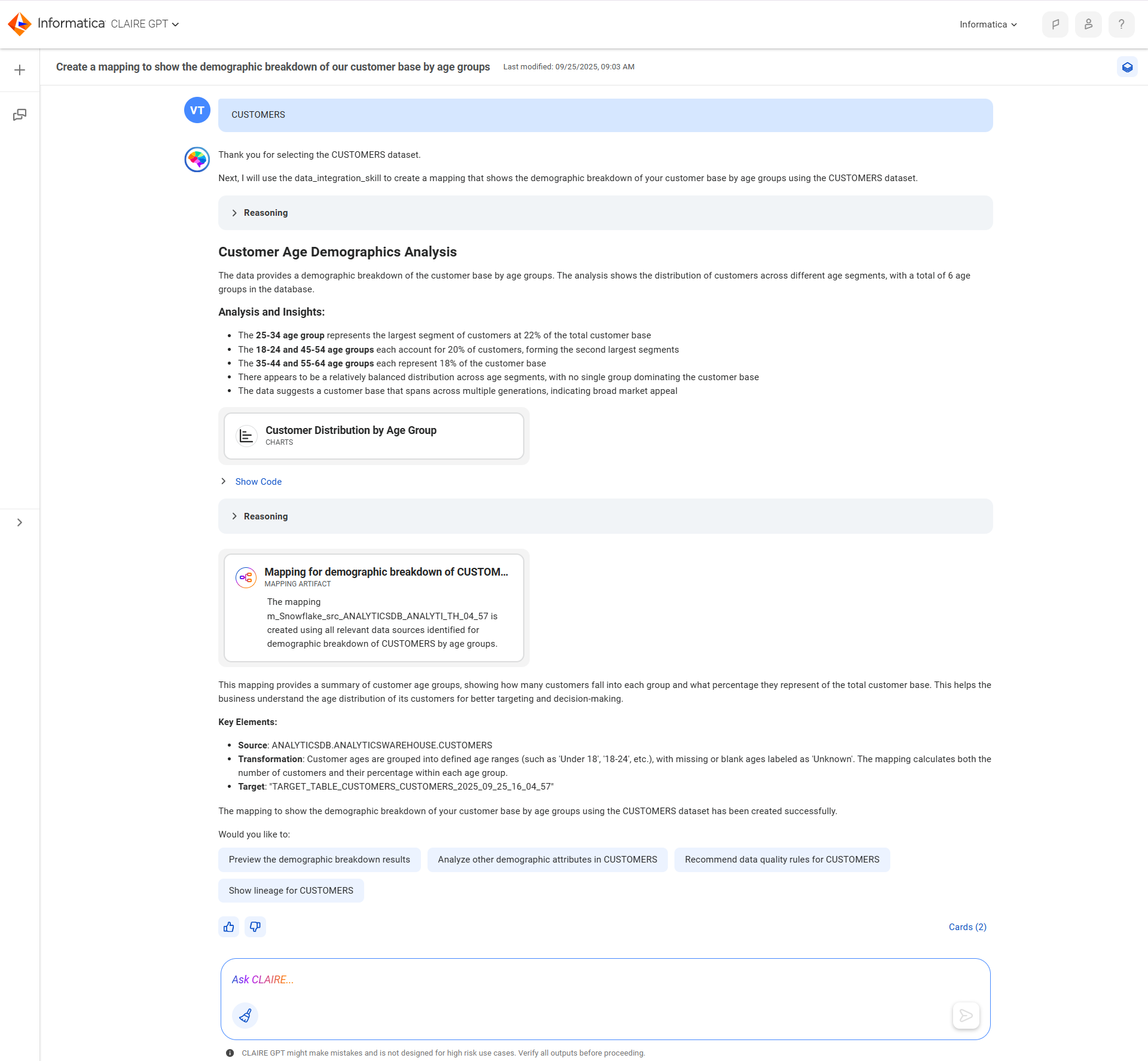
4To use the CUSTOMERS table to create the mapping, enter CUSTOMERS.
The following image shows the response:
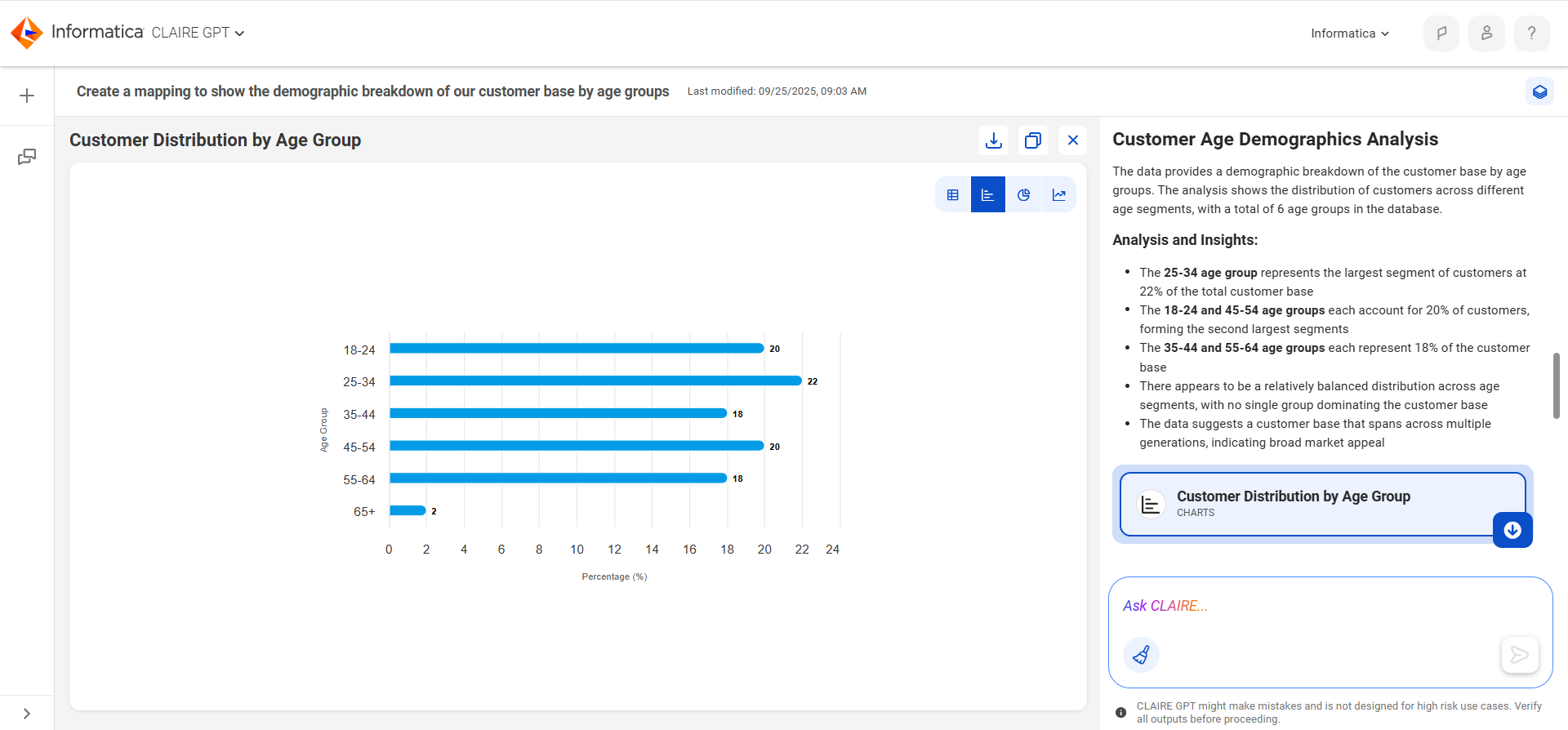
5To view the demographic breakdown, select the card for the customer distribution by age group.
The following image shows the customer distribution by age group:
6To view the mapping, select the card for the mapping.
The following image shows the proposed mapping:
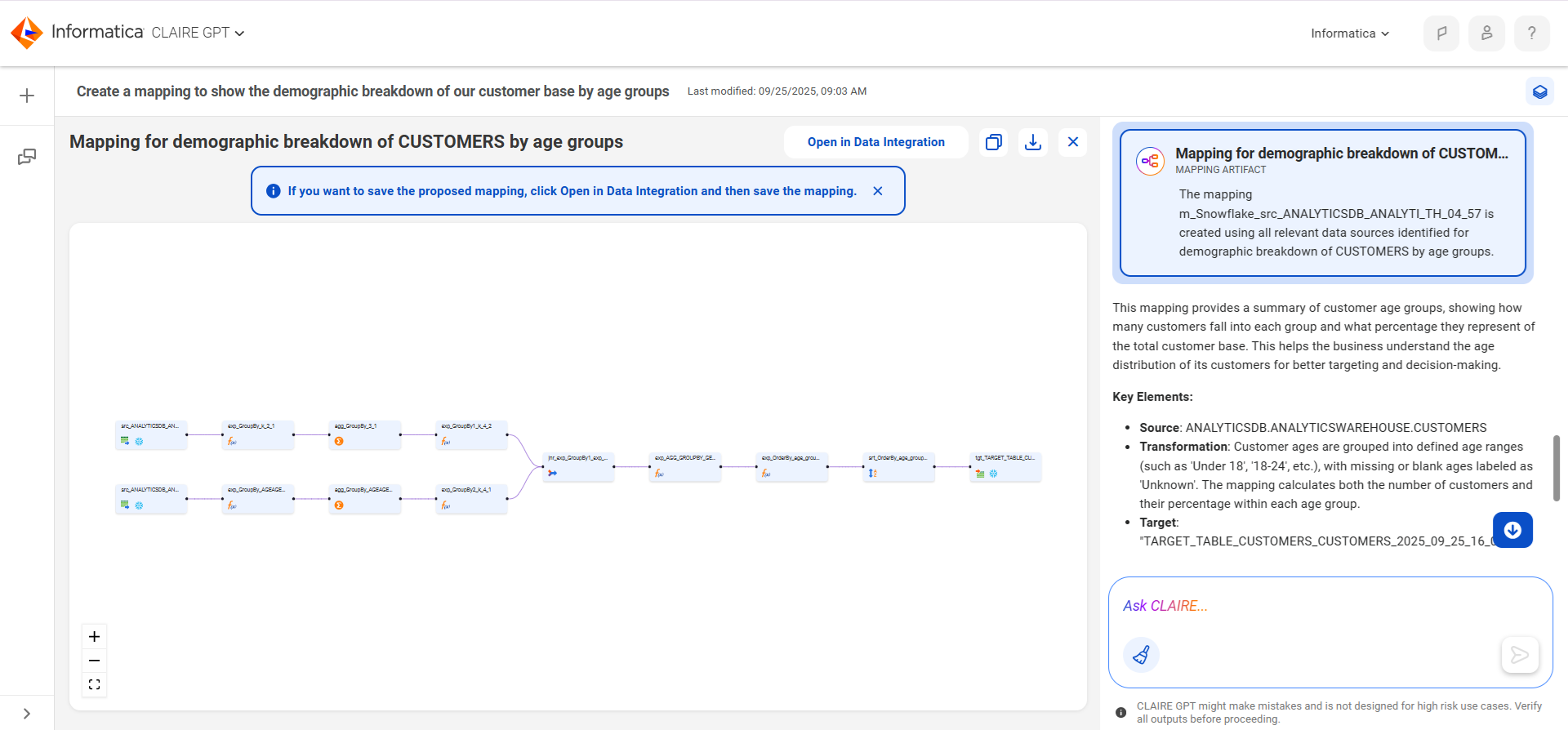
7To view and save the mapping in Data Integration, select Open in Data Integration.
In Data Integration, you can also edit the mapping or create a mapping task to run it. For more information, see the Data Integration help.