You’re a data steward at a retail bank that provides a range of financial services, including credit cards and loans. Your bank's credit card data is stored in a specific schema in a data warehouse. For regulatory compliance, you want to ensure that the tables containing sensitive credit card data are consistent and free from common data quality issues such as missing values, duplicates, and outliers.
To achieve this goal, you can take the following approach:
•First, you discover tables from a specific schema that contain credit card details and explore the metadata of the discovered table to get an overview. To discover and explore assets, CLAIRE GPT utilizes the skills of the discovery agent.
•After you discover and explore the table containing credit card details, identify the sensitive columns in the table. CLAIRE GPT utilizes the skills of the discovery agent to identify sensitive columns based on the column names and associated glossary terms.
•Then, get recommendations for cleanse rules for the table containing sensitive columns. Accept and apply the cleanse rules.
CLAIRE GPT utilizes the data quality agent to correct errors or inconsistencies in the table and generates a data cleansing mapplet that you can reuse to cleanse data in similar data sets.
By following this approach, you can cleanse tables containing sensitive credit card data for regulatory compliance purposes.
2Start a conversation to identify the tables that contain credit card details and get an overview of the table.
Enter the following prompt:
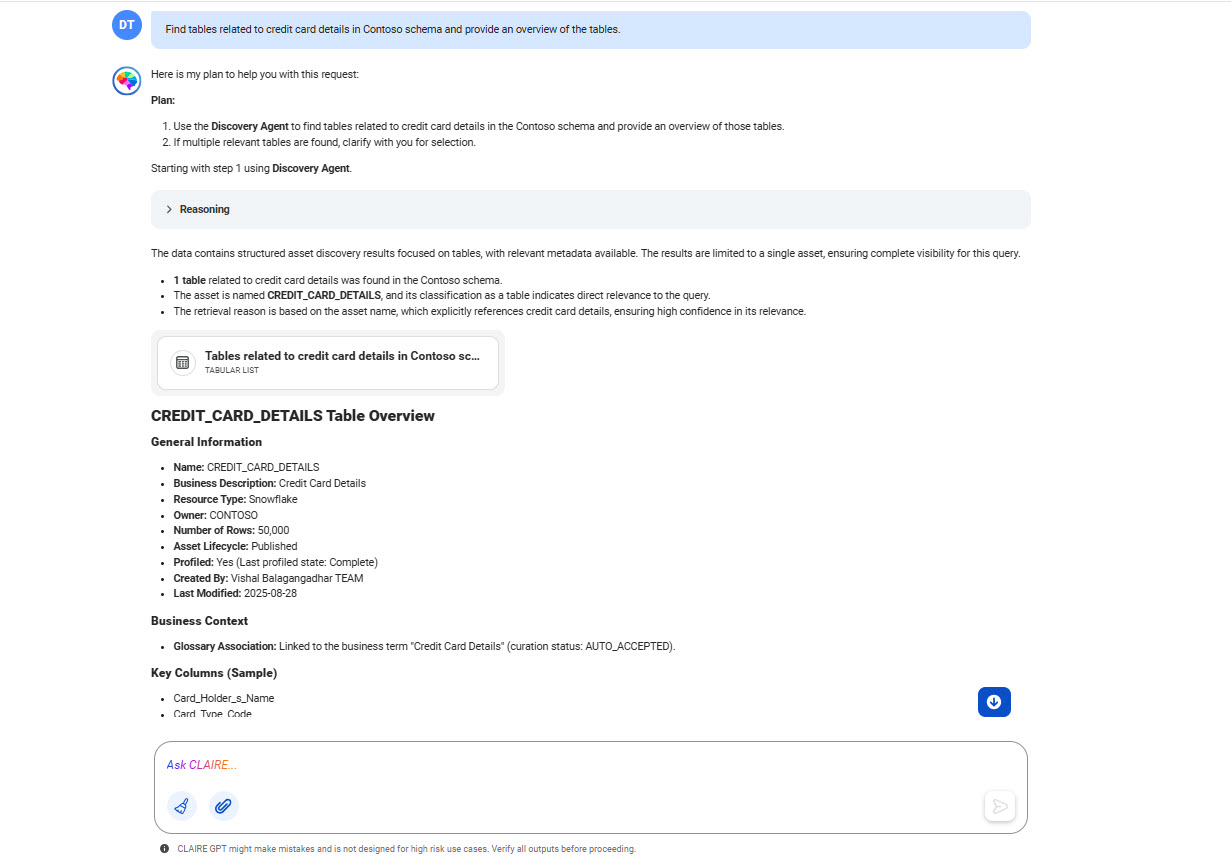
Find tables related to credit card details from Contoso schema and provide an overview of the tables.
The following image shows the response displaying the table containing credit card details and a detailed overview of the table.
To view the details of the table, click the card named Tables related to credit card details in Contoso schema.
You can expand the reasoning to view the analysis process of the discovery agent.
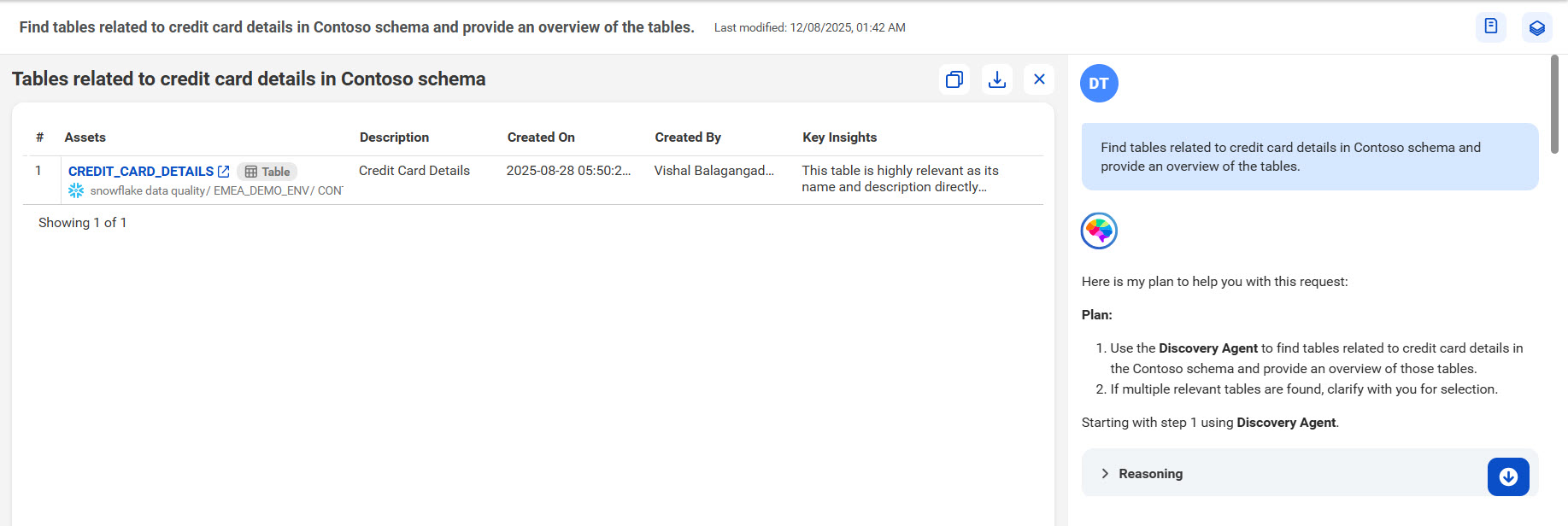
The following image shows the canvas with a tabular view of the tables containing credit card details:
You can click a table name to open it in Data Governance and Catalog and see further details.
3Assess whether this table contains sensitive data and identify the columns that contain sensitive data.
Enter the following prompt:
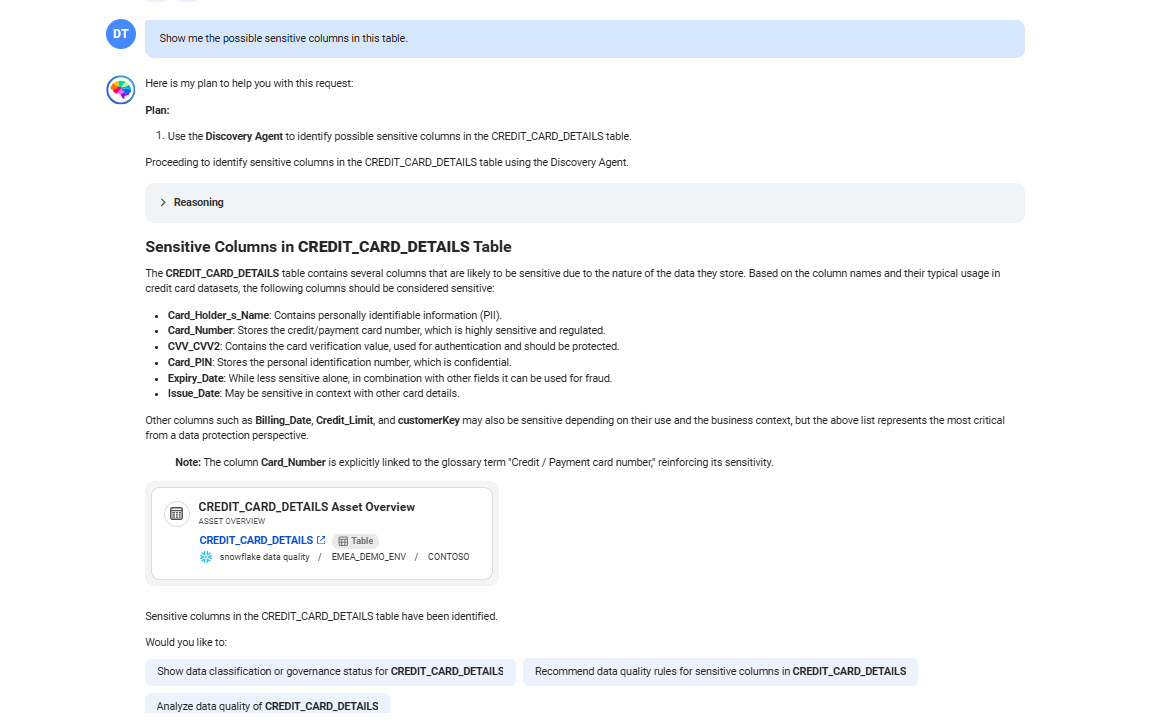
Show me the possible sensitive columns in this table
The agent identifies the sensitive columns based on the column names and its association with the glossary terms.
The following image shows the response displaying the sensitive columns in the table:
4Get recommendations with a detailed plan to cleanse the data in the CREDIT_CARD_DETAILS table.
Enter the following prompt:
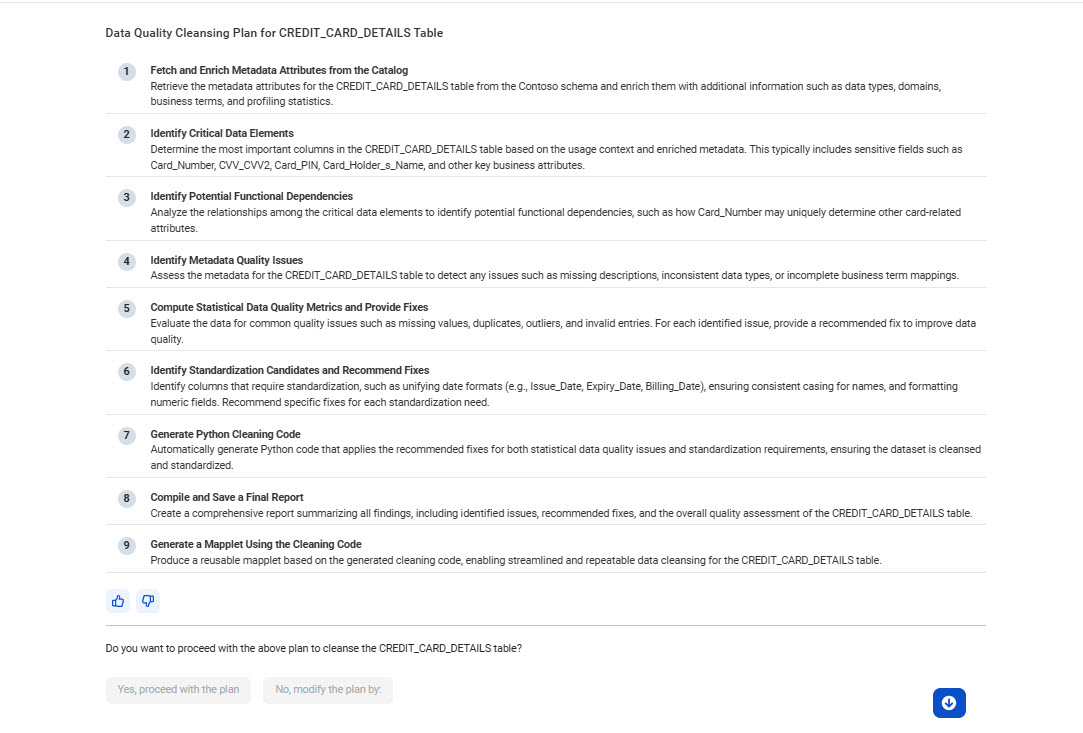
Clean CREDIT_CARD_DETAILS
The following image shows the response displaying a detailed plan containing data quality cleanse rules for the CREDIT_CARD_DETAILS table:
CLAIRE GPT lists detailed steps to identify critical data elements, fix data quality issues, and generate a reusable mapplet for repeatable data cleansing.
5If you are happy with the recommended cleansing plan, click Yes, proceed with the plan.
The data quality agent performs the following tasks and creates a card for each of the tasks after you proceed with the cleansing plan:
aIdentifies critical columns in the CREDIT_CARD_DETAILS table.
bClusters columns that are functionally dependent on each other.
cFixes data quality issues such as missing values and duplicates.
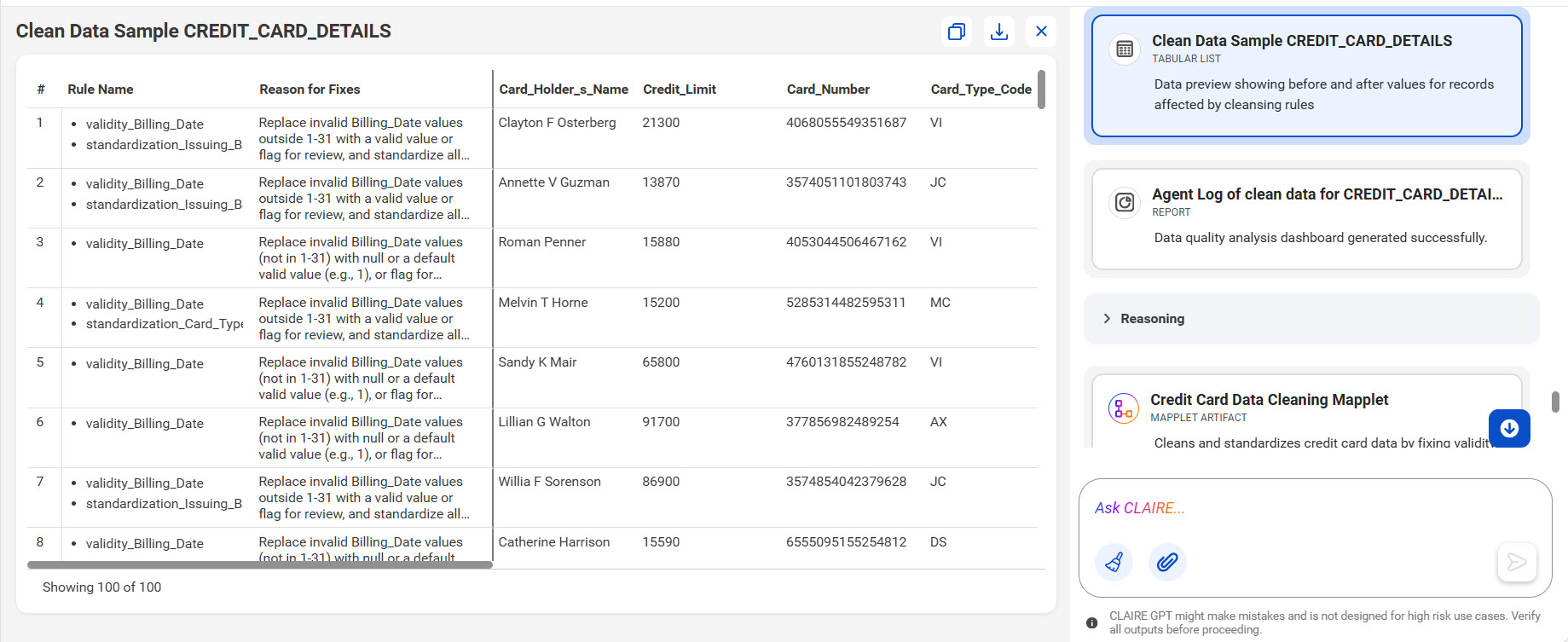
dGenerates a sample of the cleansed data.
eGenerates a reusable mapplet.
fGenerates a report for the cleansed data.
You can click each card to open the canvas and view the exact details of each task.
The following image shows a sample of the cleansed data:
You were able to quickly identify tables containing sensitive credit card details, get data quality cleanse rules recommendation, and apply the cleansing plan to the table to remediate data quality issues using simple natural language prompts.