You can quickly search and discover business entities in MDM SaaS with CLAIRE GPT.
When you use data discovery to find assets in MDM SaaS, CLAIRE GPT returns the available business entities but doesn't return reference data sets.
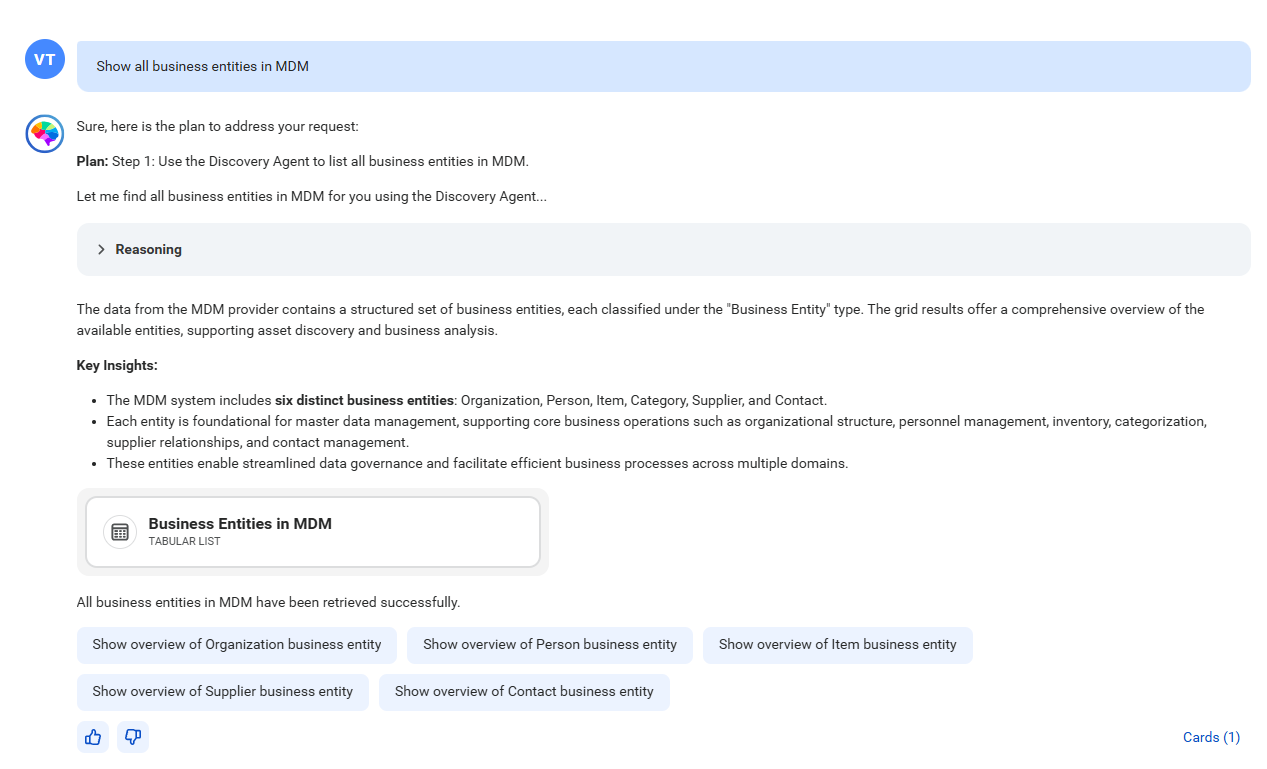
CLAIRE GPT lists all business entities in MDM SaaS and a few prompt suggestions. You can click the suggested prompts to analyze deeper.
You can rapidly identify business entities and perform metadata and data exploration using simple natural language prompts.
Prerequisites
Before you perform data discovery tasks in CLAIRE GPT for MDM SaaS, ensure that you perform the following tasks:
•Enable the MDM SaaS service for the runtime environment that your organization uses.
•Verify that business entities are available in MDM SaaS.
•Upgrade Customer 360 SaaS, Product 360 SaaS, and Supplier 360 SaaS to the latest version.
For information about how to set up CLAIRE GPT for users in your organization, see Administer CLAIRE GPT.
Sample conversation
Let's take a look at a sample conversation to help you get started on your MDM SaaS data discovery journey in CLAIRE GPT.
Your organization uses MDM SaaS to store customer, product, and supplier records. As a data steward, you want to discover all business entities in MDM SaaS and then discover business entities in Customer 360 SaaS to identify customer data that you can use in your analysis.
To achieve the goal, perform the following steps:
1Log in to CLAIRE GPT.
2Start a conversation to help you discover all business entities in MDM SaaS.
Enter the following prompt:
Show all business entities in MDM
The following image shows the response displaying all business entities in MDM SaaS:
Using the data discovery skill of the discovery agent, CLAIRE GPT has found business entities that are available in MDM SaaS. You can expand the reasoning to view the query analysis process of the discovery agent.
To preview the business entities, click the card named Business Entities in MDM.
3To find all business entities in Customer 360 SaaS, enter the following prompt:
Find all business entities in Customer 360
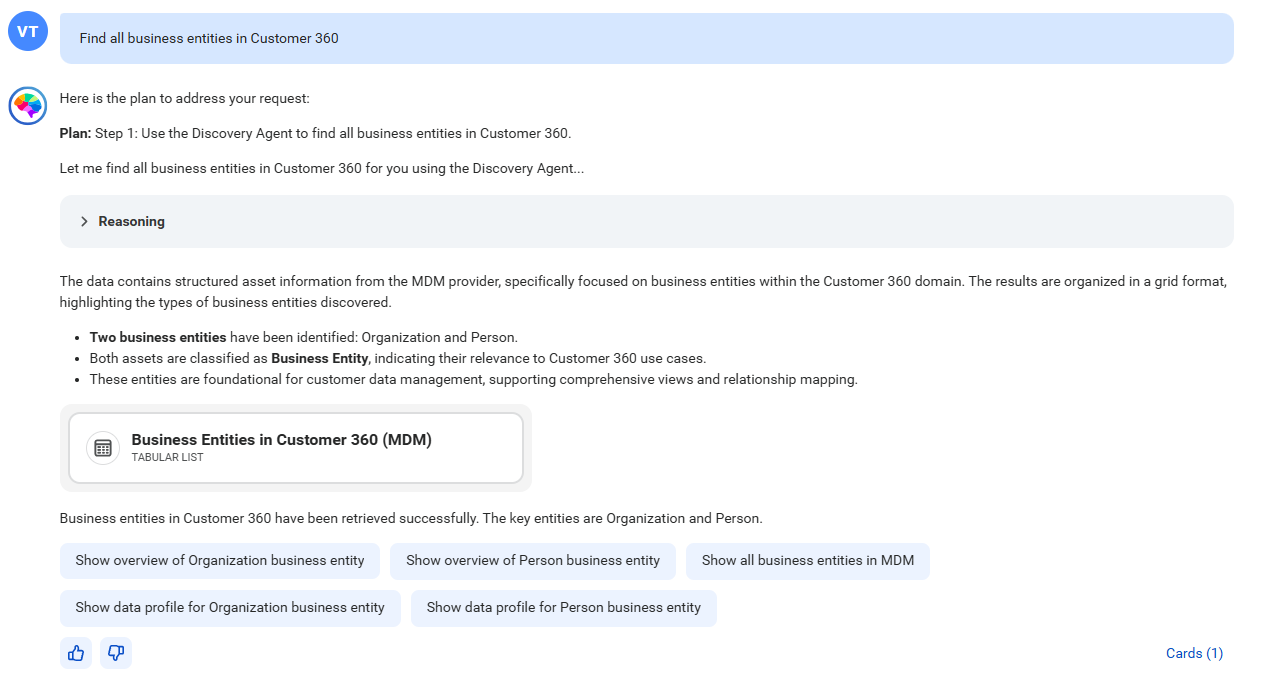
The following image shows the response displaying all business entities in Customer 360 SaaS:
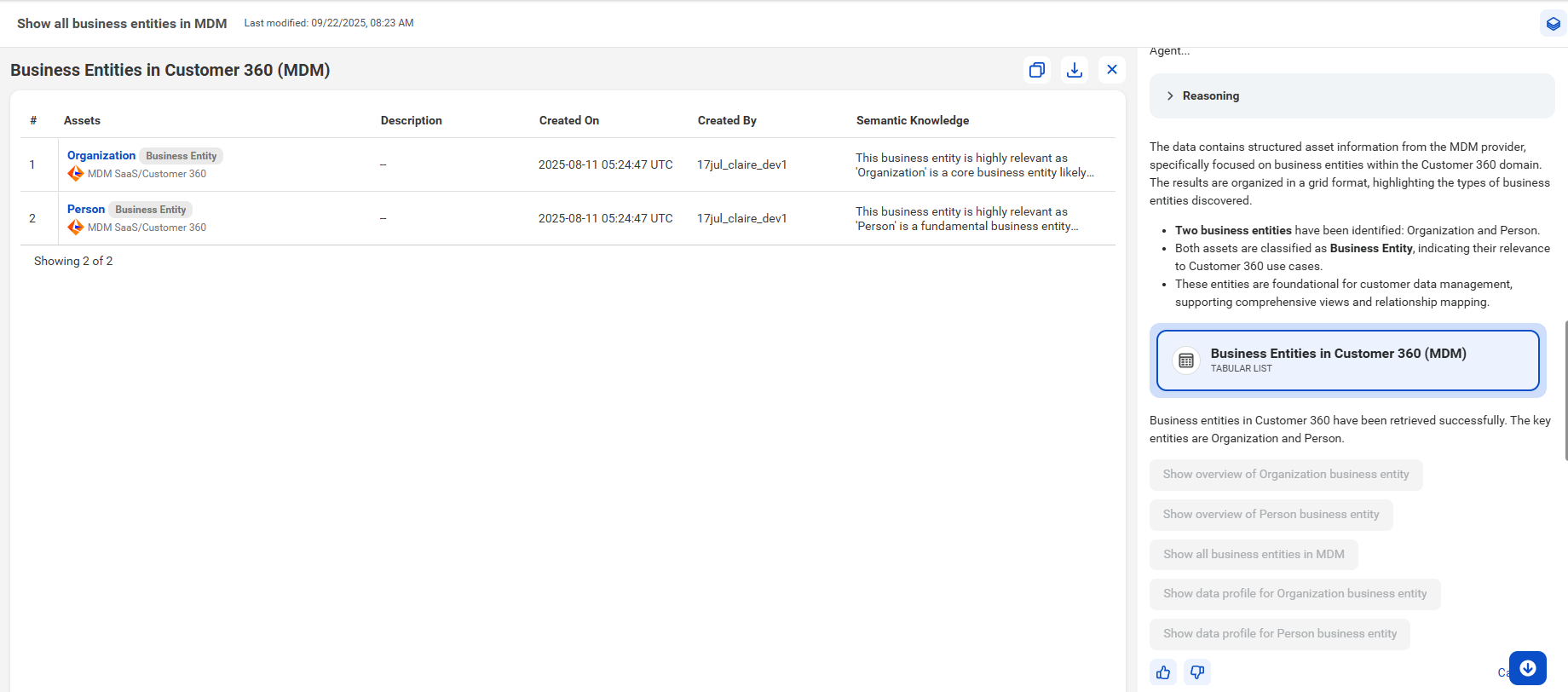
4To preview all business entities, you can click the card named Business Entities in Customer 360 (MDM).
The following image shows the canvas with a tabular view of business entities from Customer 360 SaaS:
You can click the business entity name to see the details in MDM SaaS.
Similarly, you can also discover business entities in Product 360 SaaS and Supplier 360 SaaS.
Additionally, CLAIRE GPT displays prompt suggestions to explore relevant details.