You can use the discovery agent to explore, view, and understand the metadata attributes of projects, folders, mappings, and mapping tasks in Data Integration with CLAIRE GPT.
Prerequisites
Before you perform metadata exploration tasks in CLAIRE GPT for Data Integration, ensure that you perform the following tasks:
•Enable the Data Integration service for the runtime environment that your organization uses.
•Verify that mappings and mapping tasks are available in Data Integration.
•Upgrade Data Integration to the latest version.
•Enable IDMC metadata in Metadata Command Center.
•Assign connections to reference source systems for mapping tasks in Metadata Command Center.
For information about how to set up CLAIRE GPT for users in your organization, see Administer CLAIRE GPT.
Sample conversation
Let's take a look at a sample conversation to help you get started on your Data Integration metadata exploration journey in CLAIRE GPT. The sample conversation shows how you can use CLAIRE GPT to explore, view, and understand the metadata attributes of projects, folders, mappings, and mapping tasks.
Note:
Some prompts such as requests for lineage retrieve assets only from the Informatica Data Management Cloud resource, meaning that the asset is available in the catalog.
To achieve the goal, perform the following steps:
1Log in to CLAIRE GPT.
2Start a conversation by entering the following prompt:
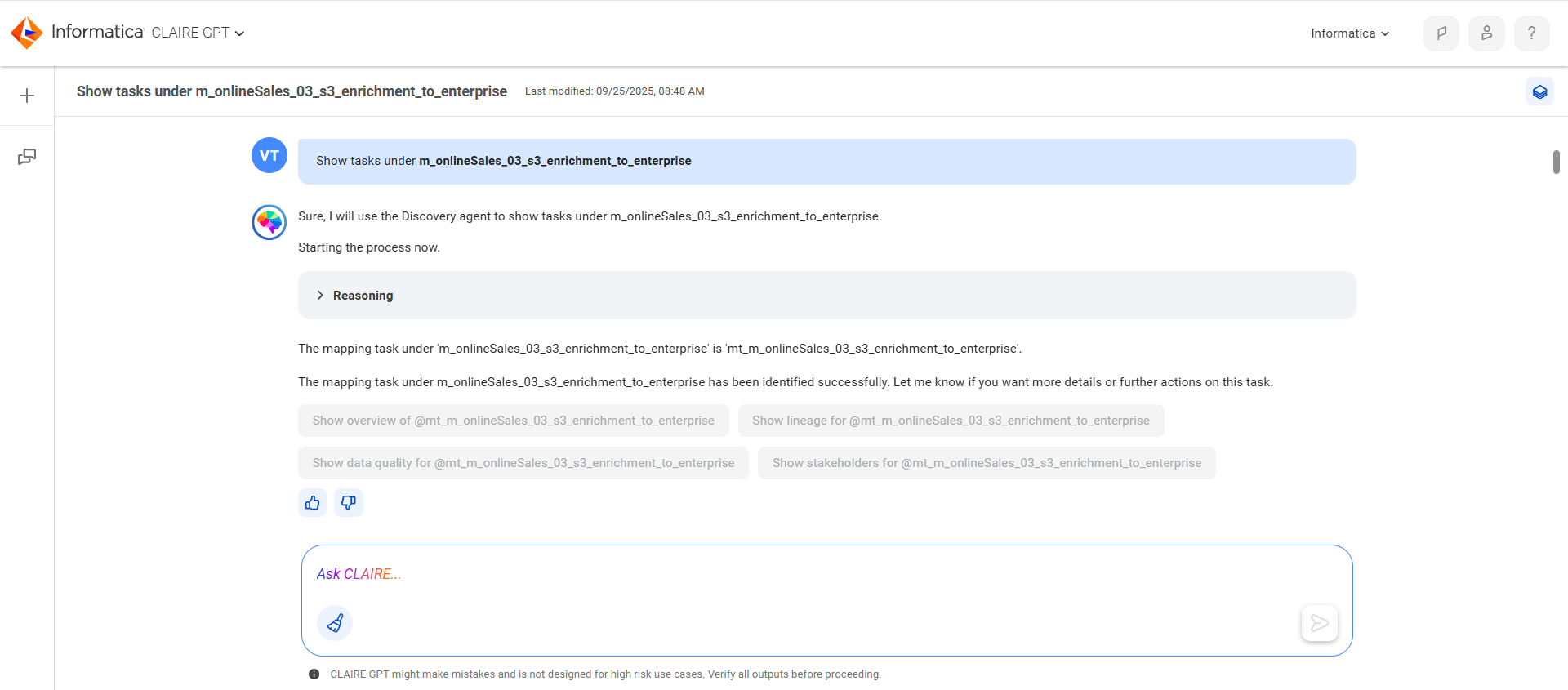
Show tasks under m_onlineSales_03_s3_enrichment_to_enterprise
The following image shows the response:
3To get an overview of the mapping task, enter the following prompt:
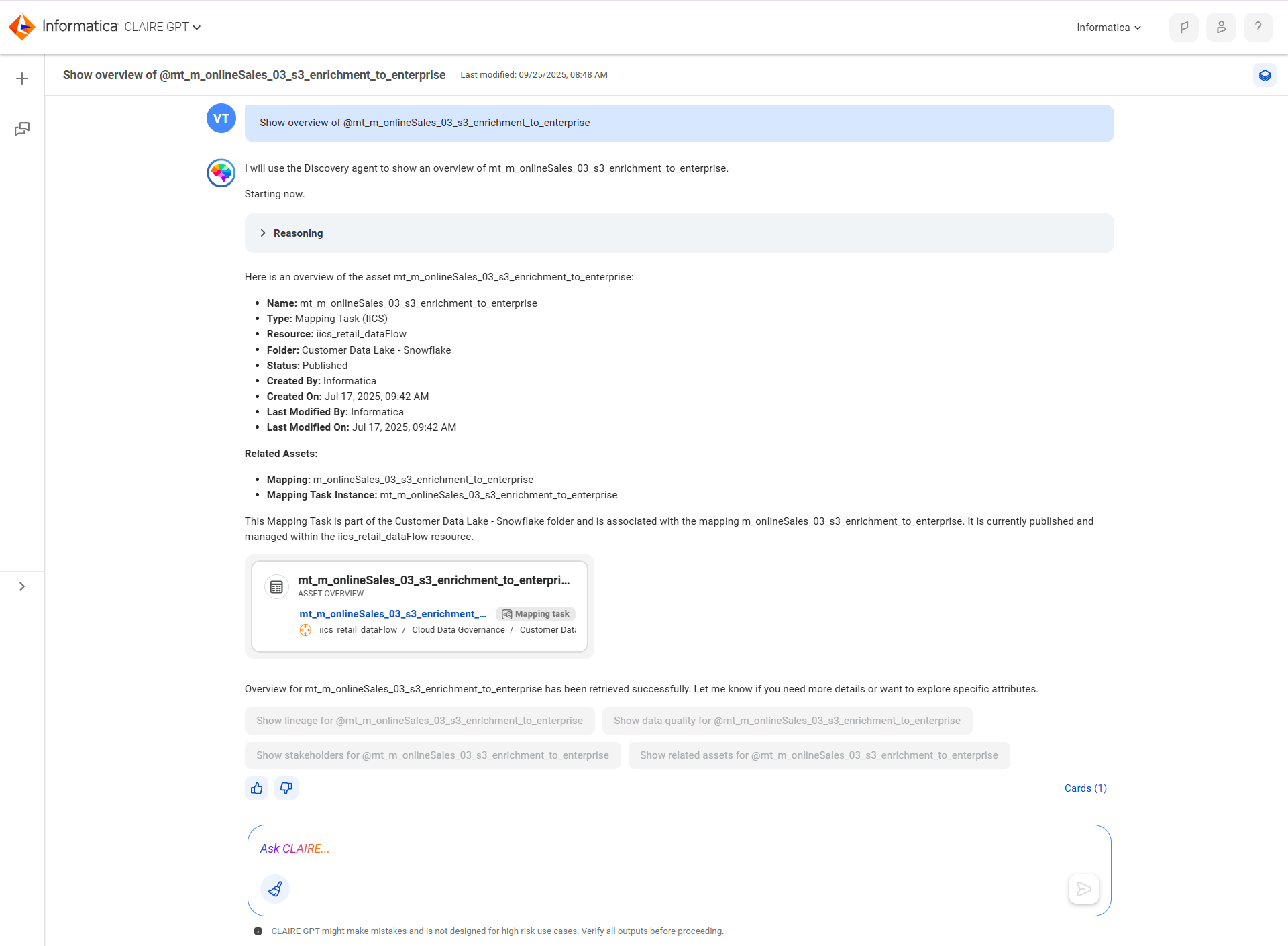
Show overview of @mt_m_onlineSales_03_s3_enrichment_to_enterprise
The following image shows the response:
4To get the lineage for the mapping task, enter the following prompt:
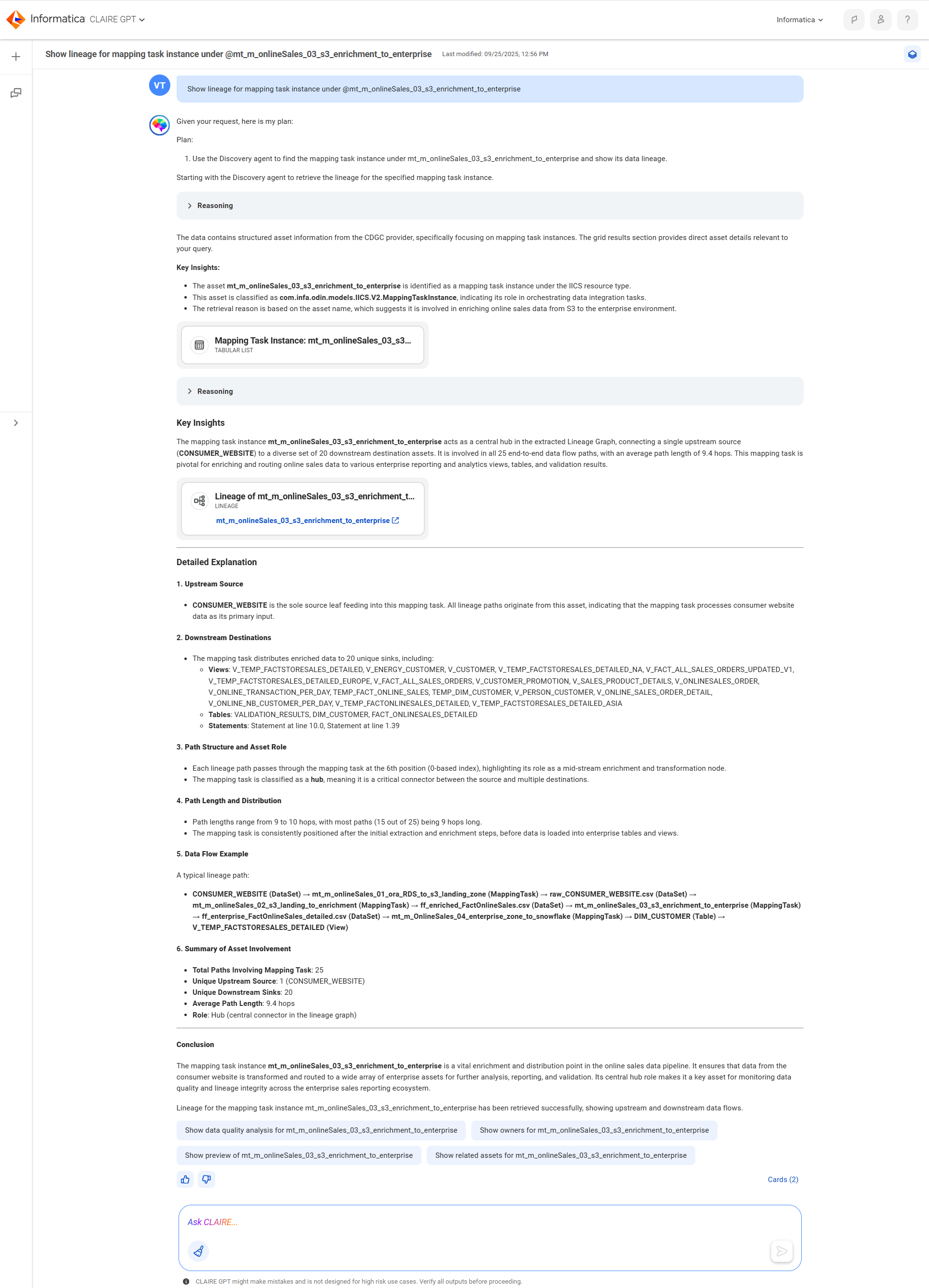
Show lineage for mapping task instance under @mt_m_onlineSales_03_s3_enrichment_to_enterprise
The following image shows the response:
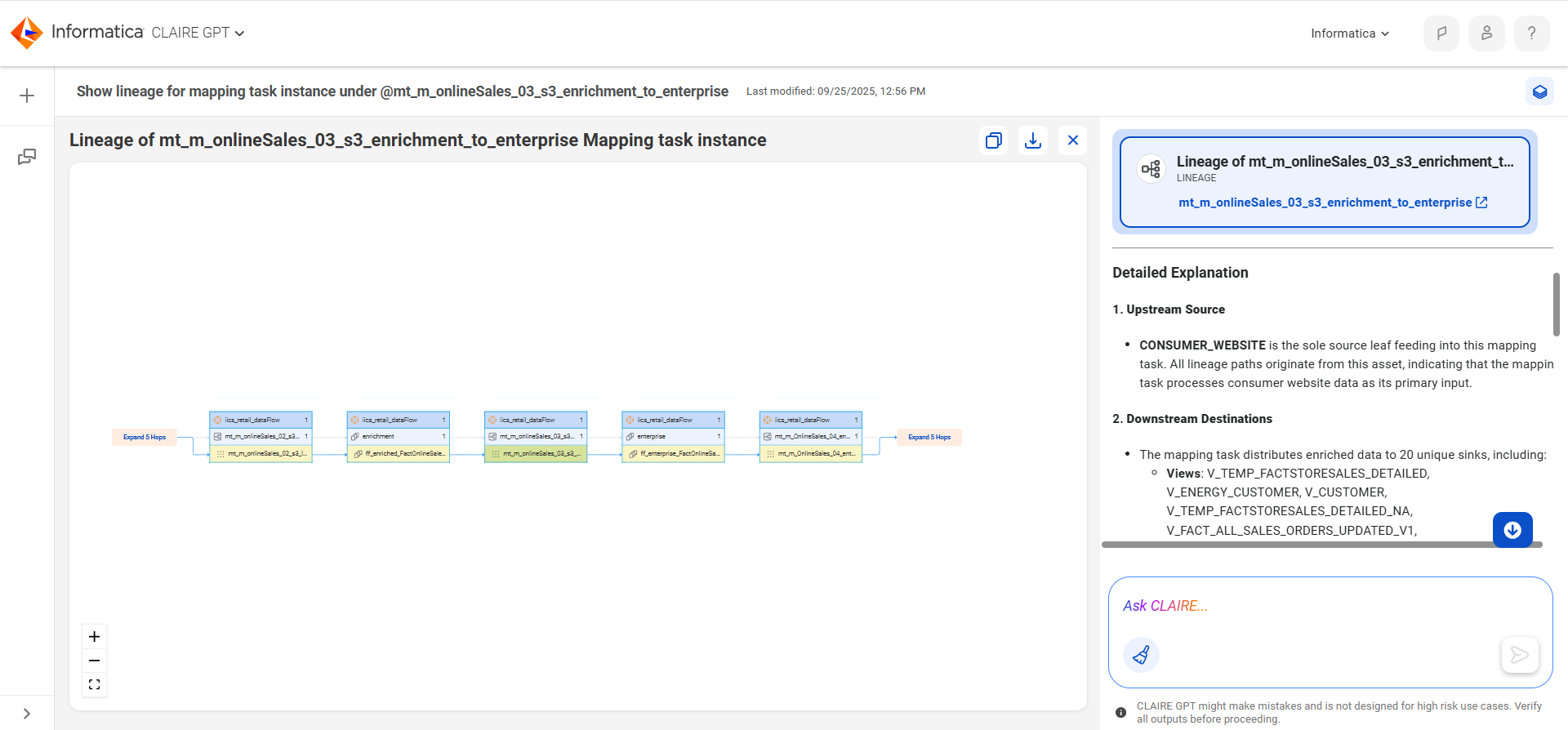
5To view the lineage, select the card.
The following image shows the lineage for the mapping task: