Let's take a look at a sample conversation to help you get started on your Data Governance and Catalog data quality rule recommendation journey in CLAIRE GPT.
As a data steward in a retail organization, you want to establish data quality criteria of customer data in your organization. The customer data currently does not have associated data quality rules.
To achieve the goal, perform the following steps:
1Log in to CLAIRE GPT.
2Start a conversation to get data quality rule recommendations.
Enter the following prompt:
Recommend dq rules for customer table.
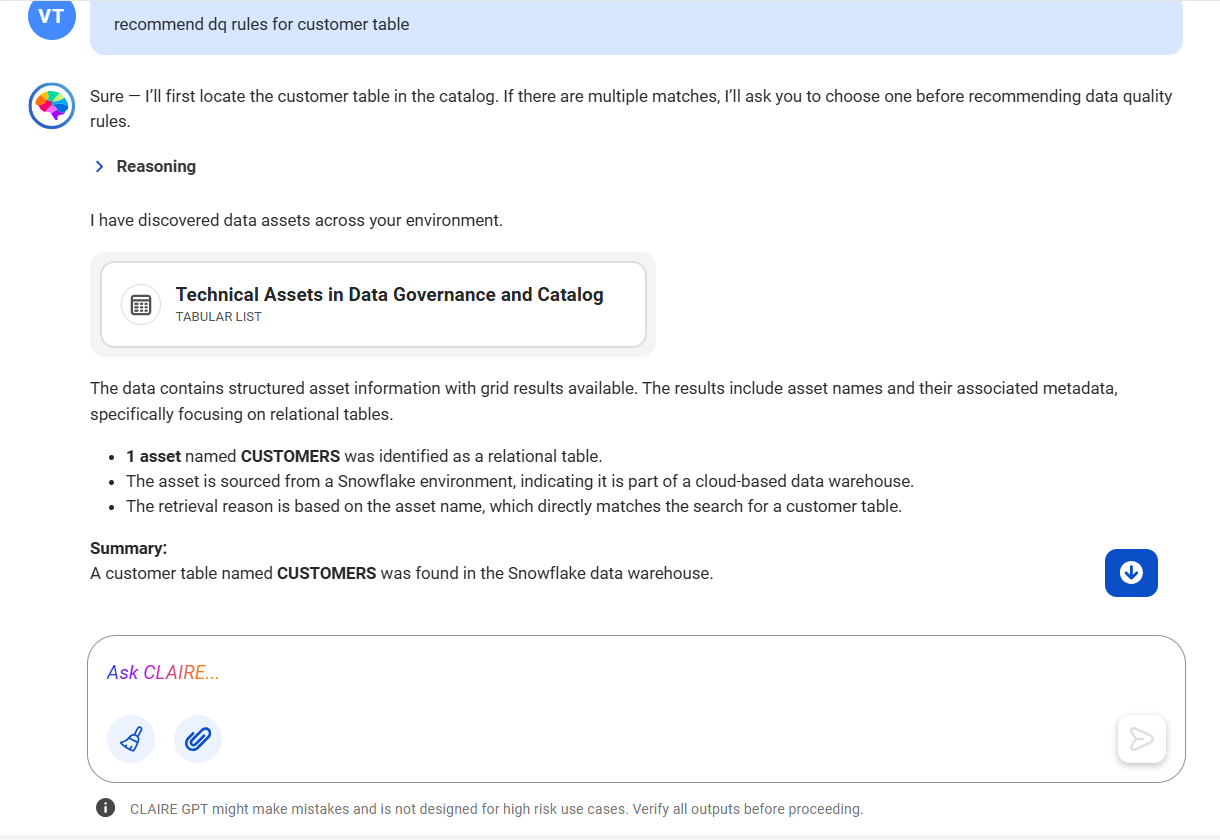
The following image shows the response displaying the card that lists the data sets that relate to the phrase customers:
3The discovery agent identifies that the CUSTOMERS data set from your catalog matches the search query.
4Ask CLAIRE GPT to recommend data quality rules for the CUSTOMERS data set.
Enter the following prompt:
Recommend validation rules for CUSTOMERS
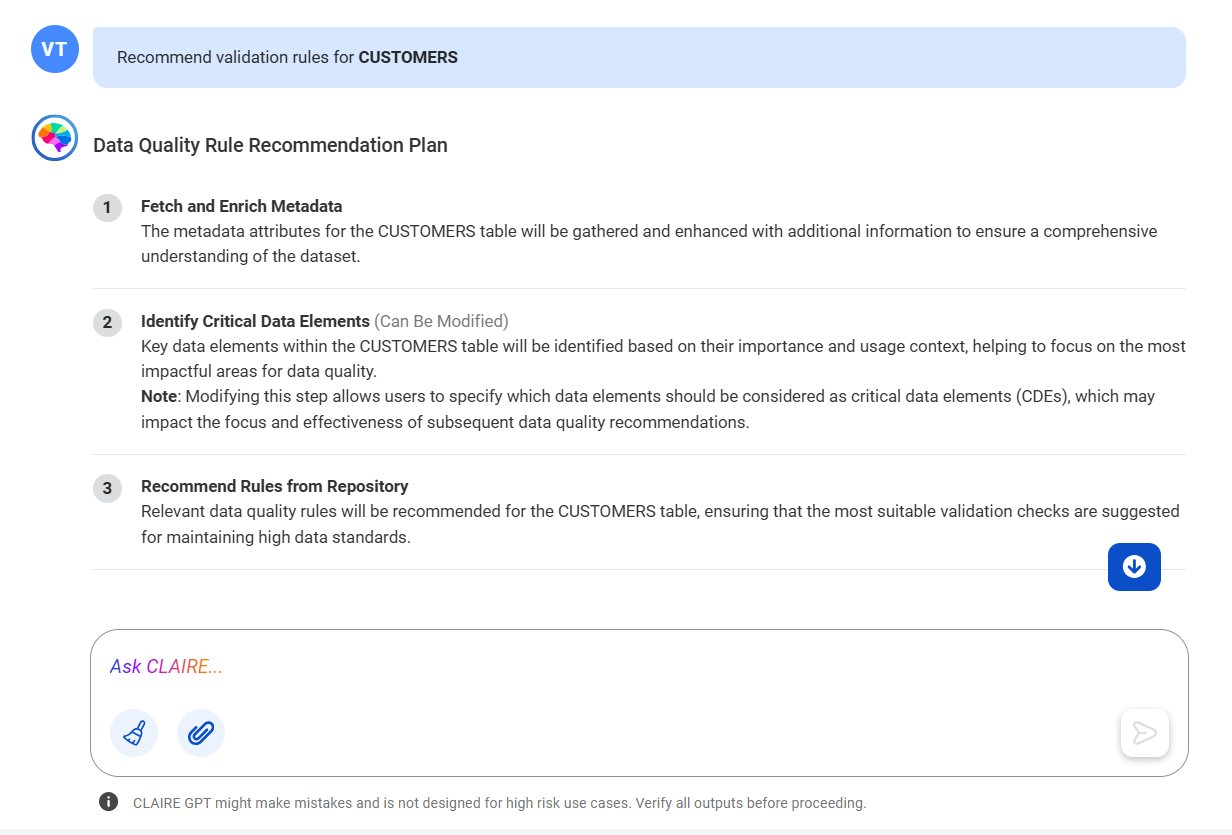
CLAIRE GPT outlines the plan it will employ to recommend the rules for the data set.
The following image shows the response displaying the plan devised by CLAIRE GPT to recommend data quality rules:
5If the outlined plan looks good to you, you can ask CLAIRE GPT to proceed with it.
Enter the following prompt:
Yes, proceed with the plan
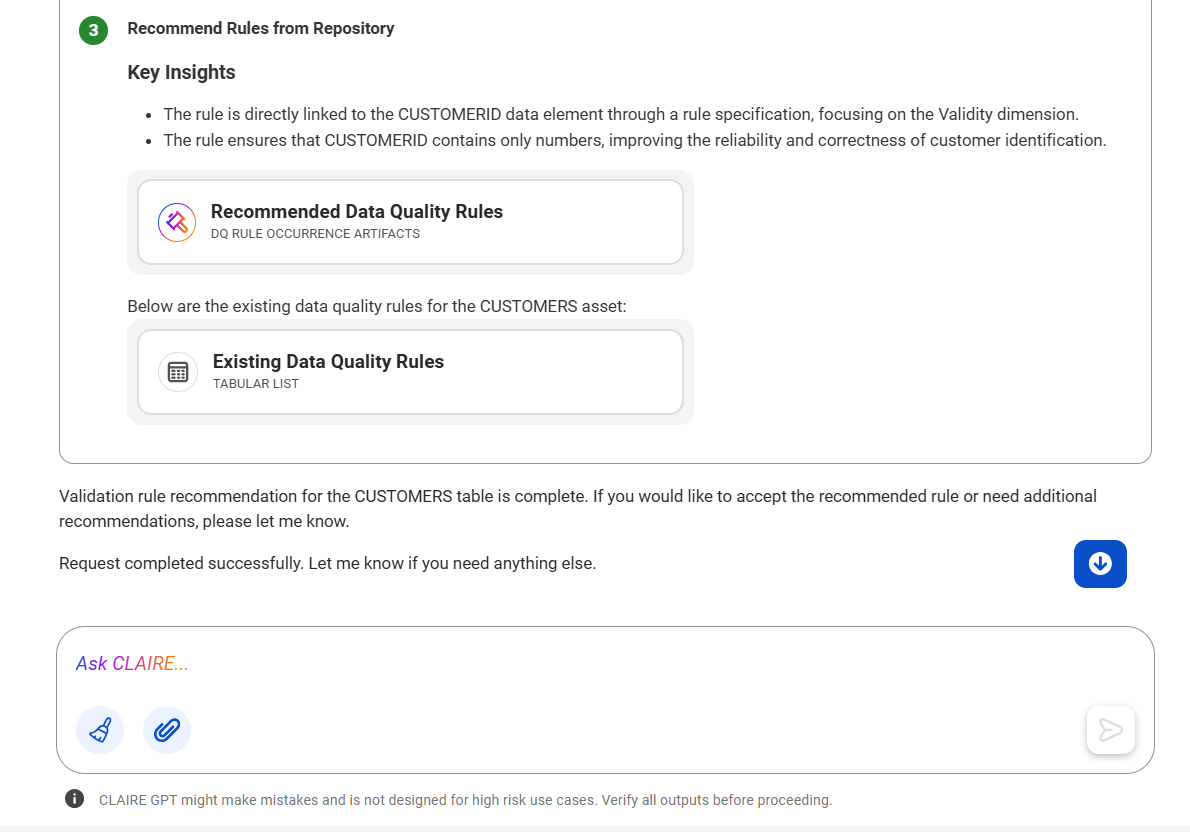
The following image shows the response displaying the card that lists the data quality rules that are recommended for the CUSTOMERS data set:
6To preview all the rules, click the Recommended Data Quality Rules card.
You can click the recommended data quality rule card to see the details in Data Governance and Catalog. You can also download the data quality rules in .csv format.
7Optionally, you can ask CLAIRE GPT to accept or reject the recommendations.
If you accept the recommended rules, CLAIRE GPT creates a rule occurrence in Data Governance and Catalog.
Using the data quality rule recommendation skill of the data quality agent, CLAIRE GPT has recommended data quality rules for the table that contains customer data.