Enter the following prompt:
I have an unclean data set. What can you do with it?
The following image shows the response displaying a detailed plan on how the agent can help you cleanse your data.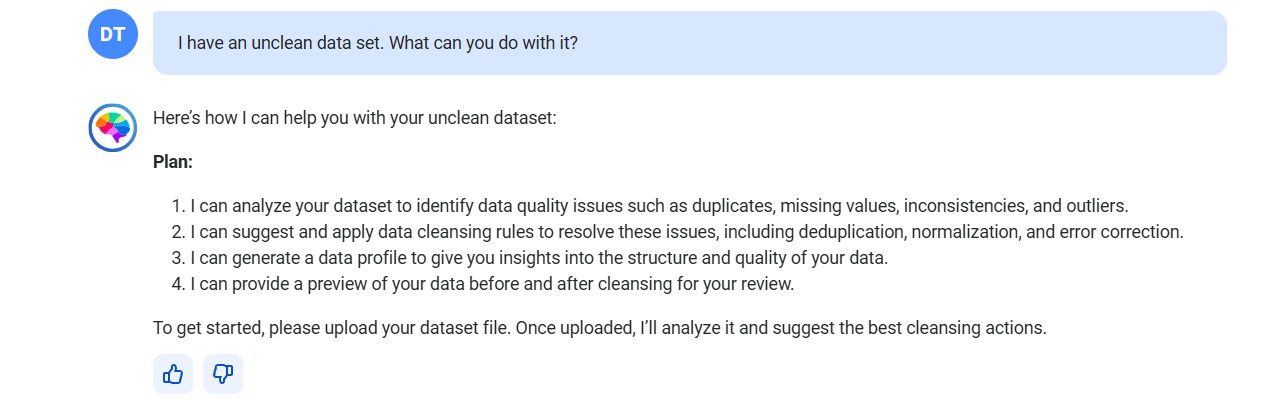
CLAIRE GPT lists the steps in a plan to analyze your data set, identify data quality issues in the data, apply data cleanse rules to resolve the data quality issues, generate a profile to give you insights on the structure and quality of data, and preview your data before and after cleansing.
The response includes a preview and a profile of the data.
The following image shows the response displaying a detailed analysis and insights on the data along with a preview of the data in the credit_card.xlsx file. 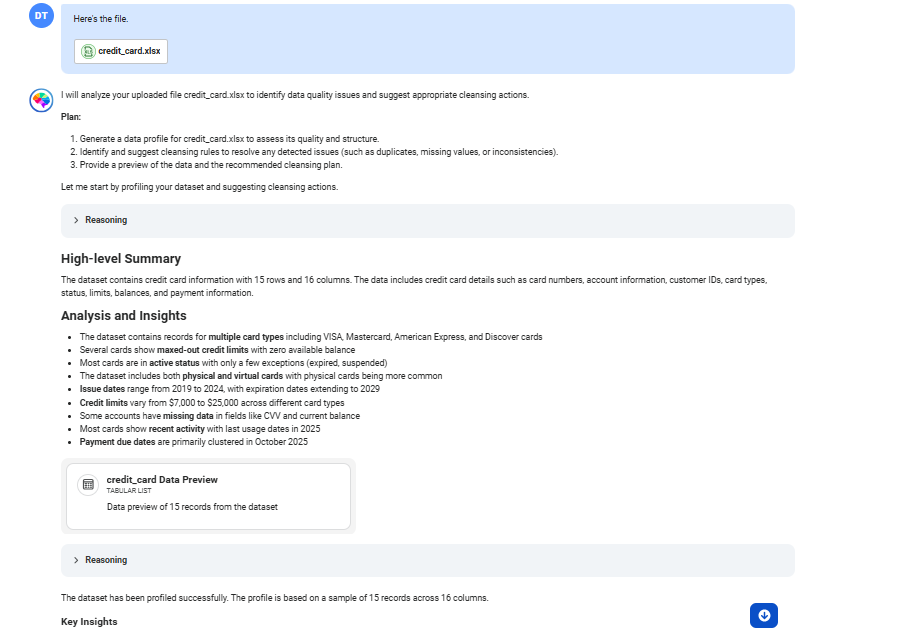
The following image shows the canvas with a data preview of the credit card information.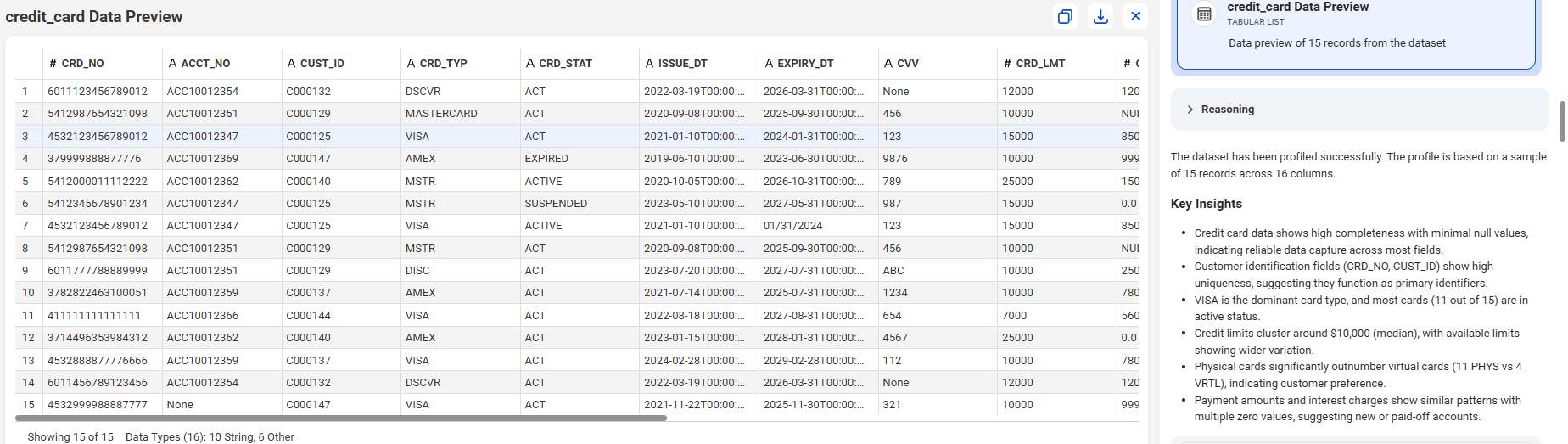
The following image shows the canvas with profiling statistics of the credit card data.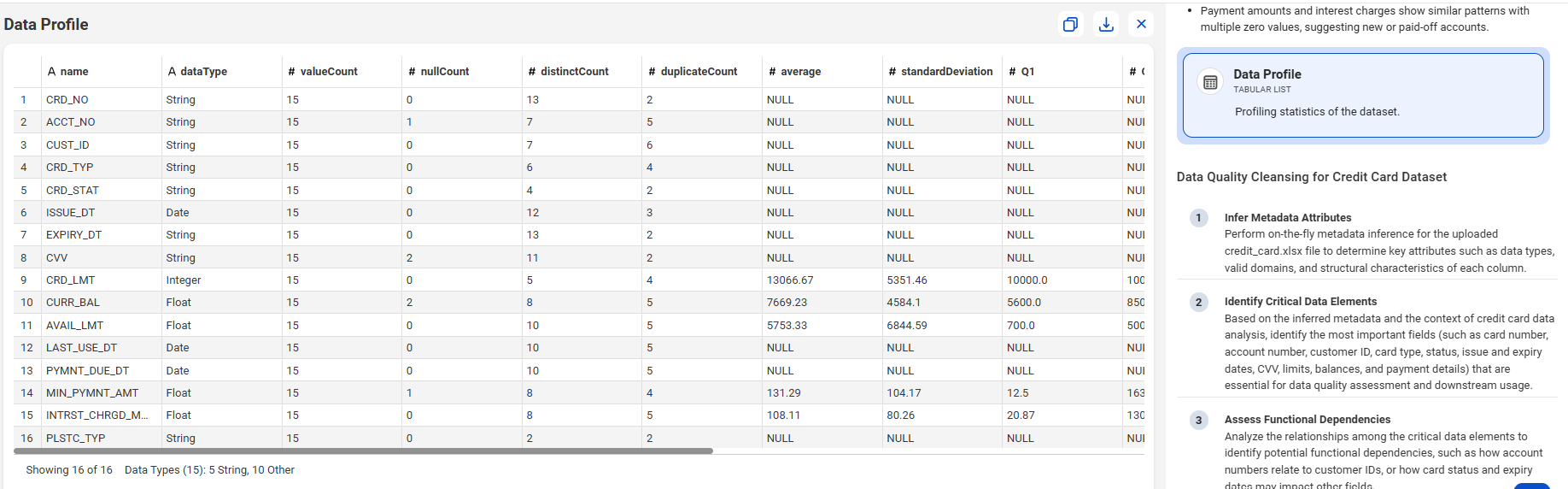
You can download the table as a CSV file or copy the table to another file.
The following image shows the proposed plan for analyzing data quality issues and suggesting cleansing rules for your data.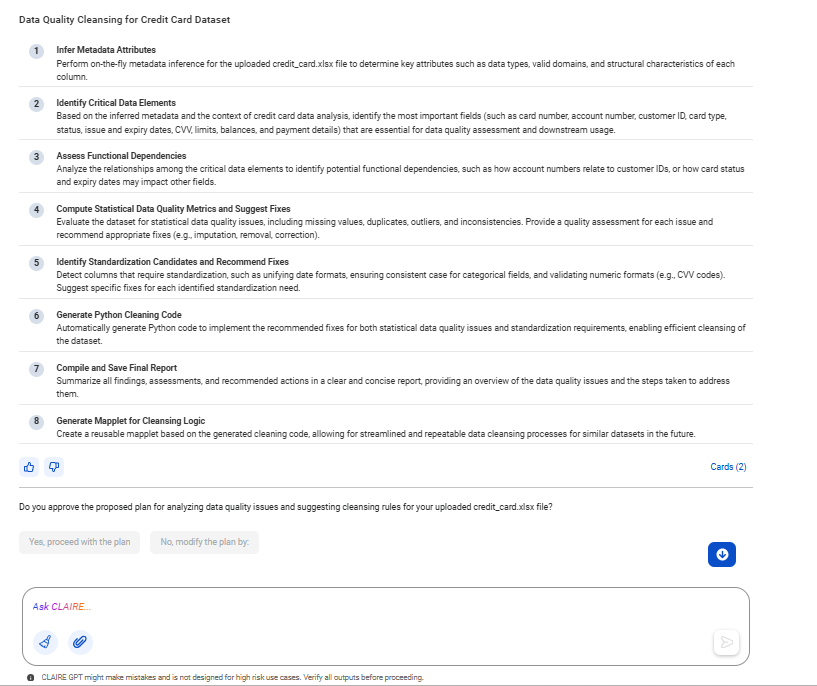
Yes, proceed with the plan
The agent identifies critical columns in the credit_card.xlsx file, assesses functional dependencies among critical data elements, updates data with the correct activation status, computes data quality metrics, suggests remediations, and generates cleansed data and a mapplet.
The following image shows a sample of the cleansed data.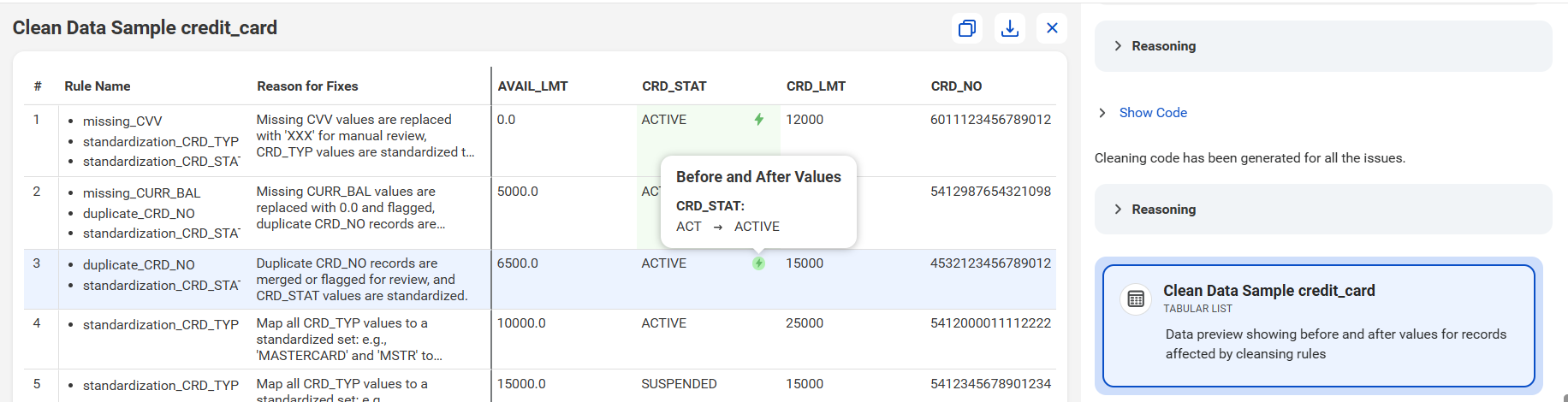
The following image shows the canvas with a view of the clean data log.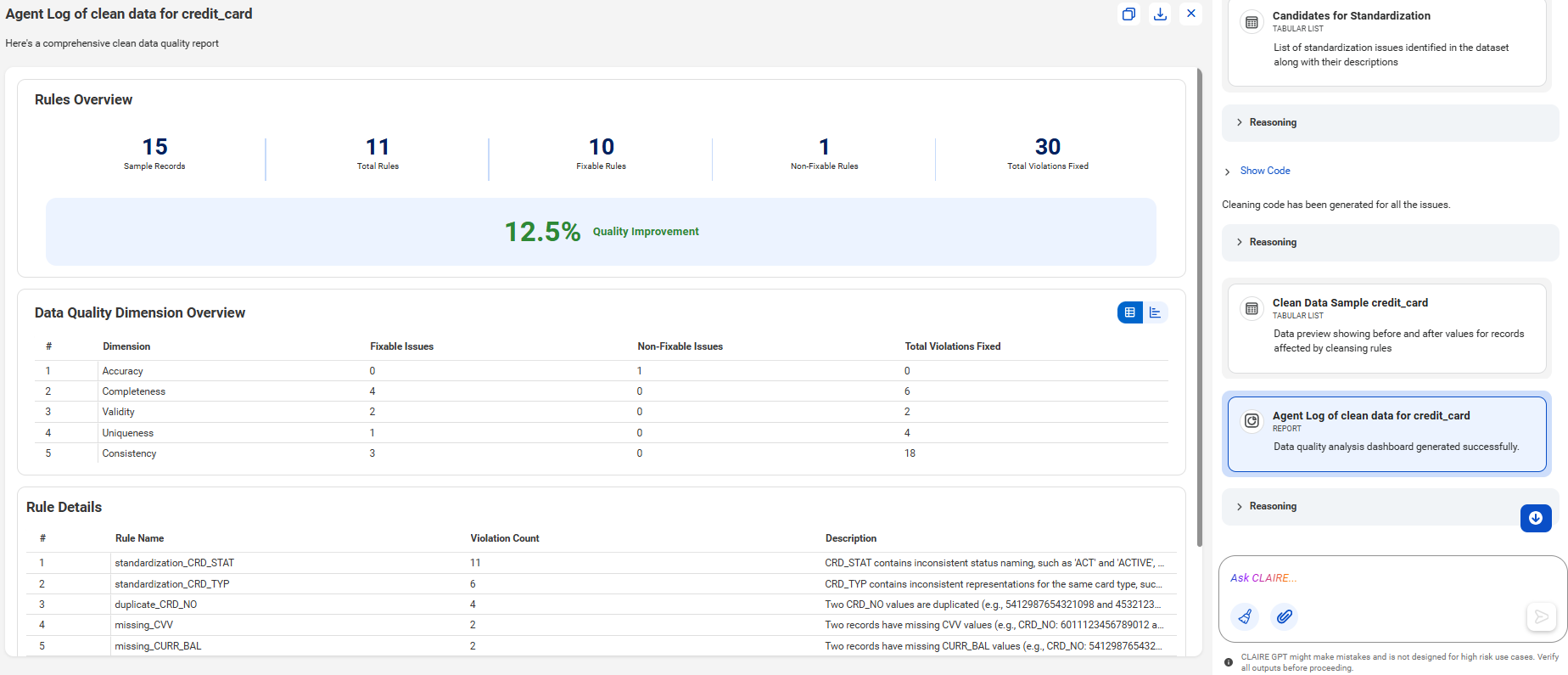
The following image shows the canvas with a view of the data cleansing mapplet that the agent generated.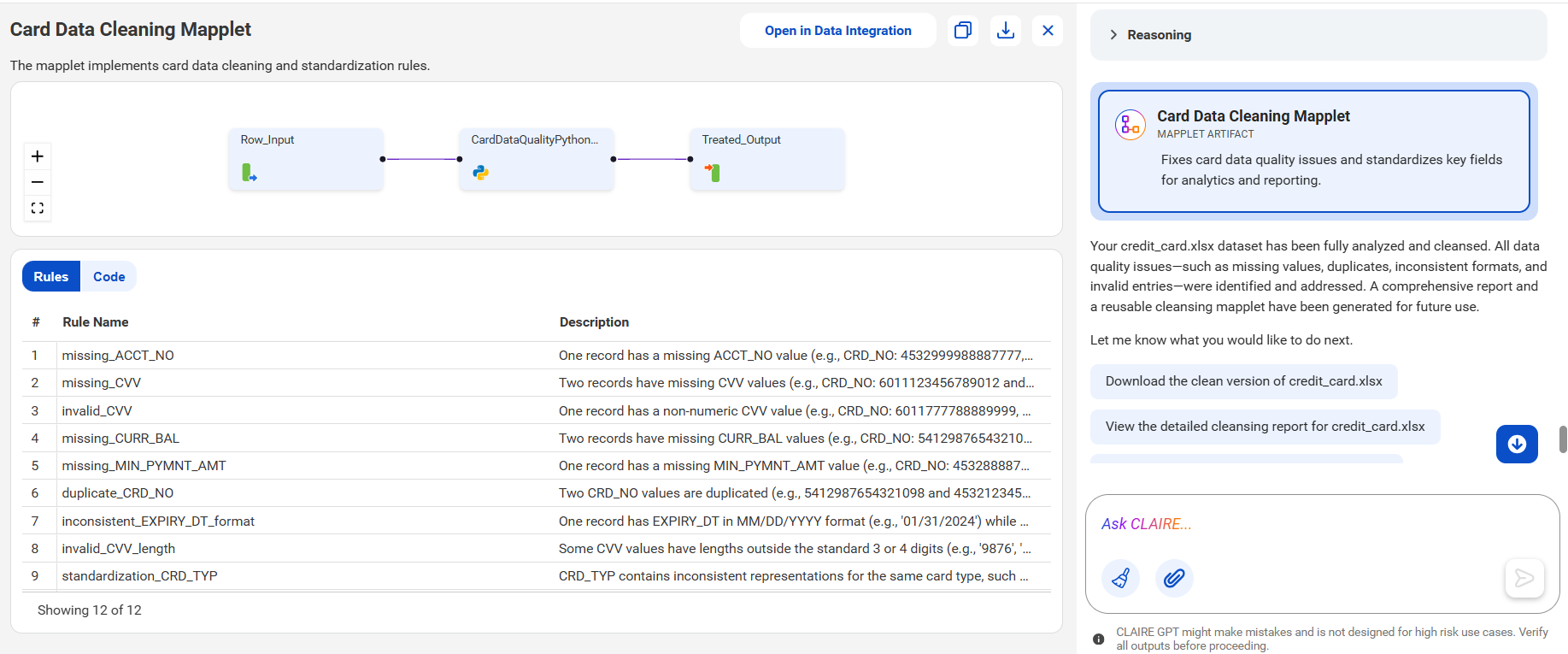
You can view the mapplet in Data Integration, and reuse the mapplet to cleanse data in similar data sets. You can download the mapplet as a PNG file or copy the mapplet to another file.