Enter the following prompt:
Generate rules from this file.
CLAIRE GPT indicates the optional steps within the plan. By default, CLAIRE GPT executes all steps, but you can prompt it to skip the optional ones.
The following image shows the response displaying a detailed plan on how the agent can generate rules from a file:
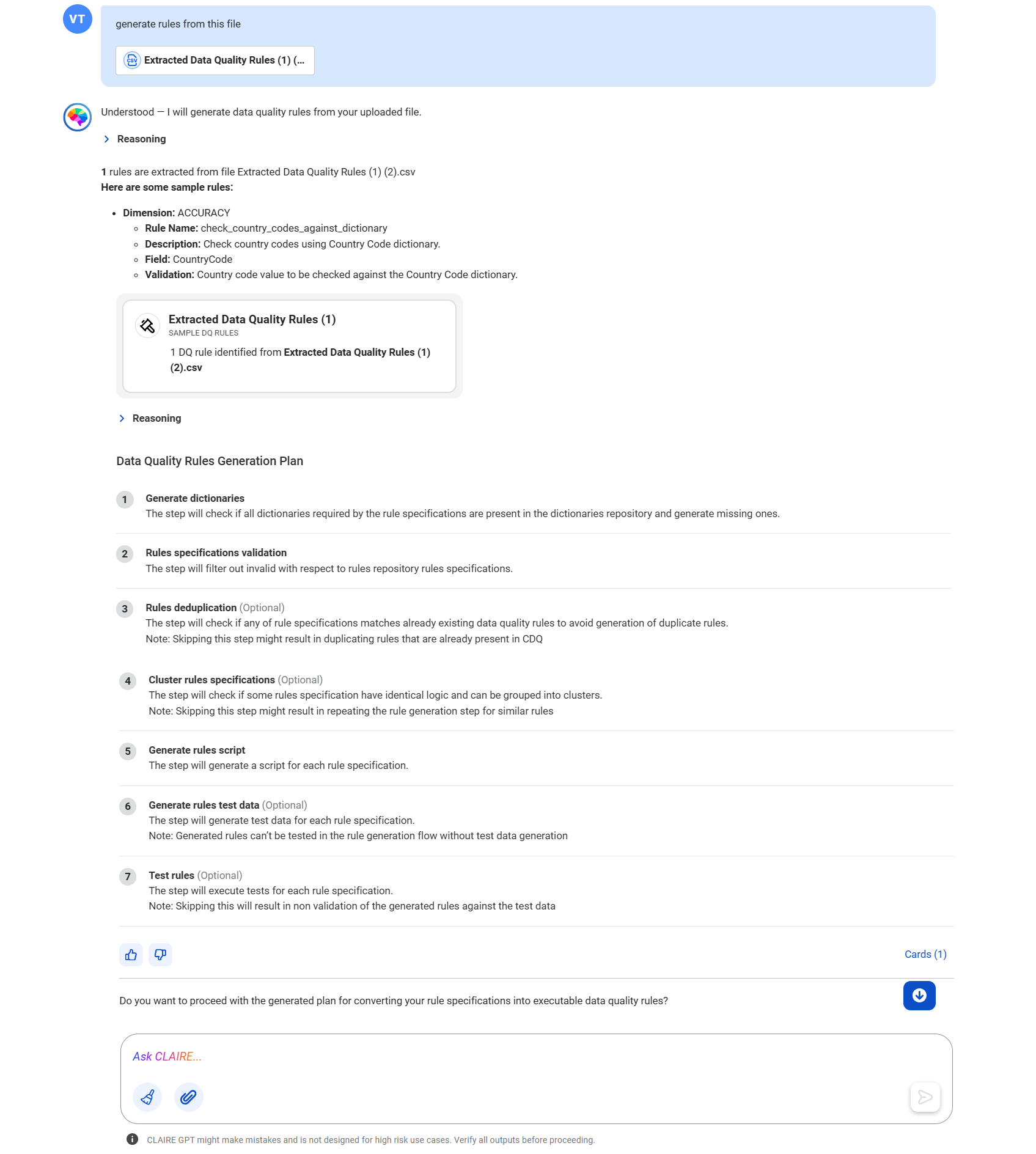
Yes, proceed with the plan.
The data quality rule generation skill of the agent validates the rules and checks for existing rules with the same logic in Data Quality. The agent groups rules with logically identical descriptions into clusters and creates a single rule for each cluster in the file. If CLAIRE GPT can't find the specified dictionary in Data Quality, it automatically creates the dictionary for the rule specification.
The agent then generates rule scripts and corresponding test data for each rule, executes tests for each rule, and provides a comprehensive summary of the generated rule specifications.
The following image shows the data quality rules that the agent generated from the uploaded file.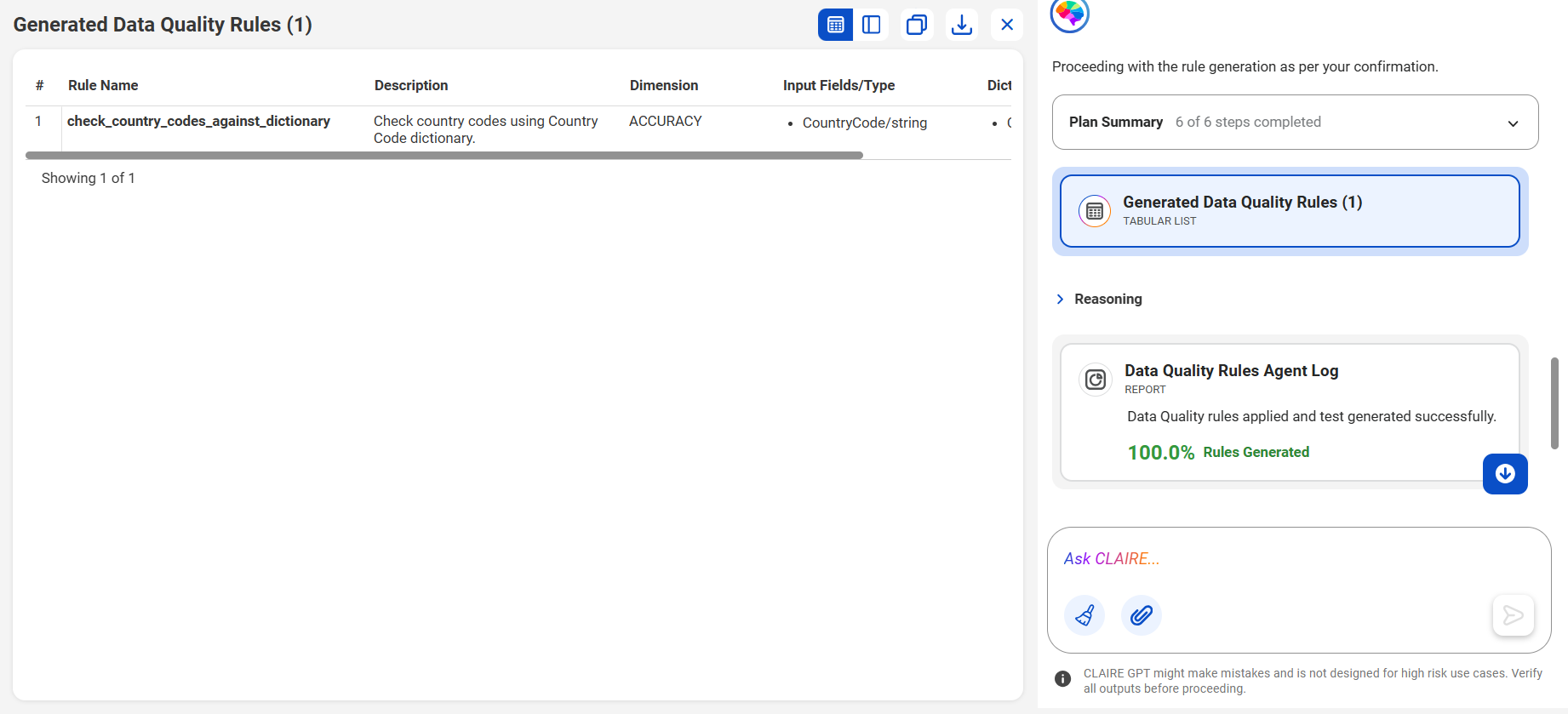
To see the details of each generated rule specification, you can switch to Detail View.
You can download the data as a CSV file or copy the data to another file.
The following image shows the canvas with a summary of the rule specifications that the agent generated.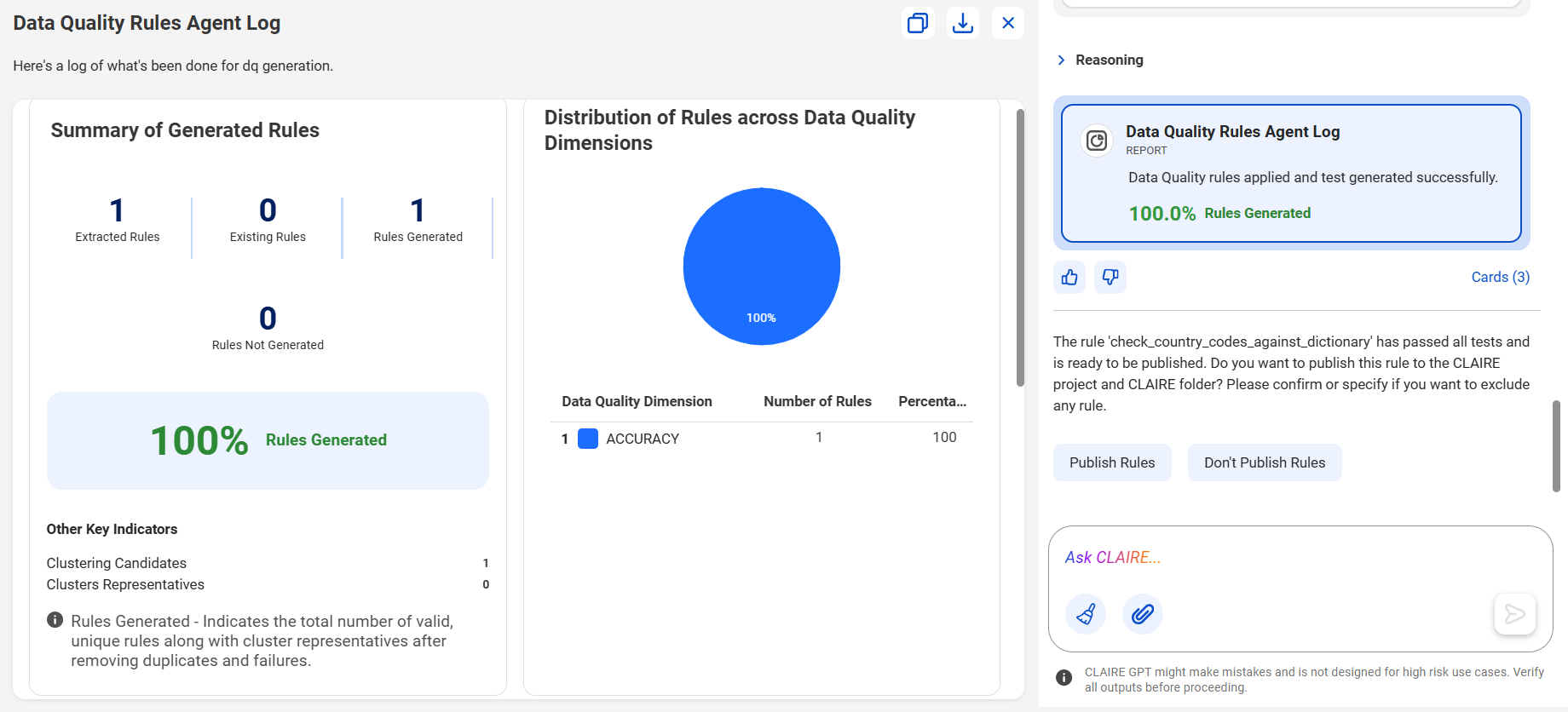
Publish Rules
To view the published rule specifications, click the Published DQ Rules card. If a published rule fails a test, the Published DQ Rules card indicates that.
You can open the rule specifications in Data Quality and view them in the CLAIRE folder within the CLAIRE project.