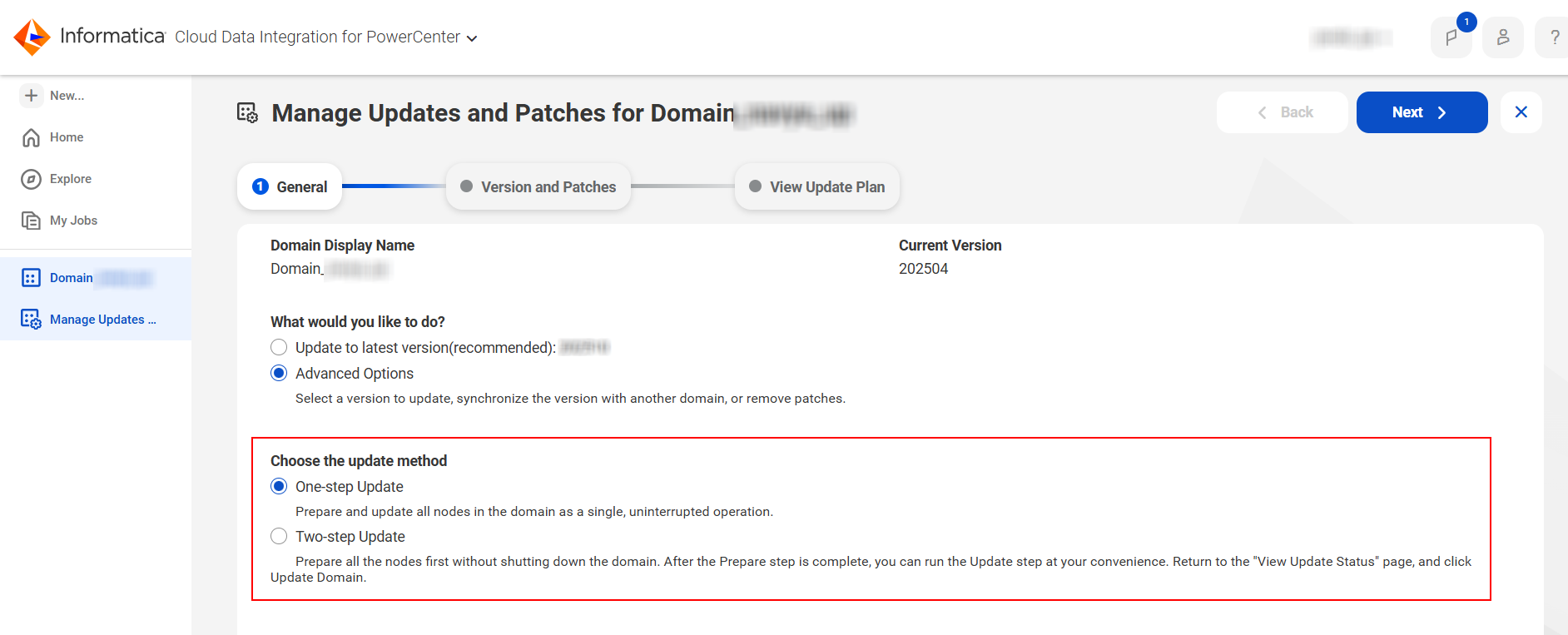
You can update a domain using the two different modes available on the CDI-PC service page.
The following image shows the domain update methods:
One-step Update
You can use the one-step update mode to complete the domain preparation and update in one seamless action. When you select this option, the system prepares and updates the domain simultaneously, completing the entire process with a single flow.
Two-step Update
You can use the two-step update to prepare the domain in advance, separately from the actual update. First, you perform the preparation step, which can be done days before the planned maintenance window. This ensures that your domain remains functional even if issues occur during preparation. After preparation is complete, you run the final update step at a convenient time. You can view the status of each stage, from preparation to update, to track the domain update progress.
You can leverage the two-step update mode to minimize disruption during domain updates. During the preparation phase, the maintenance window has not started yet, which means you can continue performing certain critical operations that are normally blocked during an update. For example, you can still edit the domain display name or run assessment jobs while preparation is in progress. This approach ensures continuous domain availability and operational flexibility.
For the prepare step to succeed, the domain must remain fully operational and responsive. The update process requires communication with the domain to execute key stages, such as listener service start and stop commands. Any domain shutdown during this phase causes the preparation to fail.
In the preparation phase, you have greater control to customize the update process, such as forcing a re-download of update components, adding additional nodes to the update preparation, or switching between simple and advanced update modes for better control. These options provide flexibility to tailor the update process to the specific needs of your domain environment while maintaining uninterrupted operation.
If the preparation step fails, the domain status turns to Prepare Unsuccessful. You won’t see the usual update options and you are directed to the Update Plan page. You can retry preparation to resolve the issue and proceed with the update again. The two-step update mode helps ensure the domain remains stable and that you can address preparation issues without impacting the update environment.
You can use the following steps to diagnose a preparation failure to quickly identify and address issues, ensuring preparation completes successfully:
1Open the Domain Details page.
2Click View Domain Update to access detailed status information.
3Hover over the final state icon to view a summary of the failure.
4Review the logs for detailed error messages and troubleshooting guidance.