The product experience agent can extract data from PDFs to enrich product records, which reduces manual data entry and improves record accuracy.
When you ask CLAIRE Copilot to enrich a record with information from a PDF, CLAIRE Copilot uses the skills of the product experience agent. The agent first creates a draft of the record and then updates it with extracted values. If the fields that the agent tries to enrich fail validation, the agent attempts to correct the values three times. You need to publish the draft to add the enriched data to the record.
Note:
When you use CLAIRE Copilot to enrich records with PDF data, ensure that you own the PDF or have permission to use its data. Informatica is not responsible for copyright or licensing issues that arise from PDFs that you use in MDM SaaS. Verify your rights before you upload documents.
The agent can enrich only one record at a time. Also, you can upload only one PDF in each prompt. However, you can upload multiple PDFs across multiple prompts in a conversation.
The product experience agent extracts data from PDF and builds a knowledge graph based on the business entity that the records belongs to. By default, the agent tries to enrich all empty fields in the record. If the agent can’t find relevant information for an empty field, it doesn’t update the field. The agent can also overwrite values in existing fields based on your instructions.
Note:
The agent can’t overwrite data in field group entries or enrich a related record.
The agent doesn't convert mismatched reference data, such as currency or units of measurement. For example, if the PDF contains weight in pounds (lbs) and the record uses kilograms (kg), the agent doesn't convert the weight from pounds to kilograms to enrich the corresponding field.
If PDF contains a decimal value for a numeric field, the agent rounds it to the nearest integer. For example, if the PDF contains the value 23.7, the agent rounds it to 24. Also, the agent currently supports PDF extraction in English only.
Use CLAIRE Copilot to enrich an incomplete record with PDF data.
Let's look at a sample conversation that shows how to use CLAIRE Copilot to enrich a record with data from a PDF. Your organization has an incomplete record named Blower LXT in Product 360 SaaS. You want to enrich this record with data from a product brochure.
1In Product 360 SaaS, open the Blower LXT record.
2Start a conversation with CLAIRE Copilot to enrich the record, upload a PDF, and enter the following prompt:
Enrich this record with PDF data.
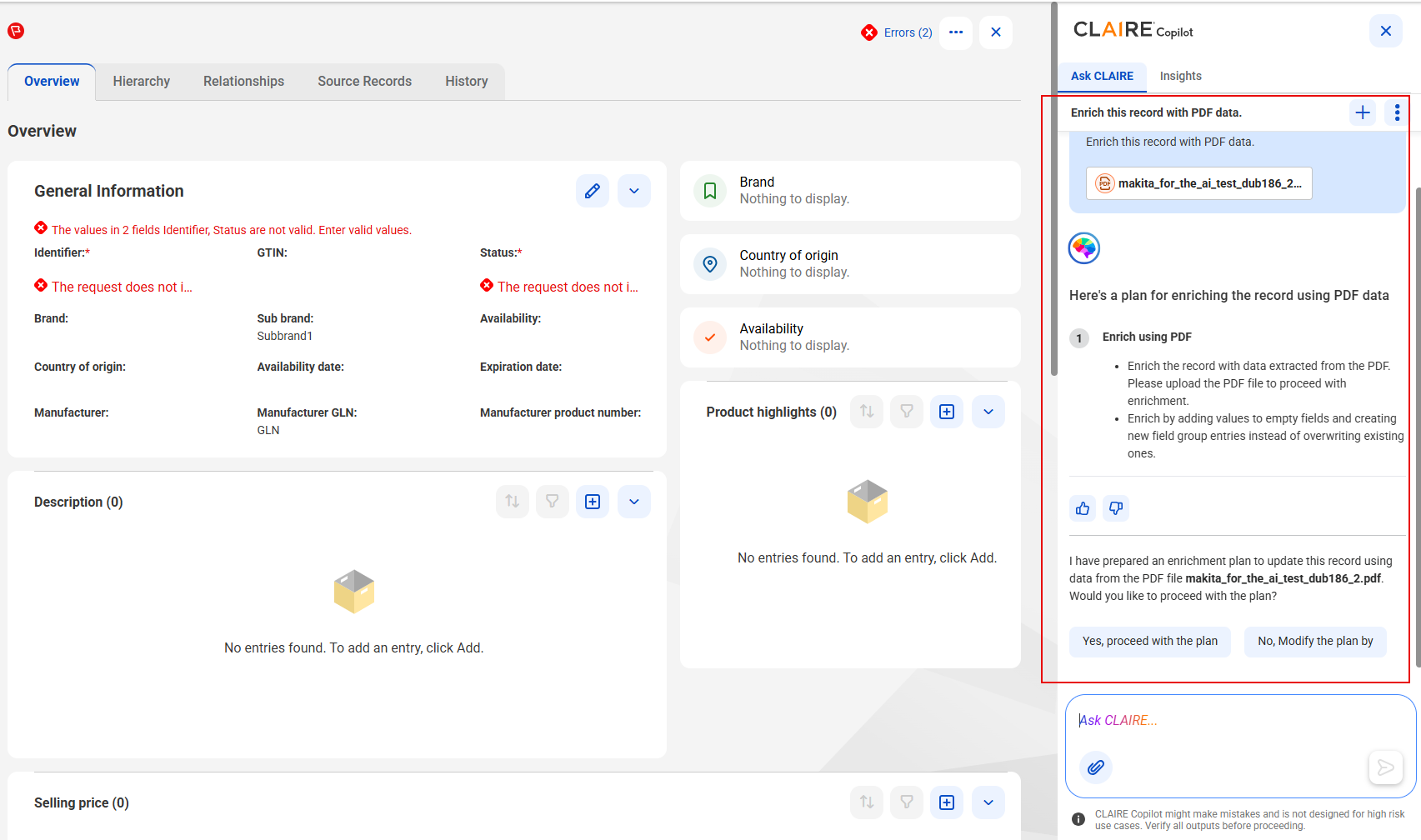
The product experience agent uses the product enrichment skill and displays a comprehensive plan to enrich the record.
The following image shows the enrichment plan that the product experience agent displays after you submit the prompt with the uploaded PDF:
3Click Yes, proceed with the plan, and submit the prompt.
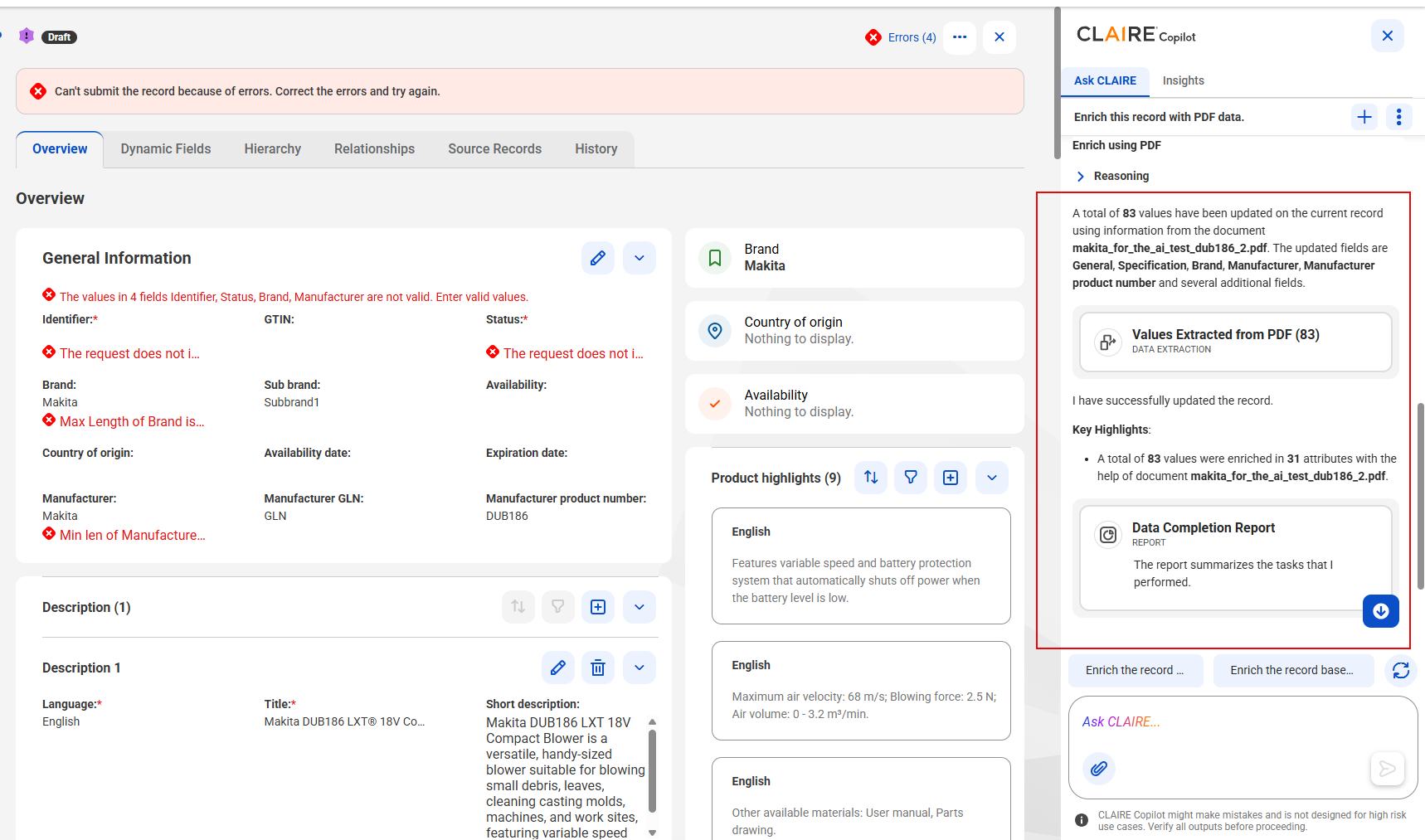
The agent extracts data from the uploaded PDF and enriches the record. After the agent completes enriching the record, the record appears in the draft state. CLAIRE Copilot also displays the Values Extracted from PDF and Data Completion Report cards.
The following image shows the enriched record in the draft state with the Values Extracted from PDF and Data Completion Report cards in the CLAIRE Copilot panel:
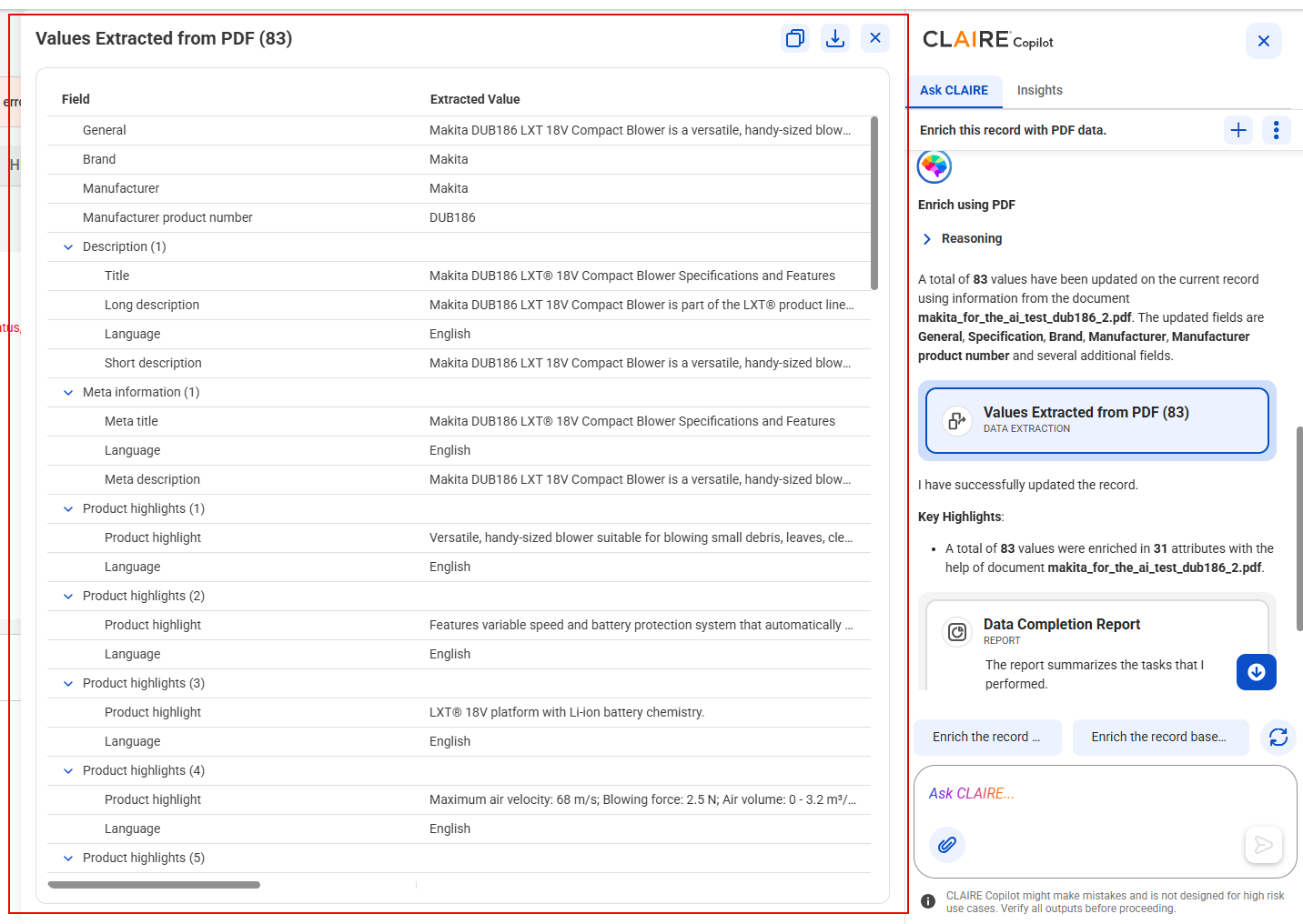
4To view the extracted values and enriched fields, click the Values Extracted from PDF card.
The Values Extracted from PDF workspace appears.
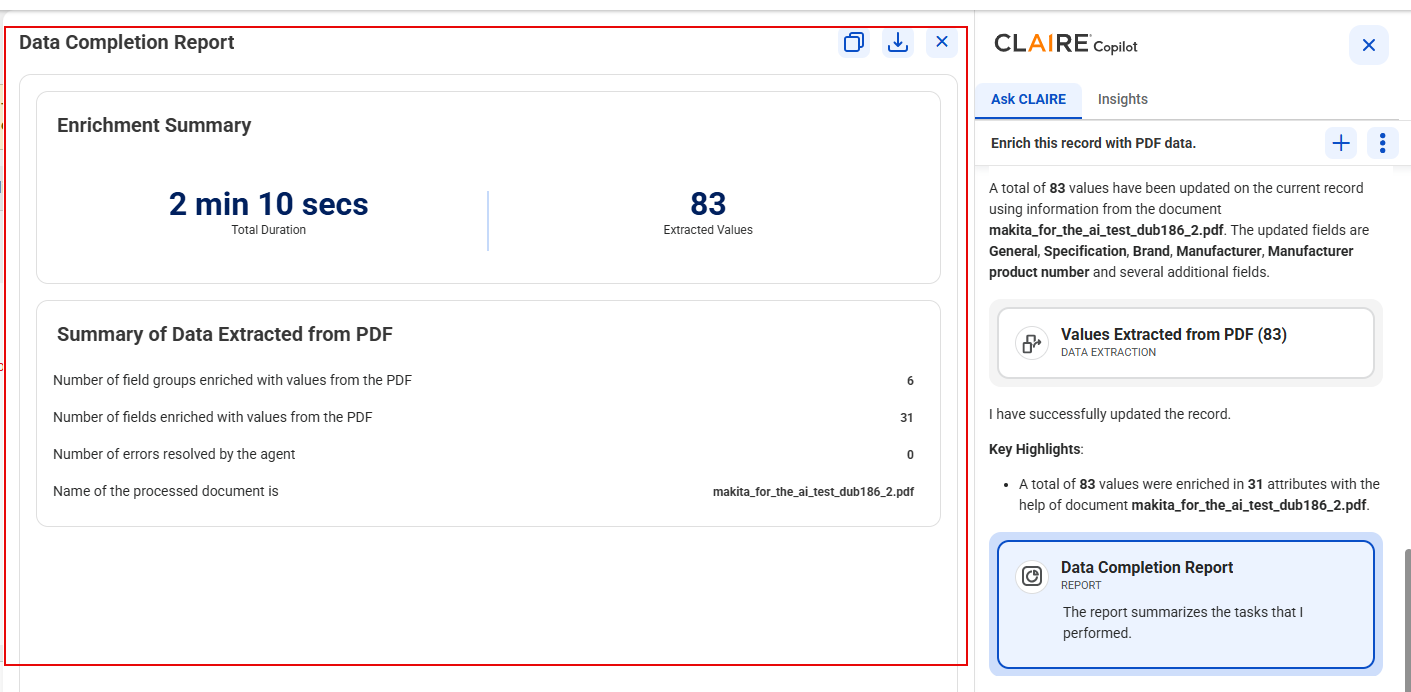
5To view the summary of enrichment, click the Data Completion Report card.