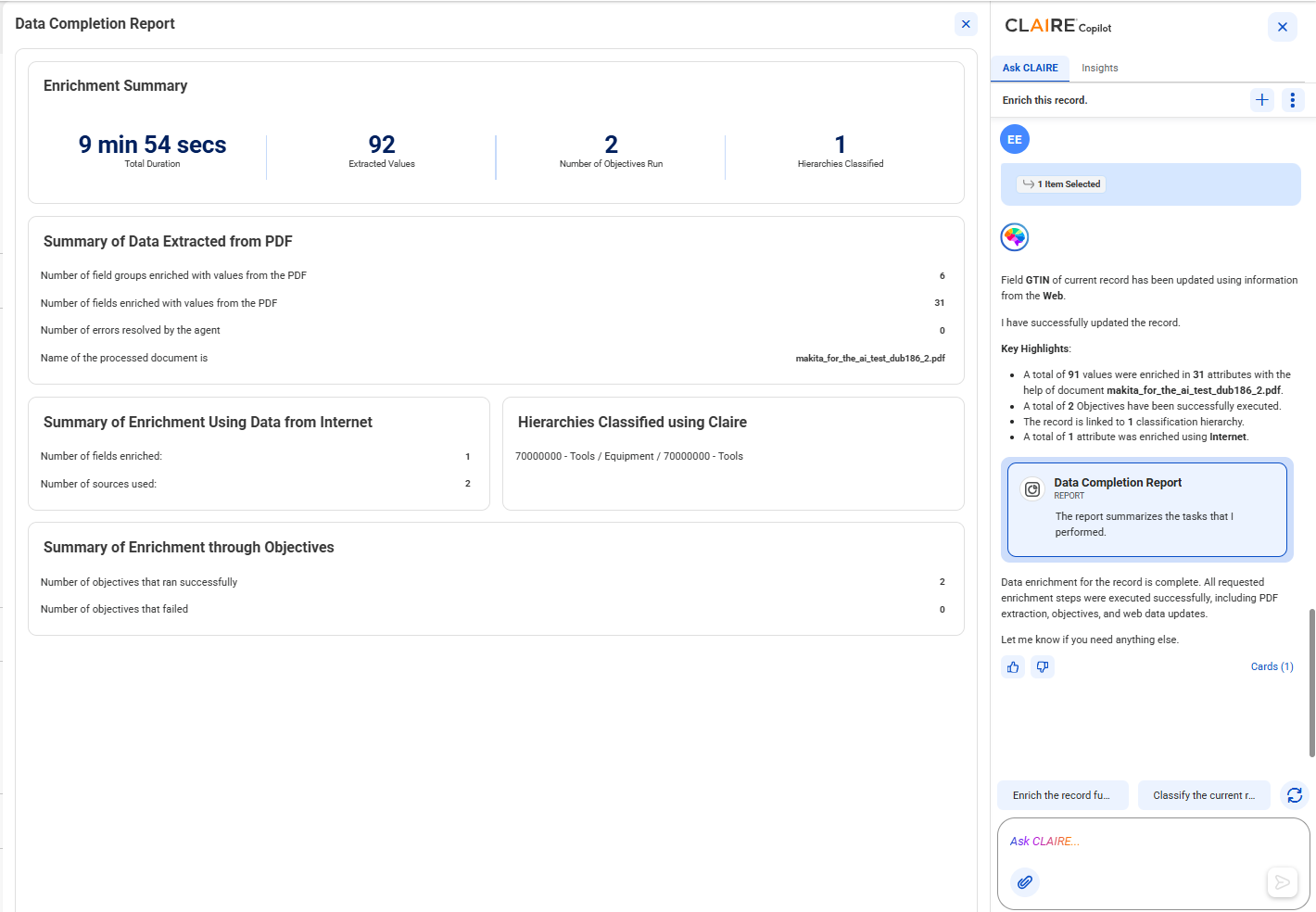
Enrich this record.
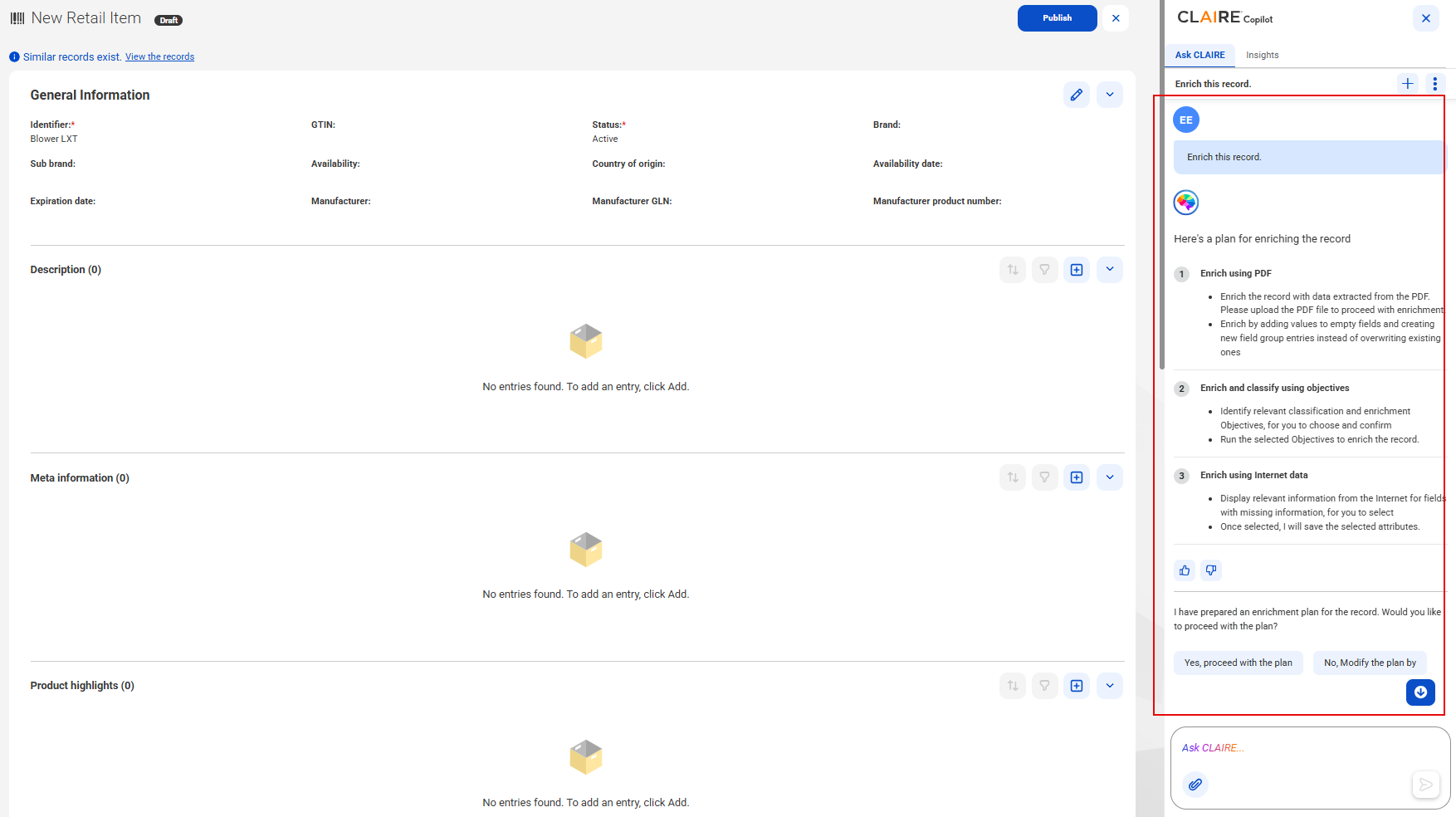
The product experience agent uses the product enrichment skill and displays a comprehensive plan to enrich the record.
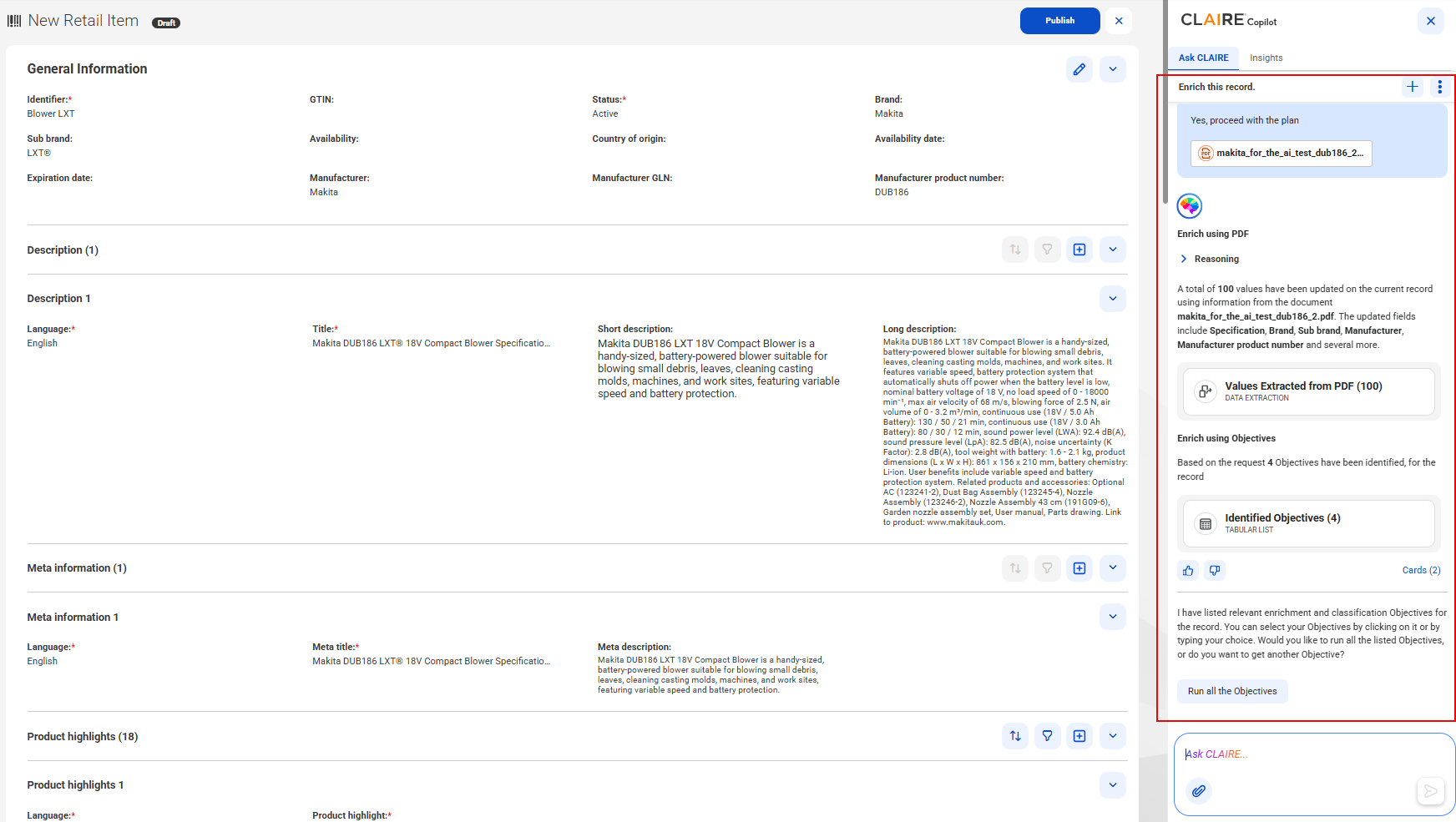
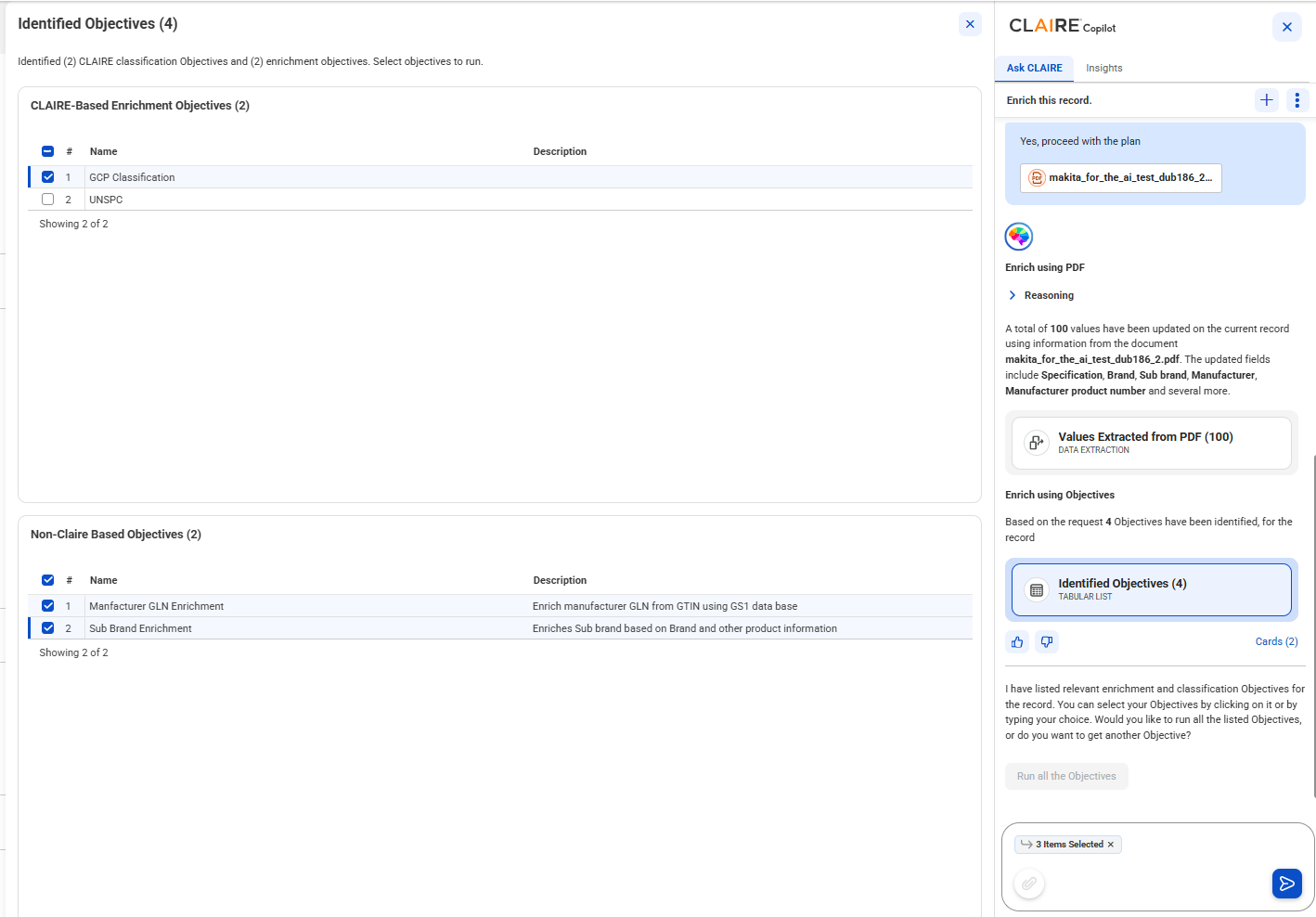
The agent extracts data from the uploaded PDF and enriches the record. After the agent completes enriching the record, the record appears in the draft state. CLAIRE Copilot also displays cards, such as Data Extraction and Identified Objectives. The Data Extraction card displays details, such as extracted values and enriched fields. The Identified Objectives card displays objectives that you can run to classify or enrich the record.
The objectives that you select appear in the prompt box.
If you run an objective that classifies records, CLAIRE Copilot displays the Hierarchies the Record Was Assigned to card.
CLAIRE Copilot also displays the names of other objectives that it ran successfully. The agent then identifies the empty fields in the record and searches the Internet for relevant information.