When you use the related records table to create a new related record with a business entity record field, you fill in the business entity record field. Product 360 SaaS automatically fills in that field with the record that the new related record belongs to. You can edit the field if needed.
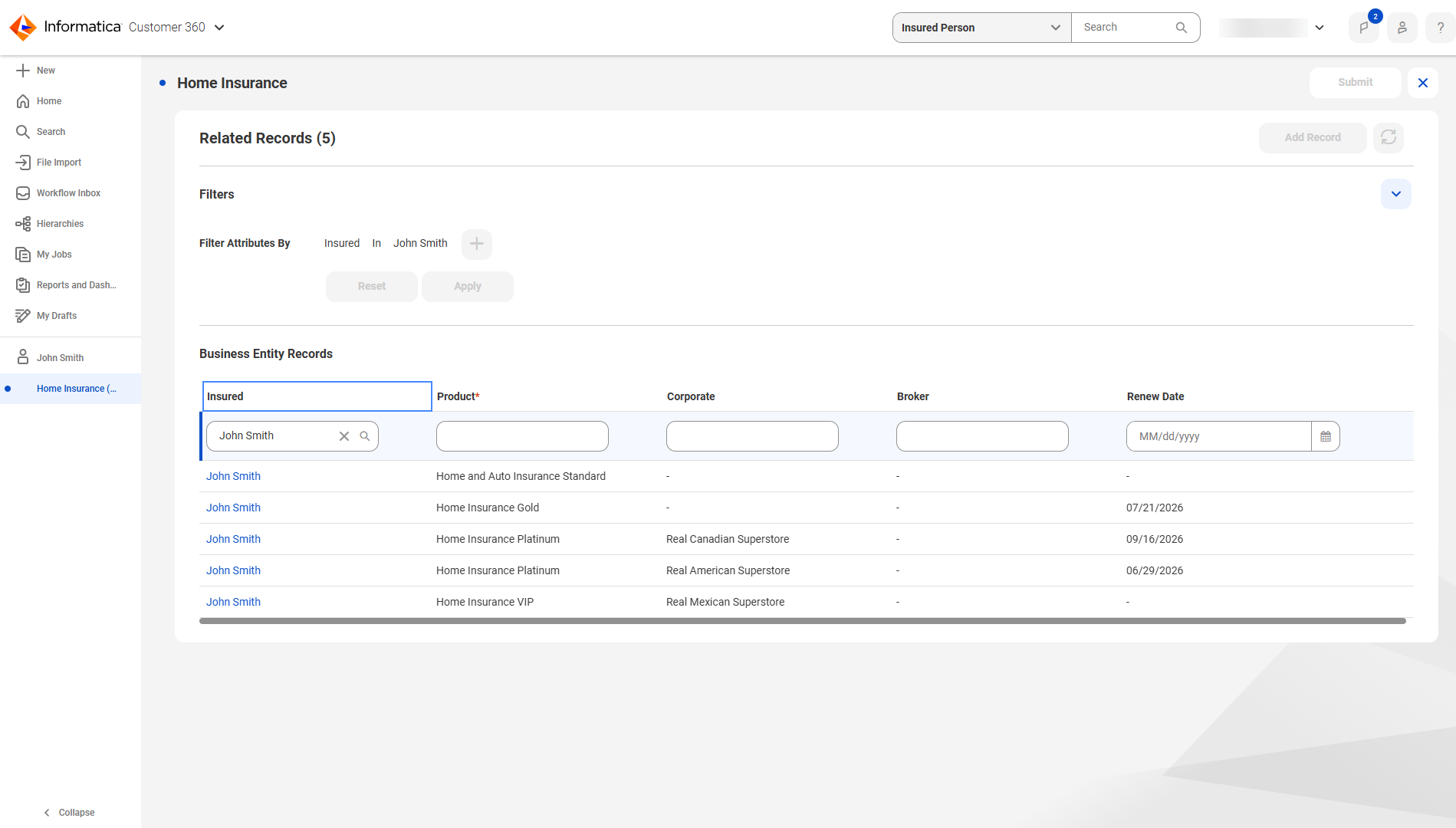
For example, you have an Insured Person record named John Smith, and you want to add an insurance product for John Smith. The record John Smith has a related records table called Home Insurance Products, from which you can add new home insurance product records. In the table, you create a new Insurance Product record. The new Insurance Product record has an Insured field that accepts an Insured Person record. Product 360 SaaS automatically fills in the Insured field with the record John Smith.
The following image shows the Insured field automatically filled in with John Smith on the new Home Insurance record:
Previously, you had to manually fill in the record for each business entity record field.