Source records originate from an external system or from changes made in Product 360 SaaS. Source records from multiple source systems contribute to master records.
On the Source Records page, you can view the details of source records and patch records, such as system fields and business entity fields. The source record field values that contribute to master records are highlighted.
The details of source records and patch records in the new experience appear in the following sections:
General Information
Displays the basic field values.
You can use the option to manage source record fields to create a focused view of the records. When you manage fields, you can show, hide, or change their order.
ID
Displays the source record ID and system field details, such as business ID and record state.
Patch Records
Indicates whether a record is a patch record. The value is Yes for patch records and blank for source records.
Source systems legend
Displays the names and icons of source systems.
Dynamic fields and field groups
Displays dynamic fields and field groups. If deduplication is configured for field groups, duplicate field group entries are hidden. If you select the option to show more, duplicate entries appear alongside the contributing entries.
You can navigate dynamic fields and field groups by using the list at the source records level. You can also jump to specific dynamic fields or field groups from the General Information section. To navigate a nested field group level hierarchy, you can use breadcrumbs.
To find entries of a field group that contain specific field values, apply the Field Value filter for that field group. You can configure filter criteria based on fields in the field group, or in a nested field group one level below the field group.
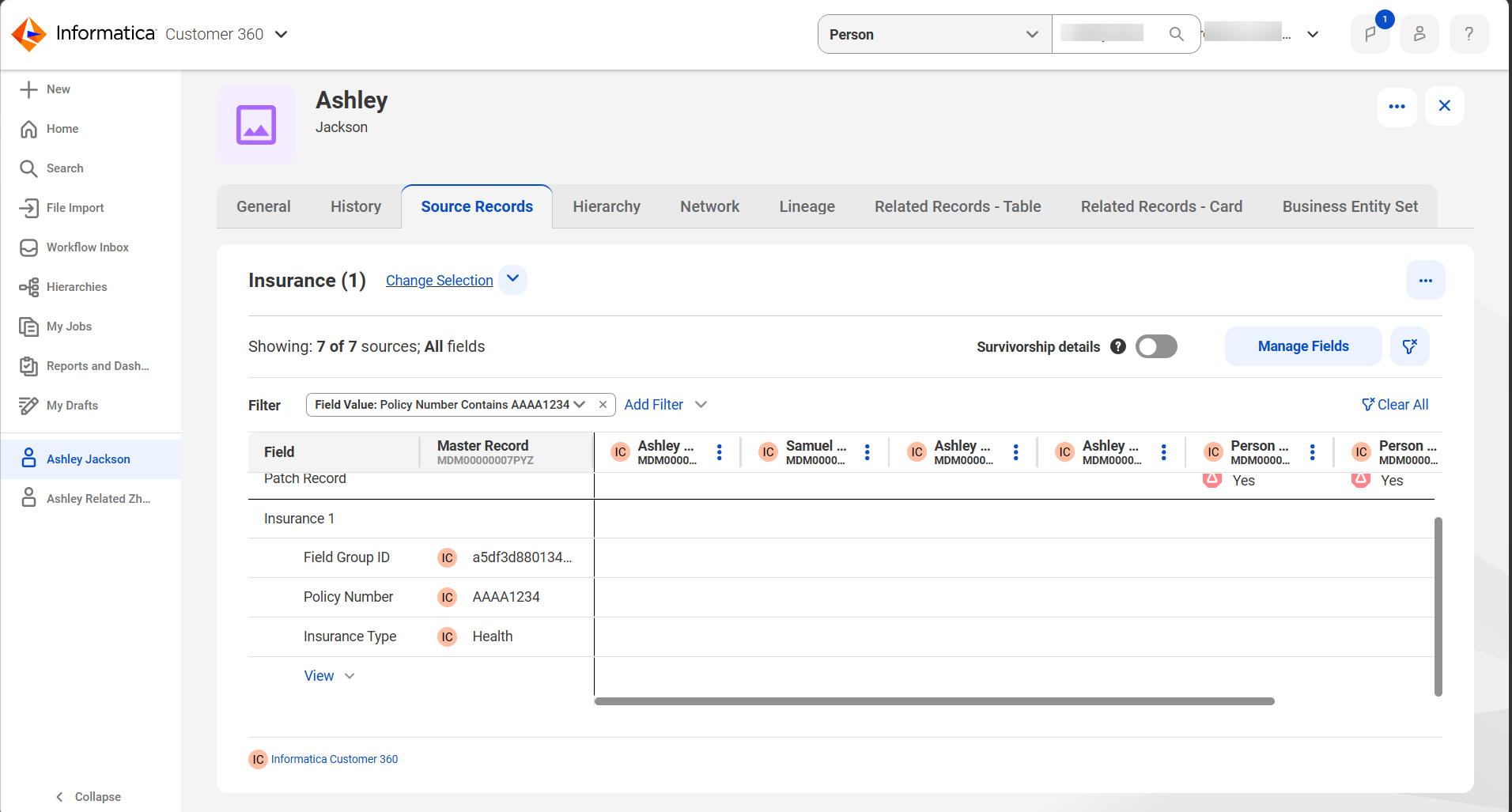
The following image shows a Field Value filter applied at the Insurance field group level to filter field groups where the Policy Number field contains "AAAA1234":
Record pairs
Displays the record pair details associated with a source record or the master record. You can view and export up to 1,000 record pairs.