1Click Window > Preferences.
2Select Informatica > Connections.
3Expand the domain in the Available Connections list.
4Select the Cluster connection type in the Available Connections list and click Add.
The New Cluster Connection dialog box appears.
5Enter the general properties for the connection.
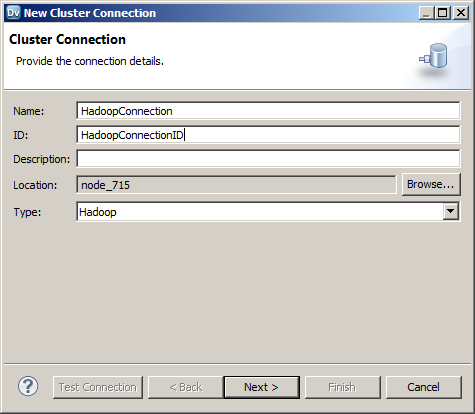
6Click Next.
7Enter the Hadoop cluster properties, common properties, and the reject directory properties.
8Click Next.
9Click Next.
Effective in version 10.2.2, Informatica dropped support for the Hive engine. Do not enter Hive configuration properties.
10Enter configuration properties for the Blaze engine and click Next.
11Enter configuration properties for the Spark engine and click Finish.