You are a data integration developer at a bank. You need to make customer data available to a colleague in the marketing department for customer analysis. As part of their role and the needs of their project, your colleague in the marketing department has limited access rights to customer data.
Use an Access Policy transformation to ensure that your organization complies with data privacy regulations while allowing your colleague to gain valuable insights. At run time, the transformation applies data access policies that your organization created on the Data Access Management page in Data Governance and Catalog according to the data requirements of your organization. These data access policies hide or obscure the information for which your colleague does not have access rights based on metadata and the properties that you set on the Access Policy tab.
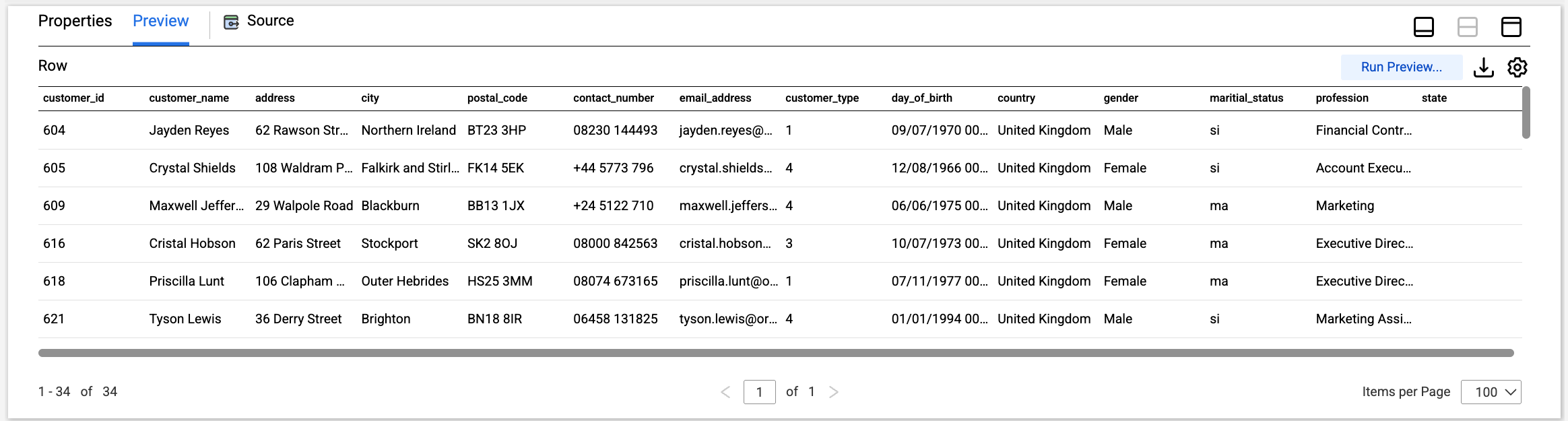
The following image shows a table called BANK_CUSTOMERS, which includes contact details, birth dates, and other personally identifiable information:
To configure the mapping, complete the following tasks:
1Create a mapping.
2Add a Source transformation that reads the BANK_CUSTOMERS source table.
3Add an Access Policy transformation to the mapping canvas, and connect it to the data flow.
4On the Access Policy tab, perform the following steps:
aIn the Consumer field, select your marketing department colleague. Active users in your organization with the Data Marketplace User role appear in this list.
bIn the Usage field, select "customer analysis" as the usage context.
cIn the Data Asset field, select the BANK_CUSTOMERS table as the source data asset.
dTo use consistent tokenization, generate a new consistency seed. Otherwise, enter a consistency seed from another Access Policy transformation.
eClick Synchronize Access Policy.
5Add other transformations to the mapping as required. For example, you might add a Filter transformation to remove redacted rows from the target.
6Add a Target transformation to the mapping and connect it to the upstream transformation.
7Click Run.
The mapping task applies the policies to the data, protecting it.
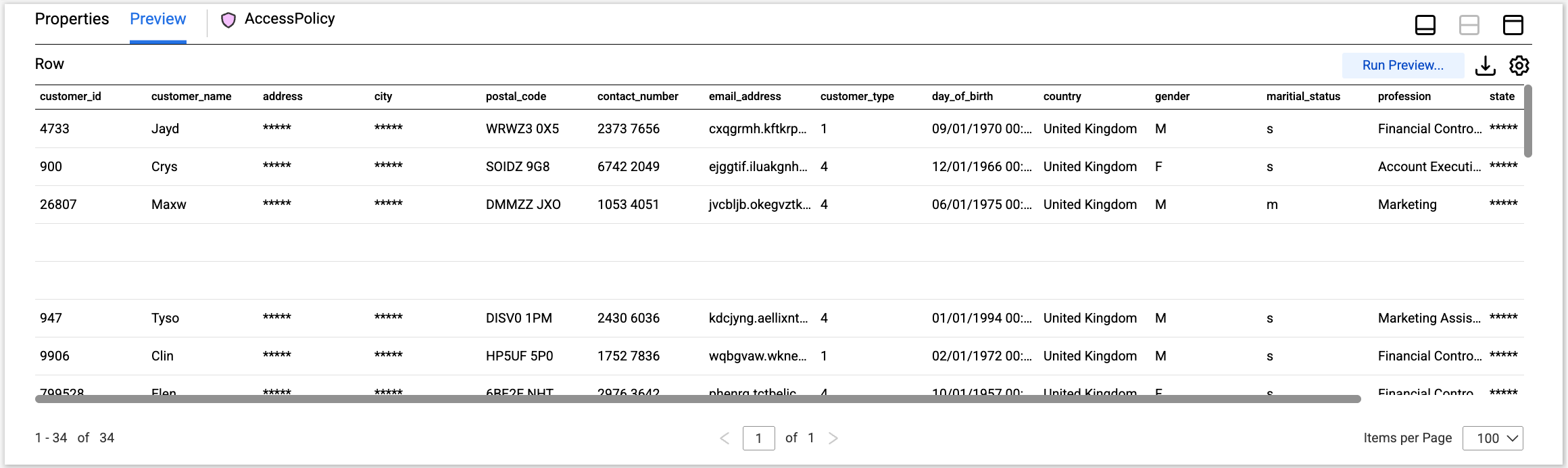
The following image shows the protected data:
The Access Policy transformation protects the data in the following ways:
•It retains only the first four characters of the customer name.
•It replaces the street address and city with constant values.
•It randomizes the postal code and contact number.
•It assigns random characters to the customer email address, but it keeps the address in a valid email format.
•It generalizes the data of birth to month and year.
The customer ID, customer type, country, gender, marital status, and profession remain unaltered.