1Navigate to the row for the job that you want to resume with an override.
2Click the Actions menu for the row and select Resume With Options.
Note:
The Resume With Options command is not available if the job is in the Failed state because the task deployment failed.
The Resume Options dialog box appears.
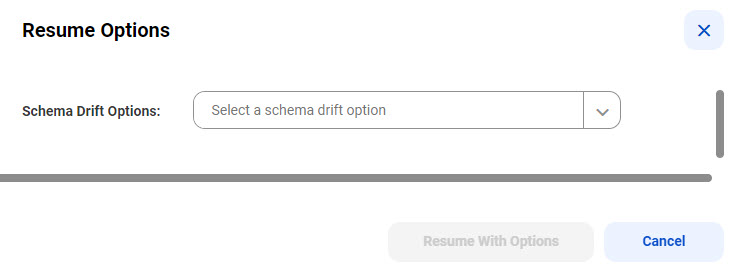
3In the Schema Drift Options list, select the schema drift option that will be used to process the DDL operation on the source that caused the database ingestion and replication job to stop.
The following table describes the schema drift options:
Option | Description |
|---|---|
Ignore | Do not replicate DDL changes that occur on the source database to the target. |
Stop Table | Stop processing the source table on which the DDL change occurred. Important: The database ingestion and replication job cannot retrieve the data changes that occurred on the source table after the job stopped processing it. Consequently, data loss might occur on the target. To avoid data loss, you will need to resynchronize the source and target objects that the job stopped processing. Use the Resume With OptionsResync option. |
Resync | Resynchronize the target tables with the latest source table definitions, including any DDL changes that the schema drift ignored. Use this option for tables that the job stopped processing because of the Stop Table setting for a Schema Drift option. Important: This option is available only for combined initial and incremental load jobs. |
Resync (refresh) | For database ingestion and replication combined load jobs that have an Oracle or SQL Server source, use this option to resynchronize the target tables with the latest source table definitions, including any DDL changes that schema drift ignored. After the target tables are refreshed, the structure of source and target tables match. This option mimics the behavior of the Resync option. |
Resync (retain) | For database ingestion and replication combined load jobs that have an Oracle or SQL Server source, use this option to resynchronize the same columns that have been processed for CDC, retaining the current structure of the source and target tables. No checks for changes to the source or target table definitions are performed. If source DDL changes affected the source table structure, those changes are not processed. |
Replicate | Allow the database ingestion and replication job to replicate the DDL change to the target. Important: If you specify the Replicate option for Rename Column operations on Microsoft Azure Synapse Analytics targets, the job will end with an error. |
4Click Resume With Options.
The resumed job will use the schema drift option that you specified in step 3 to process the schema change that caused the job to stop. Thereafter, the schema drift options that you specified when creating the task take effect again.
Important:
Database Ingestion and Replication processes a schema change to a source table only after a DML operation occurs on the table. Therefore, after you resume a job, the table subtask state remains unchanged until the first DML operation occurs on the table.