Additional Search Options
You can use additional search options to search for assets.
Wildcard Search
You can use the asterisk character (*) and the question mark character (?) to perform a wildcard search.
If you enter
* in the
Search box and click the search icon (

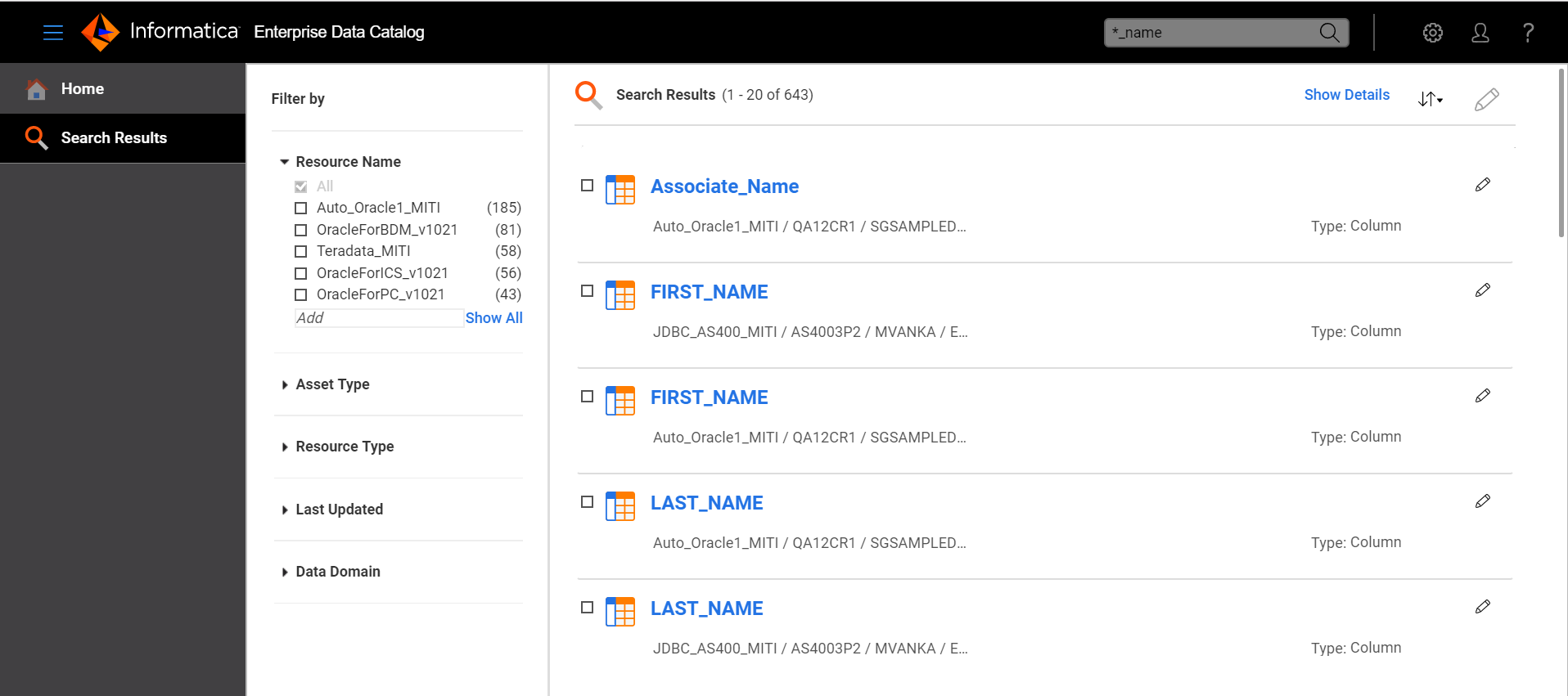
), Enterprise Data Catalog lists all the assets in the catalog. You can also use the asterisk with parts of an asset name. For example, to search for all the assets that end with the string "_name," enter
*_name in the
Search box. Enterprise Data Catalog lists all of the assets that match the search criteria, for example,
Associate_Name,
party_name, and
cust_name.
Use the ? character to substitute individual characters in the name of an asset. For example, if the asset that you want to search for begins with the letters HR, is followed by two numbers that denote the year, and ends with REPORT, enter the following string in the Search box: HR??REPORT. Enterprise Data Catalog lists all of the assets that match the search criteria, for example, HR12REPORT, HR13REPORT, and HR14REPORT.
The following image shows an example of search results for a wildcard search:
Search Suggestions
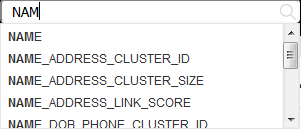
When you type the first few letters of an asset name into the Search box, Enterprise Data Catalog suggests matching asset names.
The following image shows an example of search suggestions:
If you type the name of an asset incorrectly, Enterprise Data Catalog compares the typed letters with names of existing assets in the catalog. The probable matches then appear as search suggestions. For example, if you enter sela to search for an asset named salary, Enterprise Data Catalog suggests salary as a probable match.
Note: The suggestions include all custom attributes that are of type string. Assets or custom attribute names that include special characters do not get listed.
Keyword Search
You can use a keyword when you want to search specifically for a type of asset in the catalog.
Enterprise Data Catalog supports the following keywords:
- •Table
- •Column
- •File
- •Report
You can use keywords in regular sentences or phrases.
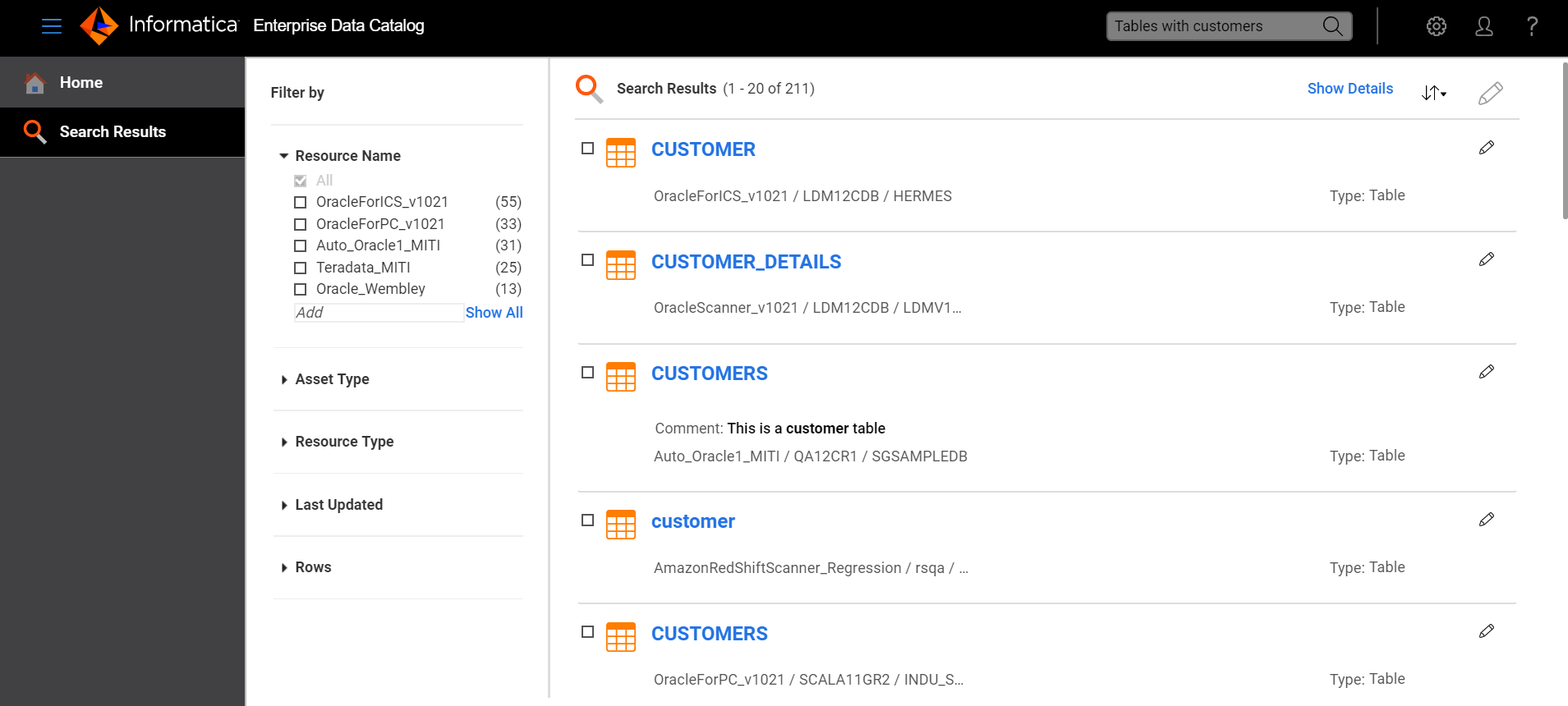
For example, to search for all tables with customer details, you enter tables with customer in the Search box. Enterprise Data Catalog returns the following results:
- •Tables with the word "customer" in the name
- •Tables with descriptions that contain the word "customer"
- •Tables that have the associated business term "customer"
- •Tables that contain columns for which the "customer" data domain is inferred or assigned
The following image shows the search results: