The October 2025 release of Business 360 Console includes the following new features and enhancements.
Watch the What's New video to learn about the new features and enhancements in the October 2025 release.
Enrichment and Validation Orchestrator
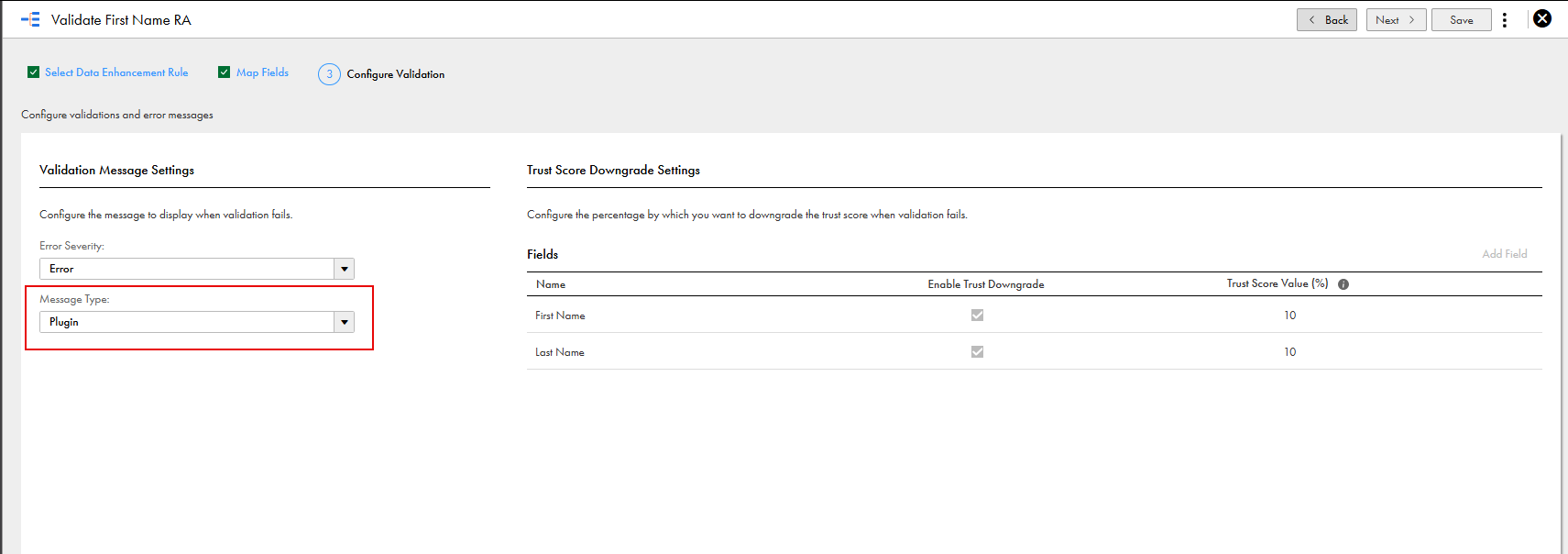
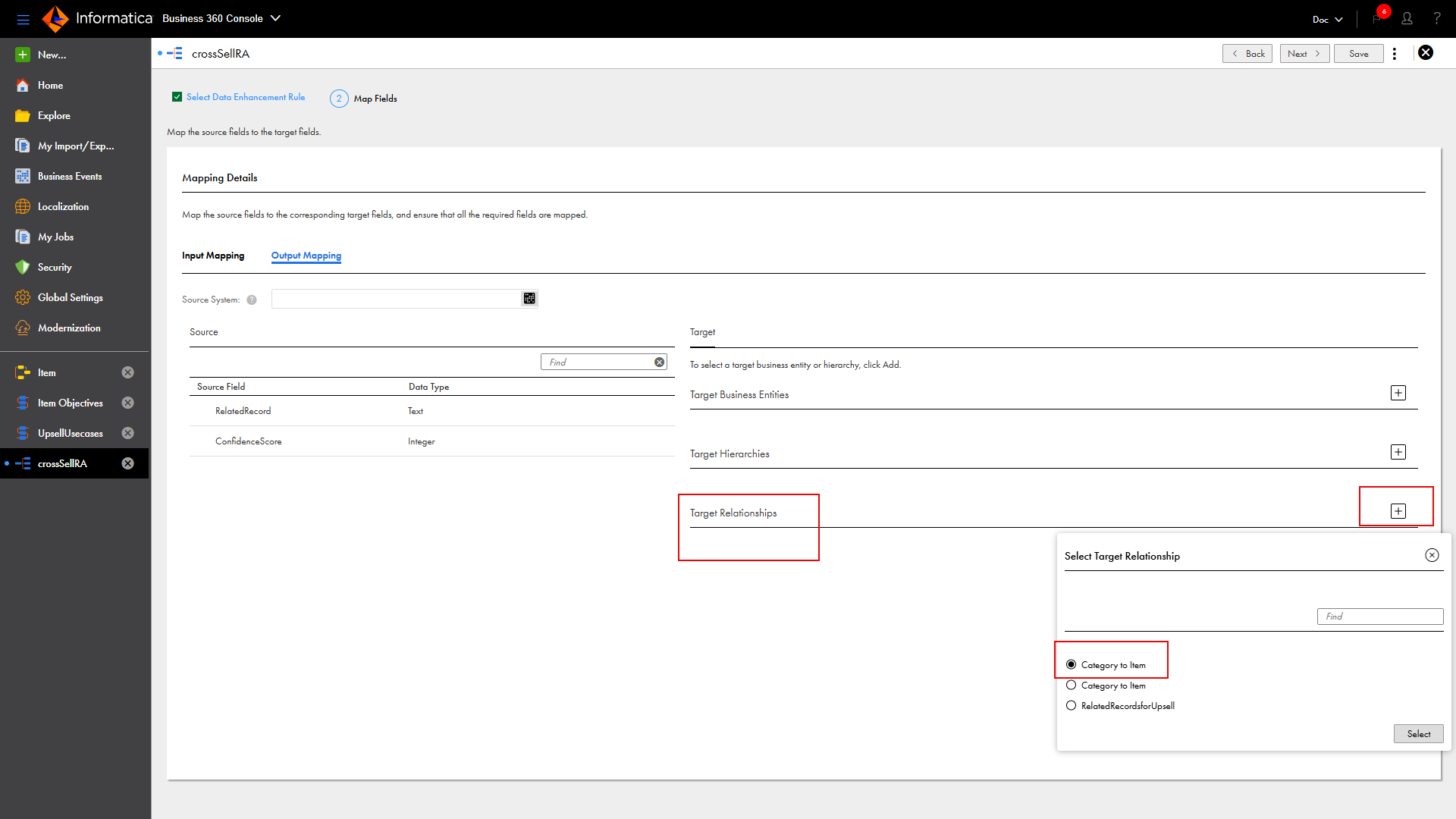
You can now use Enrichment and Validation Orchestrator to create rule associations that are equivalent to basic, advanced, and DaaS rule associations in an objective group through plugins. The plugins are grouped into the categories Validation, Transformation, and Cleansing and Standardization. Also, MDM SaaS now includes predefined data enhancement rules for creating rule associations that are equivalent to the basic and DaaS rule associations.
For example, to create a rule association that verifies maximum length, use the Maximum Length predefined data enhancement rule. Similarly, to create rule associations that verify addresses, email addresses, and phone numbers, use the Address Verification, Email Verification, or Global Phone Verification data enhancement rules.
The following image shows Data Enrichment Rule Settings page with plugin categories, such as Cleansing and Standardization and Enrichment:
Additionally, Enrichment and Validation Orchestrator has the following enhancements:
•If source records are the input record type for an objective, the objective is triggered when patch records are created.
•When you map input fields in rule associations, you can now map system fields and business entity record fields.
•You can configure a data enhancement rule to process empty fields. You can also configure the rule to include only new or updated entries of input field groups in the payload that's sent to the enrichment and validation service.
•When you configure objectives, you can now disable individual rule associations in the objectives.
•You can configure objective groups for custom address, email, and phone field groups in your business entity using predefined Address Verification, Email Verification, and Global Phone Verification data enhancement rules.
•You can now configure ingress as a trigger for an objective. When you run ingress or file import jobs, MDM SaaS runs objectives during the load step and generates metrics at this step.
When you create rule associations without using objective groups, MDM SaaS runs rule associations during the transform step. If your organization uses basic, advanced, and DaaS rule associations, and rule associations that are created using objective groups MDM SaaS runs rule associations and objectives during both transform and load steps. You can view the metrics generated at each step.
For more information about configuring objective groups to validate, transform, cleanse and standardize data using different plugins, see Orchestrating data enrichment and validations.
Enhanced Adaptive AI match model
The training process of the Adaptive AI match model now includes the following enhancements:
•An intuitive training page that organizes record pairs in separate sections based on the exact match fields to simplify the labeling process. For example, record pairs with addresses that match exactly are grouped in one section, while record pairs with phone numbers that match exactly are grouped in another section. By grouping record pairs, you can understand the match process better and can label pairs more precisely.
•You can label record pairs in bulk and complete the labeling process quickly and efficiently.
•To improve the training accuracy, you can now label up to 90 record pairs in a batch, even though only 30 conclusive record pairs are required to complete a batch.
You can use a source control repository to manage and track changes to MDM SaaS projects, folders, and assets. You can pull assets, projects, and folders from the source control repository to your organization. You can copy projects, folders, predefined MDM SaaS assets, and custom assets to a location instead of creating them from scratch and improve usability of assets. You can also move custom assets to a custom project or folder.
Business 360 REST API includes the following new resources and additional parameters within existing resources:
Search Match API version 2
The Search Match API version 2 uses master records for searching instead of source records and provides better performance compared to version 1.
To use the Search Match API version 2 in your organization, contact Informatica Global Customer Support.
For more information about using Search Match API version 2 to search for master records, see Search Match API version 2.
Direct link REST API
You can now directly access master records from external applications through the direct link REST API. The URI of the API provides real-time, secure data access without transferring data to third-party applications.
You can now use the optional _showPending parameter in the Read Master Record by Business ID and Read Master Record by SourcePKey APIs to retrieve master records that are in the pending state.
You can now use the optional parameter _allowMergeBack to allow source records to merge back into the master record that they were unmerged from. By default, the source records don't merge back.
For more information about the _allowMergeBack API parameter, see Unmerge API.
URL fields
You can now use URL fields within a field group to display preview images in the page header or fields component.
For more information about configuring the page headers or fields components, see Configuring components.
Custom pages
You can now configure the default sort field and order for a field group based on its fields on a custom page. The custom page in a business application displays the field group entries after sorting them based on your configuration.
The following image shows a sample custom View and Edit page and its sorting configuration:
Date values of display fields configured for business entities now appear in the format that the browser locale uses.
REST API authentication type
You can now use JWT-based authentication instead of session-based authentication for REST API calls. You can choose the authentication type on the Organization page in Administrator. For more information, see Important notices.
Cloud services for digital content
You can now use images that are stored in any cloud service or file storage system on your premises. Before you use such a service, contact Informatica Global Customer Support for approval and to have its domain added to the allowlist.
When you enable segment matching for multiple fields in a Directed AI match rule, you can now choose to segment data based on all or any of these match fields. The AND operator uses all the match fields, and the OR operator uses any of the match fields.
For example, consider a Directed AI match rule with the following exact match fields configured for segment matching:
•Country field with Spain as the segment value.
•Source System field with Salesforce as the segment value.
When you choose to segment data based on all segment matching-enabled match fields, the segment data contains records with the value Spain in the Country field and Salesforce in the Source System field.
When you choose to segment data based on any of the segment matching-enabled match fields, the segment data contains records with either the value Spain in the Country field or Salesforce in the Source System field.
For more information about enabling segment matching for the match fields, see Segment matching.
MDM Extension for Agentforce
Use MDM Extension for Agentforce to seamlessly integrate MDM SaaS with Agentforce, an AI agent platform in Salesforce. The integration enables AI agents to perform on-demand searches and retrieve real-time master records and related data from MDM SaaS. These capabilities empower Agentforce AI agents to deliver intelligent, personalized, and efficient customer interactions across various industries.
Use Customer 360 Extension for Consent Management to manage customer consents, preferences, processing purposes, and lawful bases collected from multiple channels. You can track data subject rights requests and ensure compliance with global data privacy laws. Use the centralized consent data to conduct lawful marketing, enable compliant data processing, and deliver personalized customer engagement.