Use Business 360 Console to create data management projects and run data integration tasks.
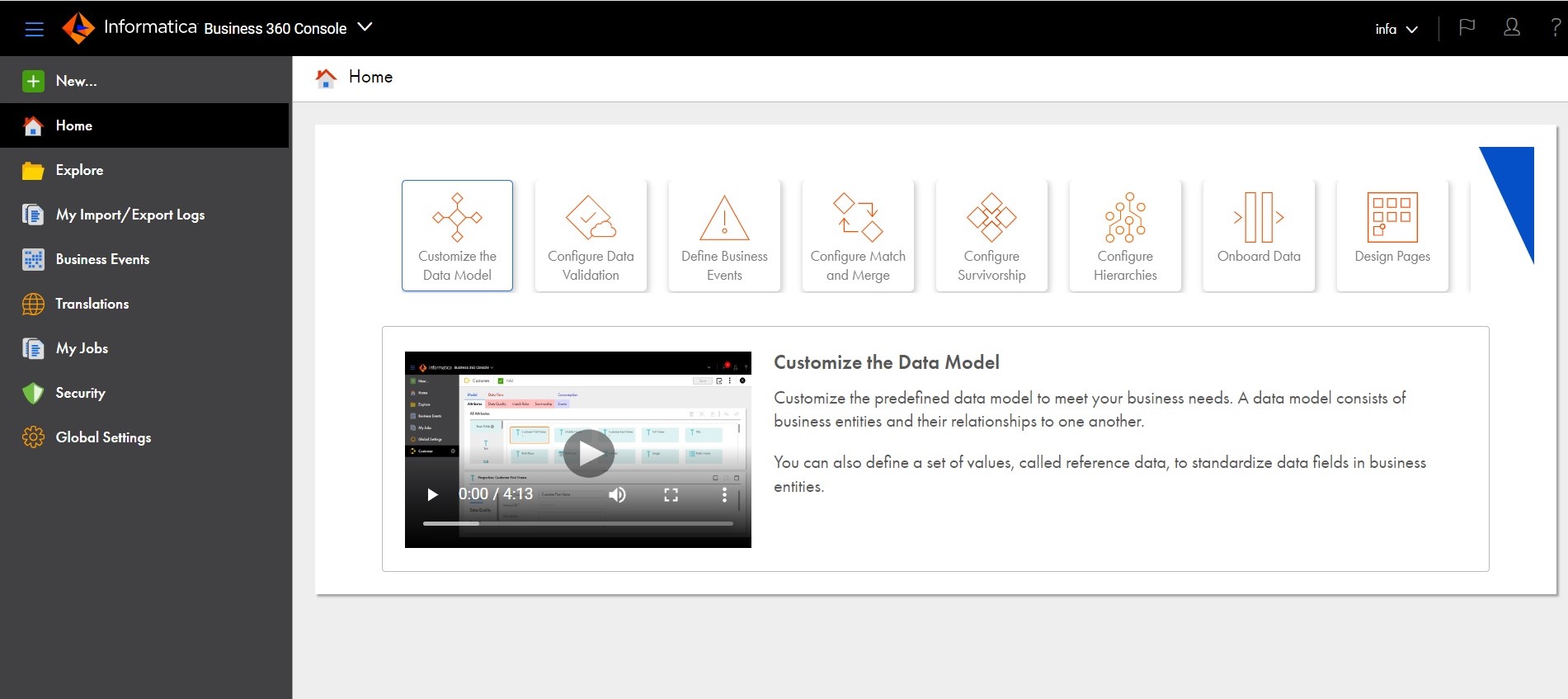
When you select Business 360 Console from the My Services page, the Business 360 ConsoleHome page appears, as shown in the following image:
You can access the following pages from the navigation bar for Business 360 Console:
•New. Create Business 360 Console assets, such as business entities, workflows, and applications.
•Home. Return to the Home page.
•Explore. Create and manage projects and assets.
•My Import/Export Logs. View and download the logs of your import and export jobs.
•Business Events. Create business events to trigger workflows.
•Translations. Manage the translations of asset labels that appear in business applications.
•My Jobs. View, schedule, and monitor jobs.
•Security. Configure privileges and data access rules for custom user roles.
•Global Settings. Configure the settings for license keys, Informatica Global Customer Support access, and data purge.
When you switch from Business 360 Console to another service, such as Administrator or Monitor, the options in the navigation bar change to suit the service.